Direct Connect with PNC bank not working since Feb 12, 2026

I'm getting really pissed off at Quicken.
First, all the icons and Direct Connect transactions have not been displaying properly in the register for months, there are duplicate registry entries, and now Direct Connect with PNC is not downloading transactions.
My PNC account clearly shows new transactions starting Feb 13, but nothing has been updated in Quicken since Feb 12.
Why is Quicken such a mess lately?
(Win 11 Pro, R66.11 Build 27.1.66.11 and previously R65.29, User for over 30 years)
[Edited - Readability]
Comments
-
Hi @Wayne Hoit,
I’m sorry you’re encountering this issue. After reviewing the situation, it appears that other users are experiencing similar behavior, which seems to originate on PNC’s side.
I can provide a few troubleshooting steps you can try, but if you plan to continue using Direct Connect, I highly recommend reaching out to PNC Online Banking Support as well, so they can address the issue directly and prioritize it.
In the meantime, you can try the following steps (please back up your Quicken file first):
1. Change the connection type to Express Web Connect+ (Note: This method allows downloads only and does not support bill pay.)
- Select "Tools"
- Select "Account list"
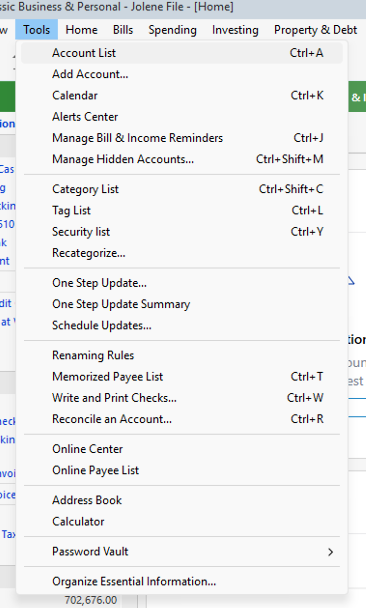
- In the Account List, select the account you want to deactivate, and then click Edit.

- In the Account Details window, click the Online Services tab.
- Click Deactivate next to the service you want to disable.
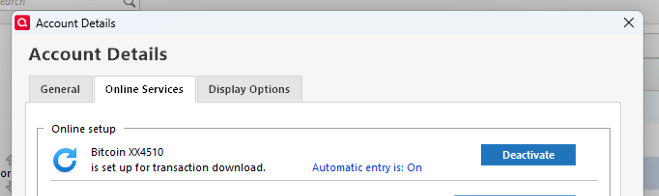
-
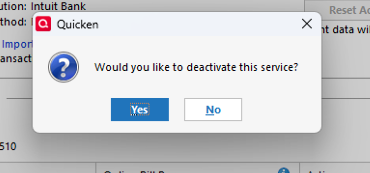 Click Yes to the message confirming if you want to disable this service.
 - Direct Connect users: If you are deactivating a Direct Connect account, you may see an additional prompt advising you to contact your bank to cancel the Direct Connect service. This is only recommended if you intend to deactivate an account permanently and need to contact the bank to stop any related fees.
- Go to Tools > Add Account.
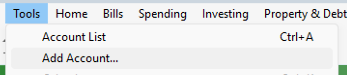
- Select the bank for the deactivated account(s) (PNC Bank - Web Connect). If prompted, select the connection method.
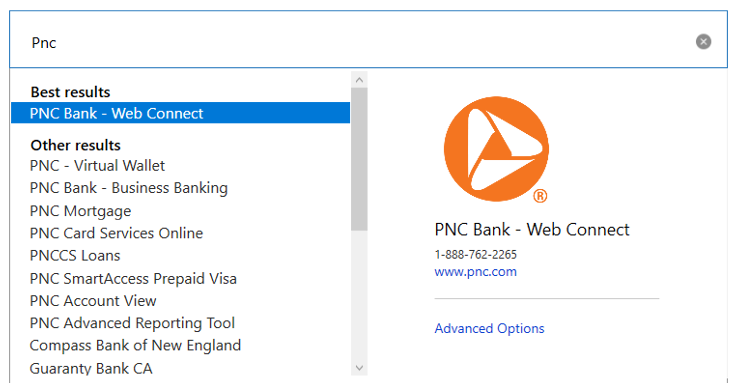
- Click on Continue.
- Click on Sign in.
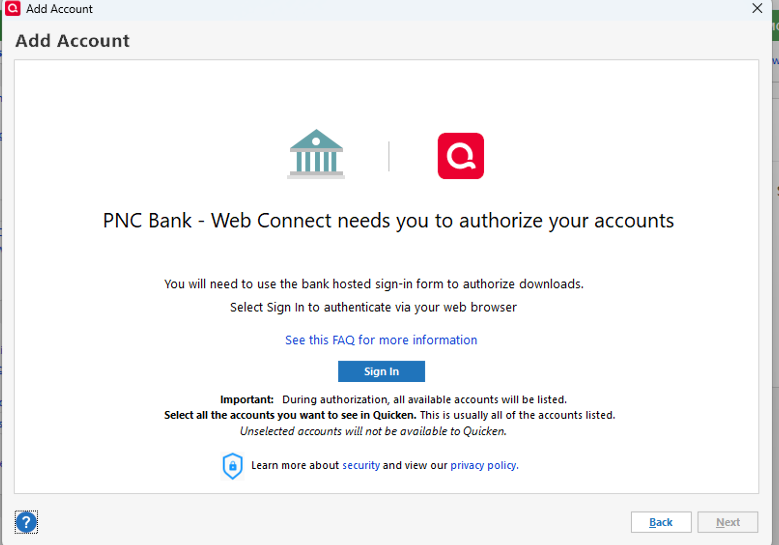
- When the list of located accounts appears, choose LINK next to each account you want to reactivate.
- Click Next then Done on the last prompt.
Please let me know how it goes!
Quicken Laura
Make sure to sign up for the email digest to see a round up of your top posts.
0 -
Hi @Wayne Hoit,
I just wanted to follow up since I haven’t heard back from you. I’m checking in to see if you still need assistance.
Quicken Laura
Make sure to sign up for the email digest to see a round up of your top posts.
0 -
Getting this error when trying PNC Direct Connect:
During the last online session, Quicken encountered an online error [OL-293-A].
This was working until Mar 18, 2026, but has not worked since. MULTIPLE reports of this issue going back to February.2026. Tried different recommended fixes and none worked. Fortunately, no new transactions at PNC to download since the last successful download.
0 -
Hi @eghanson,
Thank you for joining this thread and sharing what you’re experiencing.
After reviewing similar reports, it appears this issue may be related to how PNC’s servers are responding to Quicken; specifically, Quicken may not be receiving the expected response from the financial institution. That said, the behavior doesn’t appear to be consistent across all users or accounts.
To help narrow this down, I’d appreciate it if you could provide a bit more information:
- Have you already contacted PNC Tier 3 support regarding this issue? If so, what did they advise?
- Would you be willing to try switching your connection method to Express Web Connect+?
- Have you had a chance to try the steps outlined in this Quicken support article? If not, please follow the steps below (make sure to save a backup first):
First, verify your account services in Quicken
If you have not yet signed up for the bill payment service provided by your financial institution, but have enabled that service in Quicken, you will get this error. Make sure that your account settings in Quicken match the services currently provided by your financial institution. To do so:
- Choose Tools menu > Account List.
- Click the Edit button of the account you want to verify.
- In the Account Details dialog, verify that the account settings in Quicken match the services currently provided by your financial institution and make changes, as necessary, so the information matches.
- If you make changes, try to connect to your financial institution again (Choose Tools menu > One Step Update).
- If everything looks correct or if the problem persists, continue with the next procedure.
Second, verify your password
With the convenience of the Password Vault in Quicken comes the opportunity to forget to change your password in Quicken when it has been changed at the financial institution. To update your password in Quicken:
- Choose Tools menu > One Step Update.
- Uncheck all options except for the financial institution that is reporting the error.
- Click the key icon to the right of the financial institution name.
- Enter your password.
- Click Update Now.
Third, refresh your online account information
- From your account register, select the Actions gear icon at the very top of your register (Ctrl + Shift + N).
- Select Update Now.
- Follow the on-screen instructions to complete the update.
- Repeat these steps for each financial institution experiencing this error.
I look forward to your response!
Quicken Laura
Make sure to sign up for the email digest to see a round up of your top posts.
0 -
I've lost connection with my Business Checking and Money Market at PNC, also, but my error is OL-297-A: "Quicken is unable to establish an internet connection." However, it connects with my credit cards during the same session. My last PNC connection for Checking was March 24, and for Money Market was March 27.
[Edited Readability]
0 -
Hi @ChetOrSteve,
Thank you for joining and sharing the details of what you’re experiencing.
It looks like your accounts are using two different connection methods and may need to be reset. Please follow these steps to check the connection for your credit cards (please backup your Quicken file first)::
- Open the account.
- Click the Gear icon in the upper-right corner.
- Select Edit account details.
- Go to Online Services.
- The connection method will be listed below the Financial Institution.
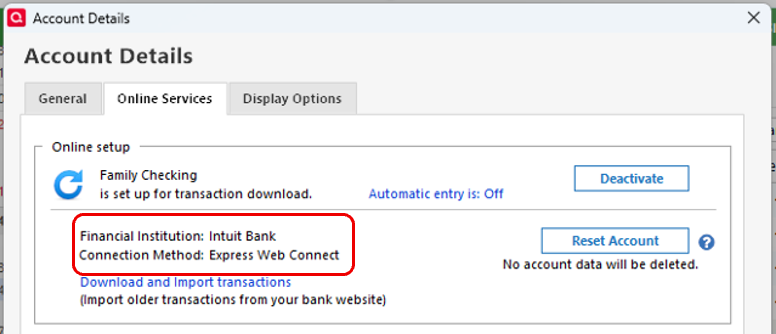
Once you’ve confirmed the connection method, please deactivate and then reactivate the affected Business Checking and Money Market accounts using the correct Financial Institution and connection method, following the steps provided earlier in this thread.
Let me know if you need any guidance while doing this. I’m happy to help!
Quicken Laura
Make sure to sign up for the email digest to see a round up of your top posts.
0
