one step update not updating bills

V R65.29
WINDOWS 11 HOME
BUILD 27.1.65.29
Used this feature for years with no problems. Now status states awaiting new bill after running one step update. Problem started around when I renewed my subscription
Can you help?
Thanks
DK
Answers
-
Hello @dmk67,
Thank you for reporting the issues you are seeing.
This issue has been escalated internally and is currently being investigated. If you would like to aid in our investigation, please go to Help>Report a problem>Send to Quicken from within your Quicken software and send us your log files.
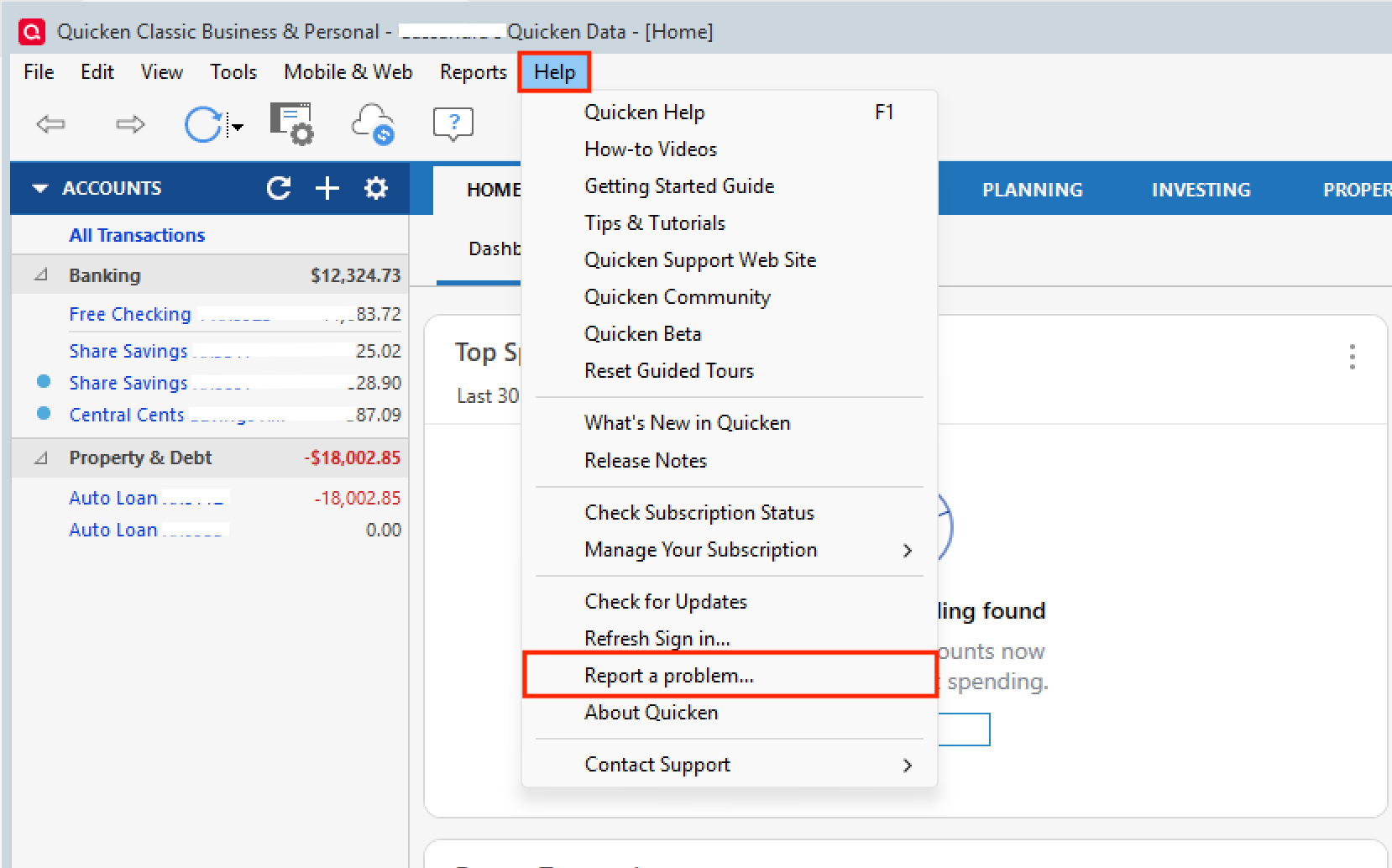
Adding a sanitized data file is helpful, too, but not necessary.
If you send over your log files, let me know so I can add them to the escalation ticket.
Thank you!
[CTP-15189]
Quicken Alyssa
Make sure to sign up for the email digest to see a round up of your top posts.
0 -
Hi, Just sent them. This has me really puzzled. I also have one Chase acct that is closed because it was lost. It has been replaced by a new acct but Quicken still wants to include it. I appreciate your help with this. If it can't be resolved, there is no point for me using Quicken.
Denise
0 -
Thank you for following up! I apologize for the delayed response.
I collected your log files and added them to the ticket. As for the other issue you mentioned with a Chase account:
- Is this an online bill you are referring to, or a banking account?
- If it is a banking account, please start a new thread for that, as it would be considered a separate issue. This just helps us keep the Community organized.
- If this is a bill you are referring to, are you now seeing two Chase bills?
- One for the new account and one for the closed account?
- Was the account closing a recent change?
- If so, I think it may just take some time for the bank to update this information on their end, and then for that change to reflect in Quicken.
- If this account was closed some time ago and it's still available to add to Quicken, you may want to reach out to the bank/biller directly and see if they can help change it on their end.
Let us know if this addresses your issue. If not, screenshots of what you are seeing may be helpful as well. If needed, please refer to this Community FAQ for instructions on how to attach a screenshot. Alternatively, you can also drag and drop screenshots to your response if you are not given the option to add attachments.
Thank you!
Quicken Alyssa
Make sure to sign up for the email digest to see a round up of your top posts.
0 - Is this an online bill you are referring to, or a banking account?
-
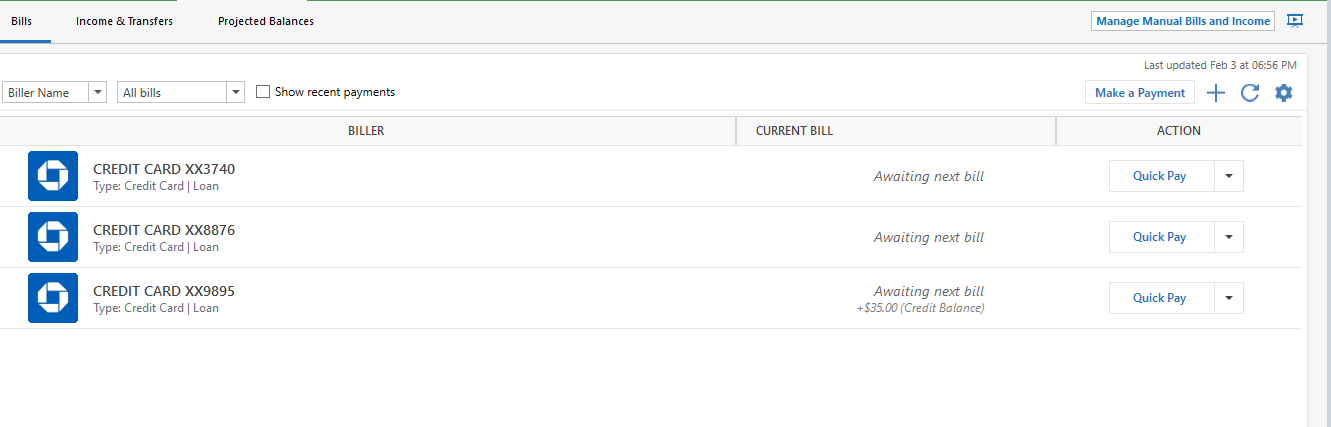
this is the screenshot after one step update. credit card 9895 closed 02/01 and didn't update
1 -
Thank you for providing that additional information.
Yes, this is the "Awaiting Next Bill" issue that has been escalated.
As for the Chase billers, if you want one of these removed because it has been closed, you can click the dropdown arrow next to the "Quick Pay" button and remove it. There should be an option to delete it from that menu.
Does this answer your question?
Quicken Alyssa
Make sure to sign up for the email digest to see a round up of your top posts.
0 -
Of course, I have the same "Awaiting Next Bill" issue.
Not sure if this has been mentioned in any of the multiple threads on this issue, but it is interesting to note that in "Manage Online Bills", the correct Bill Date, Due Date, Total Amount and Minimum Amount are there.
0 -
Thank you for adding to this discussion.
I did see someone else mention this as well. Thank you for pointing it out. I will get it added to the escalation ticket for additional context.
Thanks again!
Quicken Alyssa
Make sure to sign up for the email digest to see a round up of your top posts.
0
