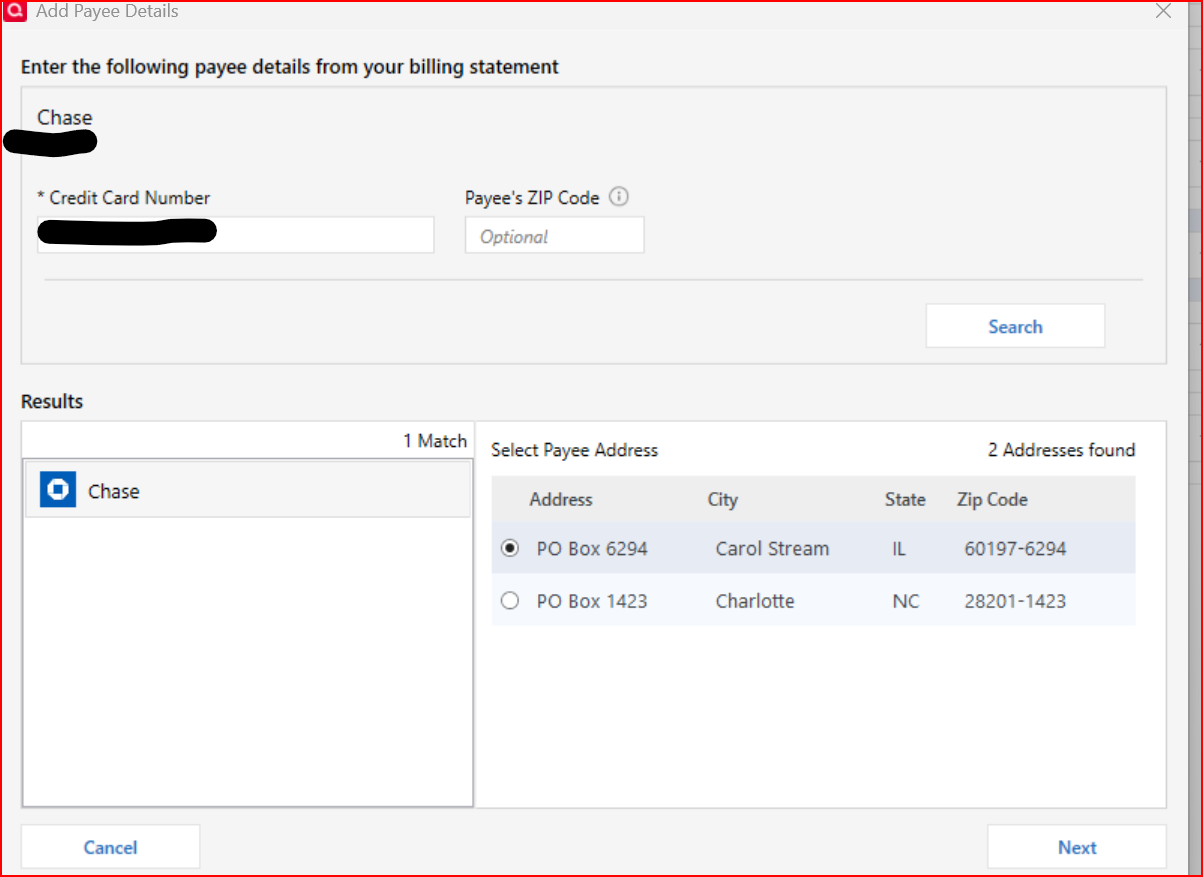
Bill Manager ==> Paying Chase Credit using Quick Pay ==> Add Payee Details

Bill Manager ==> Paying Chase Credit using Quick Pay ==> Add Payee Details and why is it required to enter this info every month to pay the Chase Account.
Comments
-
Hello @fw6322+,
Thank you for reaching out! To help troubleshoot, please provide more information:
- When did you first notice this behavior?
- Has it been like that ever since Quick Pay became an option for Chase again, or did it start more recently?
- Does this happen with any other billers?
I look forward to your response!
Quicken Kristina
Make sure to sign up for the email digest to see a round up of your top posts.
0 - When did you first notice this behavior?
-
This all started back with R65.16 and the introduction of Queue Pmt.
Any time using Bill Manager with Quick Pay and the Add Payment Details pops up. Chase, Citi Cards and Xcel Energy require adding info every time of payment.
0 -
Until Quicken and the new service provider they had to migrate to can iron out the wrinkles, Bill Manager is not fully functional.
I recommend falling back to a known good process that has been around for decades. Not all of the previously available functions are available at this time.
Please consider this alternative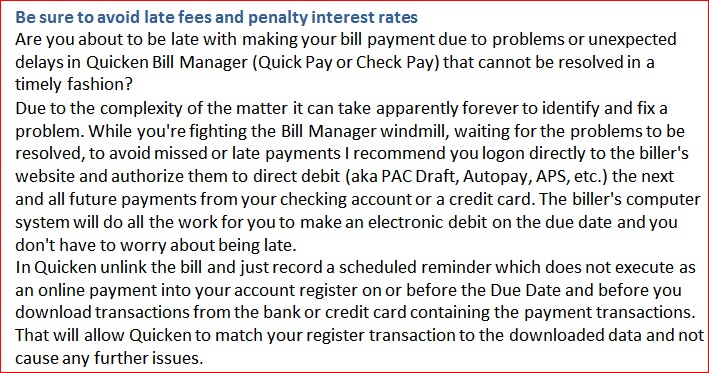 0
0 -
The majority of my bills are paid by Bill Pay from my bank. Check Pay works with not issues.
0 -
Thank you for your replies,
Based on our article on paying using Quick Pay, you shouldn't need to add payee details every time you schedule a payment. For assistance with this issue, I recommend contacting Quicken Support directly. They have access to tools we can't access on the Community, and they're able to escalate the issue as needed. The Quicken Support phone number can be found through this link here. Phone support is available from 5:00 am PT to 5:00 pm PT, Monday through Friday.
I apologize that I could not be of more assistance!
Quicken Kristina
Make sure to sign up for the email digest to see a round up of your top posts.
0


Categories
- All Categories
- 6 Product Ideas
- 34 Announcements
- 248 Alerts, Online Banking & Known Product Issues
- 19 Product Alerts
- 265 Welcome to the Community!
- 301 Before you Buy
- 1.5K Product Ideas
- 55.8K Quicken Classic for Windows
- 16.9K Quicken Classic for Mac
- 1K Quicken Mobile
- 834 Quicken on the Web
- 129 Quicken LifeHub