Show holdings at bottom of Investment register

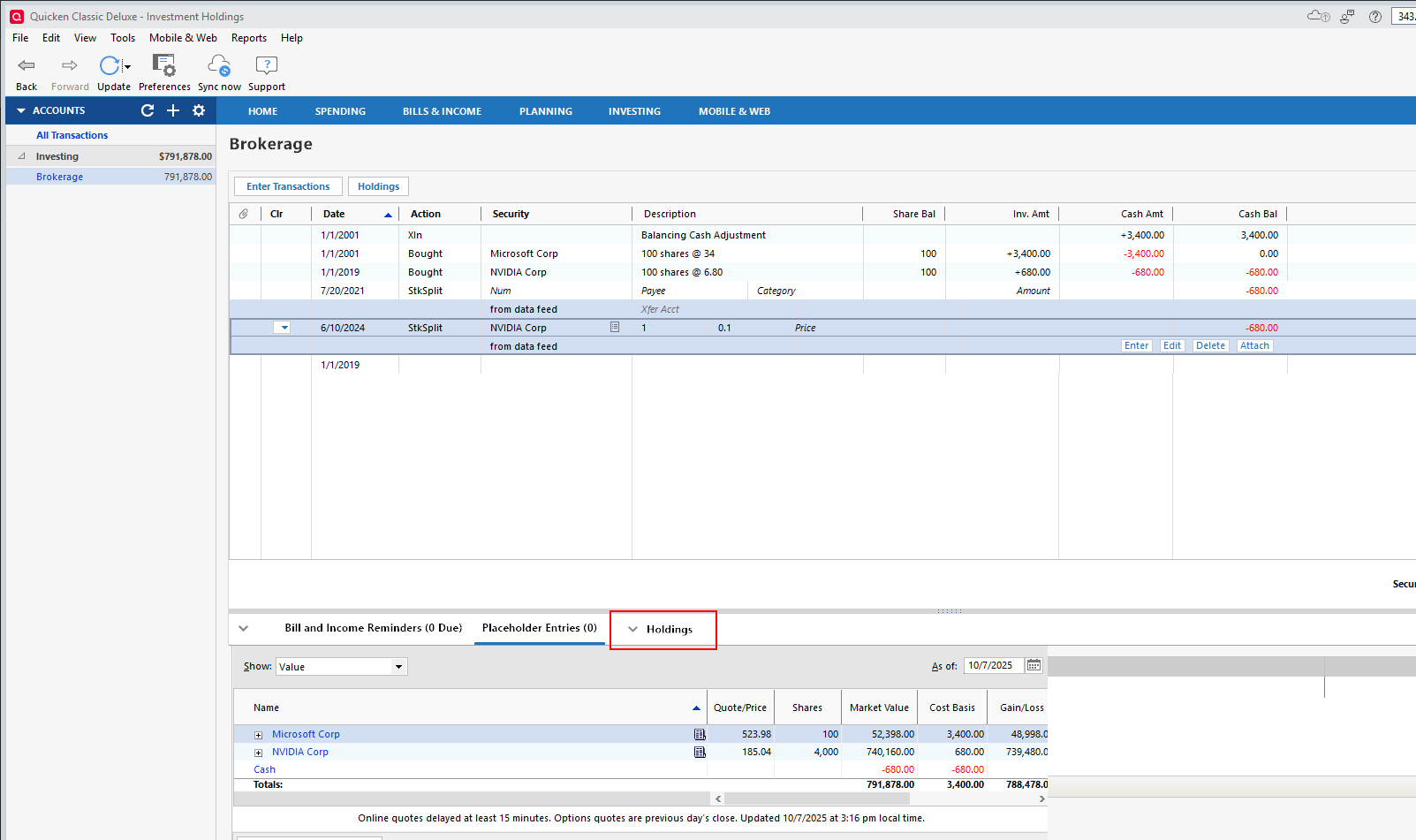
It would be very useful to add a 'Holdings' section to the bottom of the Investment Register to display the holdings for the account without having to open the Holdings pop-up or go to the Investing dashboard.
I have mocked this up in the attached image.
Comments
-
The tab section at the bottom of the registers seems to be under-utilized. There is a lot of useful information that could be available in that screen space.
0 -
I'd prefer to have that bottom section (Downloaded Transactions / Bill & Income … / Placeholders) minimized whenever possible. The number of holdings that would be visible there (2-4 in your mockup) would rarely be significant in my accounts.
0 -
You wouldn't have to open that tab. That mock-up is just that, a mock-up. I'd much rather grab the slider to expand/shrink the lower section than deal with pop-ups. My monitor is quite large, I could easily show 30+ securities in that section. Selecting a different account, on the sidebar, would then allow me to see the holdings/performance at that account. Opening and closing pop-ups to do this is tedious. I have way too many accounts/securities to scroll up and down through the INVESTING/Portfolio page.
0 -
Remember you can always see your holdings with one click by clicking on the Holdings button. You can make the Account Overview window that is displayed shorter if you want and see both that and the Transaction List.
QWin Premier subscription0
