No transactions downloading from Midflorida Credit Union

This discussion was created from comments split from:
PNC Bank not downloading since February 23, 2026
.
Comments
-
Add me to the issue, Midflorida Credit Union not downloading transactions. R66.23 installed.
0 -
Hello @aacork,
Thank you for letting us know you're seeing this issue. To troubleshoot, please follow these steps from our article about missing transactions/transactions not downloading:
Be sure to follow these steps in order:
1. Go to Edit > Preferences > Downloaded Transactions. The option Automatically add to banking registers needs to be unchecked.
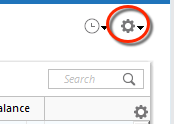
2. Refresh your online account information by clicking the Actions Gear Icon on the upper right of the register, and select Update Now. Follow the on-screen instructions to complete the update.
3. Confirm that the Sort Order in your account is by Date; just click the top of the Date column in your account register. It's possible the transactions are in your register, but not where you thought they'd be.

4. Click the Reset button at the top of the register. This will confirm that there's no filtering in your account register.
5. Try refreshing your login session: To do this, go to Help > Refresh Sign in. After completing the log-in process, try running a One Step Update again.
6. Go to Actions (Gear Icon) > Register Columns > Check Downloaded Payee in the account register. This allows you to search by Payee to confirm the transactions haven't been renamed unexpectedly.
7. Go to Tools > Account List and check Show Hidden Accounts at the bottom left. Confirm the missing transactions haven't been added to a hidden account by clicking on the name of any account that appears with a check mark in the Hidden column.

If you need further assistance
If the issue isn't resolved and this is not a one-time event, please reach out to Quicken Support.
I hope this helps!
Quicken Kristina
Make sure to sign up for the email digest to see a round up of your top posts.
0 -
I did all of that with no change to the issue. It has done this before on some of the previous updates. My checking account number isn't showing properly in the account list window for the bank download. Some how it is changed to xxxx-1233 instead of the actual account number. It is grayed out so I can't edit it. Previously I was able to edit it after an update and enter the complete account number.
0 -
Thank you for your reply,
Since those steps did not correct the issue, I recommend contacting Quicken Support directly for further assistance, as they have access to tools we don't have on the Community, and they're able to escalate the issue as needed. The Quicken Support phone number can be found through this link here. Phone support is available from 5:00 am PT to 5:00 pm PT, Monday through Friday.
I apologize that I could not be of more assistance!
Quicken Kristina
Make sure to sign up for the email digest to see a round up of your top posts.
0 -
I did contact Quicken support. They had me go through the same stuff as above and it still didn't work. So they grabbed some files and said they'd check into it. They didn't give me a ticket number or any way to follow up on the status, just to keep an eye out for an email. Not very encouraging. I'd really like to be able to track the status.
0 -
Thank you for your reply,
I checked your recent contact with Support (from 20 March 2026). The ticket number is 12303195. I can see that the issue is currently being worked on by an escalated team. There are no updates yet. The escalated team should contact you via email (usually the email address associated with your Quicken ID, unless you used a different email address when you contacted Support) if they need additional information or when they believe the issue is resolved.
Thank you!
Quicken Kristina
Make sure to sign up for the email digest to see a round up of your top posts.
0

