Maybe you should fix your software before forcing pop-up ads?

Several times per year I need to come to this forum to figure out work-arounds for bugs that you introduce with every new patch. I actually PAY for this subscription— there is zero excuse.
…yet now I'm getting pop-up ads for other flawed software from your company?
How do I opt out of pop-ups in the software that I already pay for?
Comments
-
Quicken does not normally show pop-up ads. Please describe or better, provide a screenshot of an ad you are receiving.
I suppose an exception might be the What's new notices that sometimes appear when you install a new release.
QWin Premier subscription0 -
I'm not sure what they're called, "what's new" etc, but they pop up when I start Quicken and yes, they are usually after updates.
[Removed - Rant/Disruptive/Speculation]
-2 -
Do you mean like this?
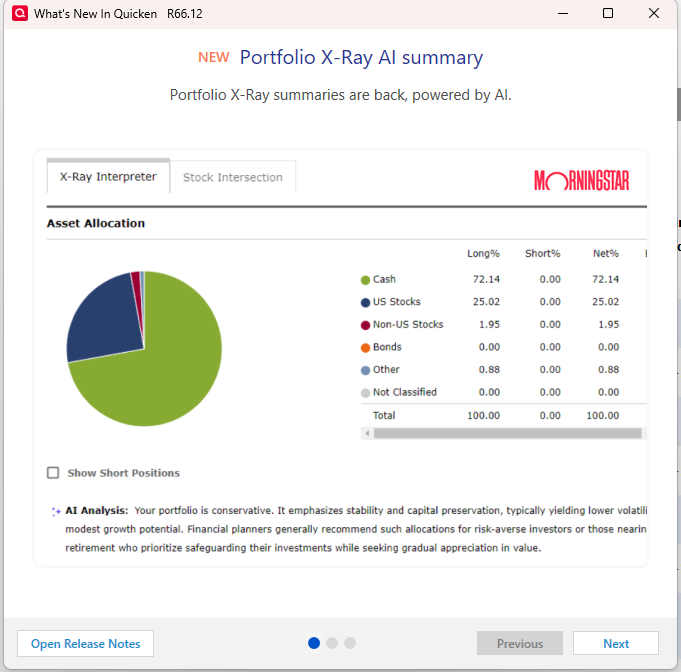
Those are not ads, they are intended to highlight new features in the update you just installed. In this case, the new feature is the X-Ray AI summary, which unfortunately does not work. The analysis is the same regardless of your asset allocation.
I only get the pop-up the first time I run Quicken after installing an update. Do you get it more often?
QWin Premier subscription0 -
Hi Jim, it seems every time I attempt to answer, I'm censored. But no, that is not the pop-up. The ones I receive are advertisements for other products from this company, upon startup.
My main point being that there are several bugs that have continued with Quicken, for months, and that should be their priority. Considering I pay for this 'service', throwing ads at me is frankly offensive when these other issues persist.
0 -
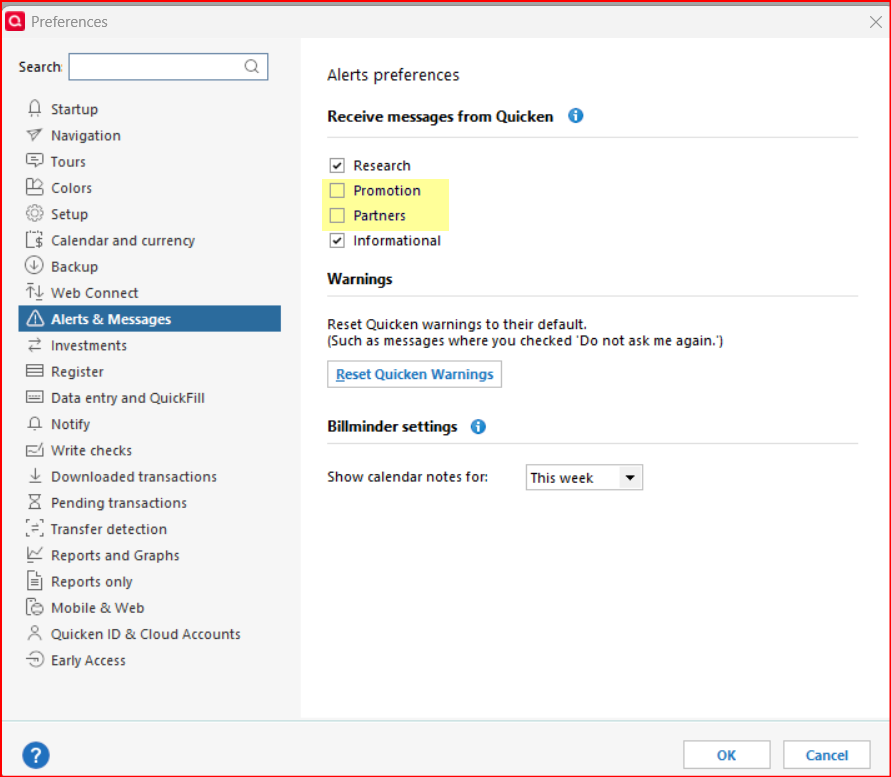
@jjkrogs - You might want to check your Preferences settings (under the Edit menu) for Alerts & Messages. If either of the 2 boxes are checked for the preferences that are highlighted in yellow in the following picture, uncheck them and then click on OK. Perhaps that will stop the popups from occurring.:
Quicken Classic Premier (US) Subscription: R66.23 on Windows 11 Home
1


Categories
- All Categories
- 19 Product Ideas
- 34 Announcements
- 247 Alerts, Online Banking & Known Product Issues
- 19 Product Alerts
- 518 Welcome to the Community!
- 682 Before you Buy
- 1.5K Product Ideas
- 55.7K Quicken Classic for Windows
- 16.8K Quicken Classic for Mac
- 1K Quicken Mobile
- 834 Quicken on the Web
- 128 Quicken LifeHub