Prompted to reauthorize Discover accounts with every update

This discussion was created from comments split from:
Linking Discover Bank Account after Capital One Merger
.
Comments
-
I am able to connect both card and bank, but every time I have quicken update, it makes me re-authenticate both accounts. This is a pain!! I have separate sign in credentials for bank and for card, but they are the same url (and the same app for that matter). That has never been a problem in the past so I don't know why it is now.
0 -
Hello @steyemd,
Thank you for letting us know you're seeing this issue. The most common reason for being constantly prompted to reauthorize your accounts is if Quicken still sees one or more accounts that haven't been reauthorized. When you get the prompt, it should show you which account(s) needs to be reauthorized:
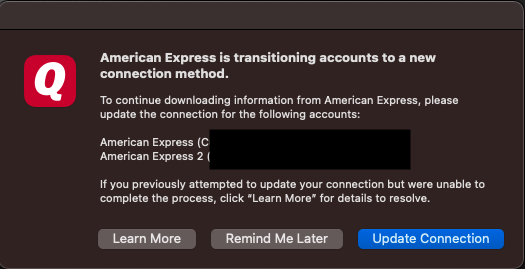
Take note of the account name(s), then navigate to Accounts>Hide and Show Accounts…. Scroll through the list to find the account(s) and check for any duplicate accounts. If it's hidden, you can use that window to unhide it.
Once you have located and unhidden the problem account(s) as necessary, backup your Quicken file, and deactivate all of your accounts with that financial institution that use the same set of login credentials. Then, go to Accounts>Add Account… and follow the prompts. When you get to the Add/Link screen, carefully link the account(s) to the existing account in Quicken.
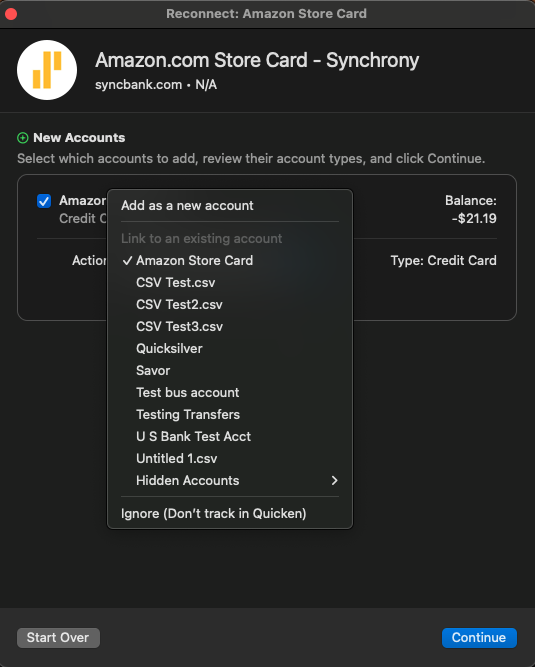
I hope this helps!
Quicken Kristina
Make sure to sign up for the email digest to see a round up of your top posts.
0

