When I download transactions and account information from Edward Jones, Quicken adds to names

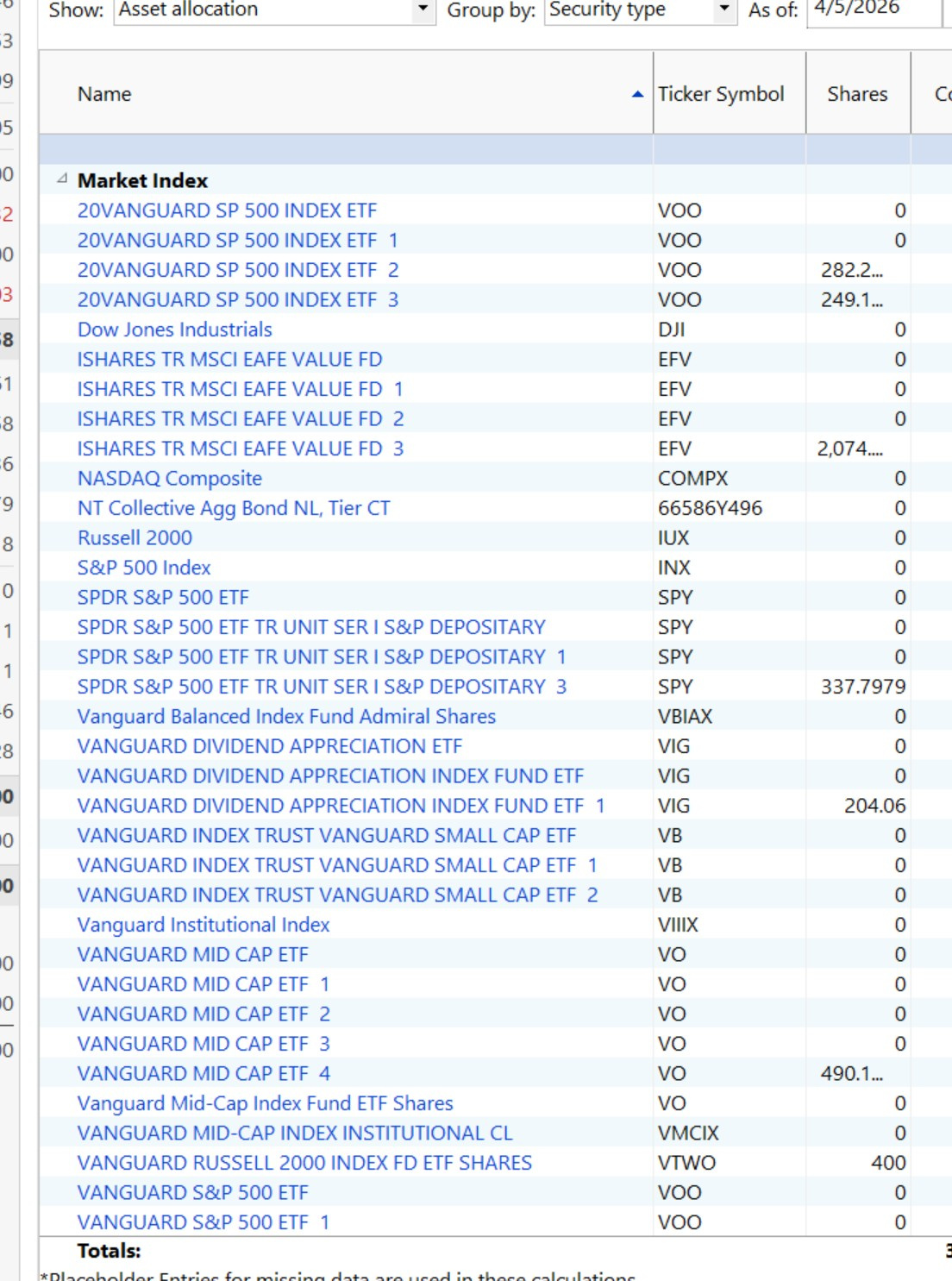
When i update my Edward Jones account Quicken add number subscripts (ie. 1,2,3) to the names of the same investment. I end up with multiple names for the same investment. Example:
20VANGUARD SP 500 INDEX ETF
20VANGUARD SP 500 INDEX ETF 1
20VANGUARD SP 500 INDEX ETF 2
20VANGUARD SP 500 INDEX ETF 3
This only happens on ETF funds and some mutual funds
Best Answer
-
Hi @Mac749,
Thanks for your reply!
I am glad to hear that all the ideas and steps listed above work for you! That will help other users experiencing the same issue.
If you need more assistance please do not hesitate in reach us back!Quicken Carlos
Make sure to sign up for the email digest to see a round up of your top posts.
0

Answers
-
Hi @Mac749,
Thank you for reaching out to the Quicken Community.
This issue is often caused by a mismatch between the downloaded security and its CUSIP ID or ticker symbol.
To better understand what’s happening, could you please provide a bit more detail?
- When did you first notice the issue?
- Do you know if the security has a CUSIP ID?
- You can check this by going to Tools > Security List.
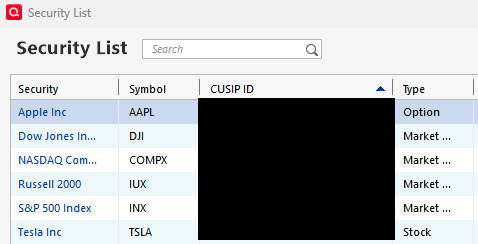
- Is this security used in multiple accounts?
- If so, is the ticker symbol the same and correct across all of them?
- To check, Right Click on the Security > Click Edit.
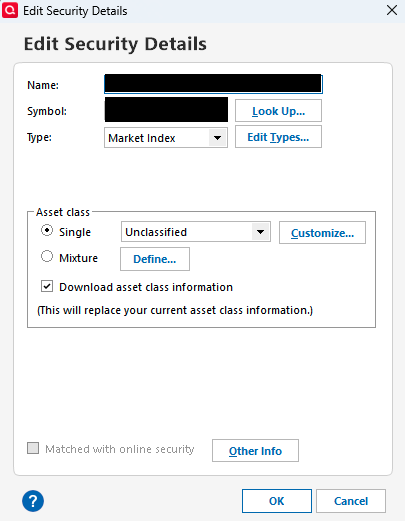
I will be looking forward to your reply.
Quicken Carlos
Make sure to sign up for the email digest to see a round up of your top posts.
0 -
Hi @Mac749,
I just wanted to follow up since I haven’t heard back from you.I’m checking in to see if you still need assistance.
Quicken Carlos
Make sure to sign up for the email digest to see a round up of your top posts.
0 -
This problem has been happening since the first part of 2025.
The securities are held in multiple accounts and some are only in one account
The CUSIP ID is show on at least one of the named securities and not on the subsequent securities that a single number was added to the name (ie, 1,2,3,4)
The problem only seems to be happening to ETFs that are index funds
The Ticker symbol is present and correct across all of them
 0
0 -
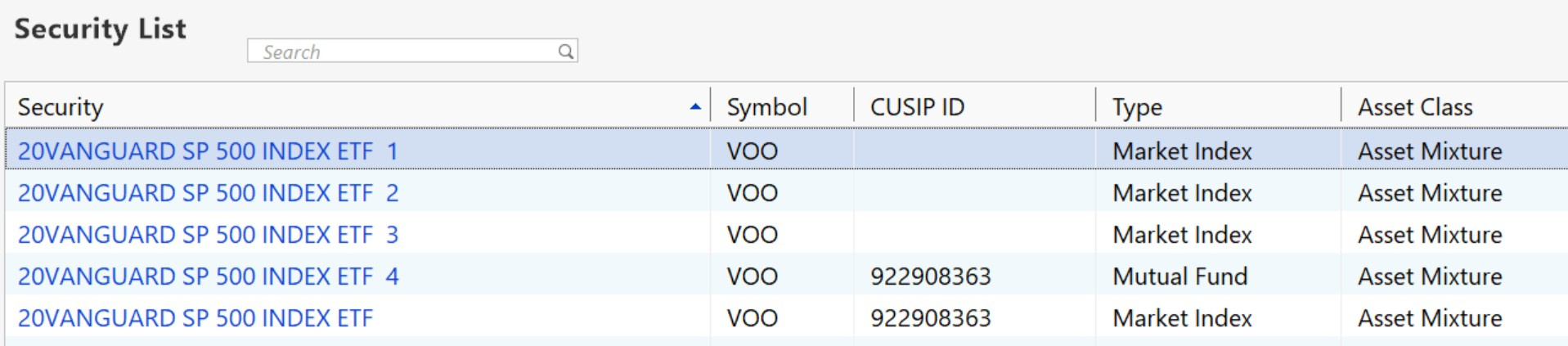
See above CUSIP IDs for the same fund
0 -
Hi @Mac749,
Thank you for your reply and for sharing those screenshots, they are very helpful.Before following any troubleshooting steps, I recommend creating a backup file.
Please follow these steps:
- Go to Tools > Security List
- Select the security that:
- Has the most transactions
- Has the correct ticker symbol.
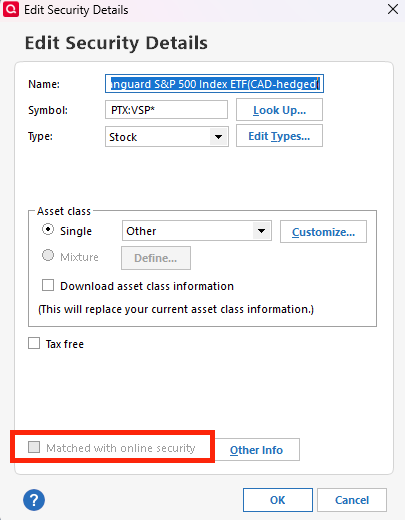
- Right-click on the main security and select Edit
- Uncheck Matched with online security, then click OK
Next:
- Open the account register
- Quicken should now prompt you to match the downloaded security
- Manually match it to your correct security
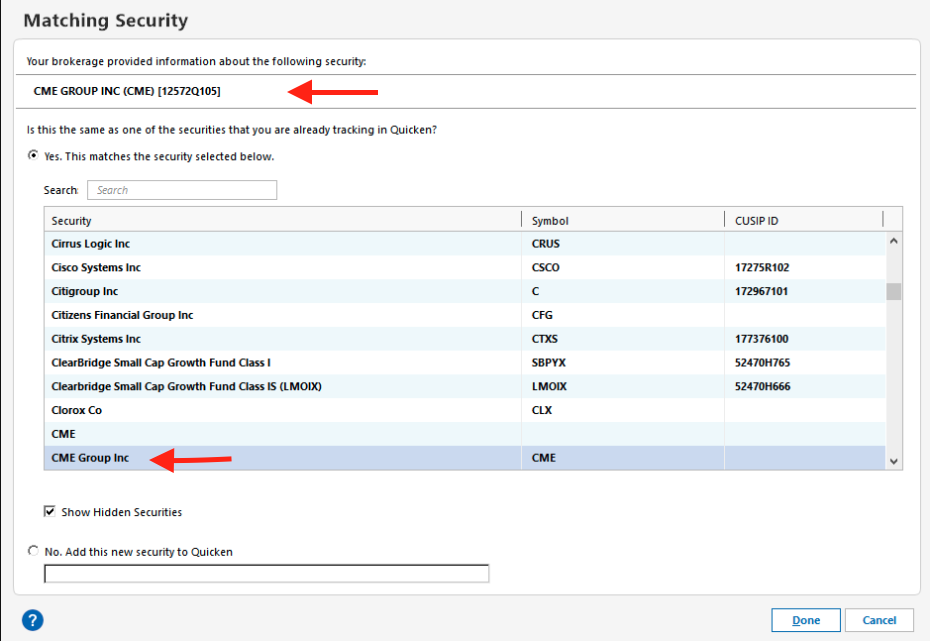
After following these steps, you can delete the duplicate.
Let me know how it goes. I look forward to your reply!Quicken Carlos
Make sure to sign up for the email digest to see a round up of your top posts.
0 -
@Mac749 I believe the cause of the issue is the Security Type you have chosen for your ETFs. A market index ETF or mutual fund is NOT the same as a Market Index. Only true indexes should use Security Type of Market Index.
- A market index mutual fund should use Security Type of Mutual Fund.
- A market index ETF should use Security Type of Stock or Mutual Fund.
Edit your problem ETFs Security Type to either Stock or Mutual Fund. You may also need to take the steps @Quicken Carlos mentioned to unmatch and rematch the ETFs with their online counterparts.
Quicken user since Q1999. Currently using QW2017.
Questions? Check out the Quicken Windows FAQ list0 -
I'm not sure what you mean by "open account register"
0 -
Hi @Mac749,
The account register is the screen where you can view all transactions for a specific account (such as a brokerage account, IRA, etc.).
To open it:
- Look at the list of accounts on the left side of Quicken.
- Click on the account you’re having trouble with.
Quicken Carlos
Make sure to sign up for the email digest to see a round up of your top posts.
0 -
@Mac749 I believe @mshiggins hit on a VERY significant issue for you. Securities you buy and sell should not have the Type set to Market Index; they should be Type = Stock, Mutual Fund, or some other type you create. Quicken generally restricts trading activities to exclude securities with type = Market Index.
Now I can't tell to what extent you are going to have to edit transactions to clean up what you currently have. Fundamentally, you need to move toward one security where you now have two, three, or four. Make sure that one has an acceptable security type within Quicken. Edit any existing transactions so that they refer to that one security as applicable. Finally, delete the bogus securities. When all that cleanup is done, it may be necessary to go through the steps @Quicken Carlos outlined to make sure your chosen security is properly matched with what the broker is sending.
Hope this helps
1 -
These ideas worked. It took me all afternoon to cleanup my data file, but it looks a whole lot better.
Thanks for the Help
1 -
Hi @Mac749,
Thanks for your reply!
I am glad to hear that all the ideas and steps listed above work for you! That will help other users experiencing the same issue.
If you need more assistance please do not hesitate in reach us back!Quicken Carlos
Make sure to sign up for the email digest to see a round up of your top posts.
0
