Fidelity Creating Duplicates

I've had an ongoing issue between a checking account and a Fidelity account that I can't figure out how to resolve. My checking account is not connected to allow for automatic updates. My Fidelity 529 account is connected. Every week, I send money to Fidelity from checking. In my registers, I'm showing this as a transfer. When Quicken updates, it auto matches on the Fidelity register with the blue pencil and blue dot. However, it also always writes a new line item to my checking account for this, so it duplicates what I already have in there as a transfer and requires deletion every week.
The reason I don't have my checking account set up to sync is because it's just a holding account for a lot of transfers out, some of which take days to process and occur weekly. It starts feeling messy, at least in the past, because things either wouldn't match based on the date being 3 days different, or would update the date on the overall transfer and then cause one of the registers to be incorrect. I honestly don't recall the specifics from doing this years ago, but it was too messy to deal with - maybe it's better now with the new matching stuff that was recently released.
What's the best move here to prevent the weekly dupes in my checking register?
Answers
-
Hello @johamill,
Thank you for letting us know you're seeing this issue. To help troubleshoot, please provide more information:
- When did you first notice this issue?
- Are you manually creating the transfer transaction, but only half of it correctly matches (resulting in duplication)?
- Are you able to manually match the transactions in the manual account? For instructions, please see this article:
- Is there any difference in the Date, Payee, or Amount?
- If there is a difference, that could be the reason that Quicken isn't automatically matching.
I look forward to your reply!
Quicken Kristina
Make sure to sign up for the email digest to see a round up of your top posts.
0 -
@Quicken Kristina this has been happening for several months. I can't tell you exactly how long.
I have my transactions/transfers scheduled, so they show up weekly in each register as the scheduled transfer. However, after the connected update, everything remains as is with the scheduled transactions, the Fidelity side matches perfectly, but the checking account side gets replicated and includes the red arrows that there is a problem with the transfer.
There is no difference at all between the scheduled transactions and what is synced over, with the exception of a memo/note on my scheduled vs what is created.
I have two separate 529 transactions per week that are the same day of the week.
Adding screen grabs of my most recent transactions.
This one is the checking account side. The top two line items are the scheduled transactions. The bottom two line items are the ones that are automatically created by the Fidelity match when it matches against the Fidelity registers.
Here's an example of the Fidelity register with a perfect match, but which caused one of the dupes/red transfers above. Both registers for the 529 accounts look the same as this one.
 0
0 -
Thank you for your reply,
To clarify, does the red arrow appear after the transaction downloads and duplicates in the checking account?
Thank you!
Quicken Kristina
Make sure to sign up for the email digest to see a round up of your top posts.
0 -
@Quicken Kristina Correct. The line items with the red arrow are not the scheduled transactions. They appear in my checking register after a successful sync with Fidelity, rather than the system seeing that I already have scheduled transactions there that exactly match the newly created ones.
0 -
Thank you for your reply,
When you edit the transaction, or click the red arrow and the edit transaction button in the message that appears, are you able to see anything incorrect with the transfer category?
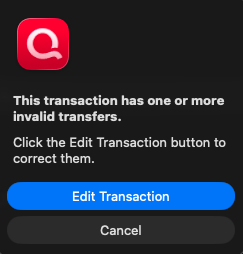
Does editing the transaction correct it?
Have you tried manually matching the duplicates that are added during the download to the scheduled transactions?
Thank you!
Quicken Kristina
Make sure to sign up for the email digest to see a round up of your top posts.
0 -
@Quicken Kristina There doesn't appear to be anything wrong with the transfer, despite the red arrows. It's calling out the correct transfer category and transfer fields. If I try to directly edit these transactions, like by clearing the transfer and category fields and then replacing them with the same correct ones from the list, it saves the exact same way with the red arrows.
If I try manually matching them, I get an error that says "The selected transactions cannot be matched"
0 -
Thank you for your reply,
For further assistance with this issue, I recommend contacting Quicken Support directly. They have tools we can't access in the Community, and they can escalate the issue as needed. The Quicken Support phone number can be found through this link here. Phone support is available from 5:00 am PT to 5:00 pm PT, Monday through Friday.
I apologize that I could not be of more assistance!
Quicken Kristina
Make sure to sign up for the email digest to see a round up of your top posts.
0
