Should delete old categories

Should I delete old categories that I no longer use?
Quicken deluxe subscription, windows 11
Best Answer
-
Hello @Daniel Borowicz,
Thanks for reaching out!
This ultimately comes down to personal preference—some users like to clean up unused categories to keep things streamlined, while others prefer to keep them for historical consistency.
One important thing to keep in mind: if you delete a category that was used in past transactions, those transactions will no longer retain that category and will instead become Uncategorized. This can impact your reports and historical tracking.
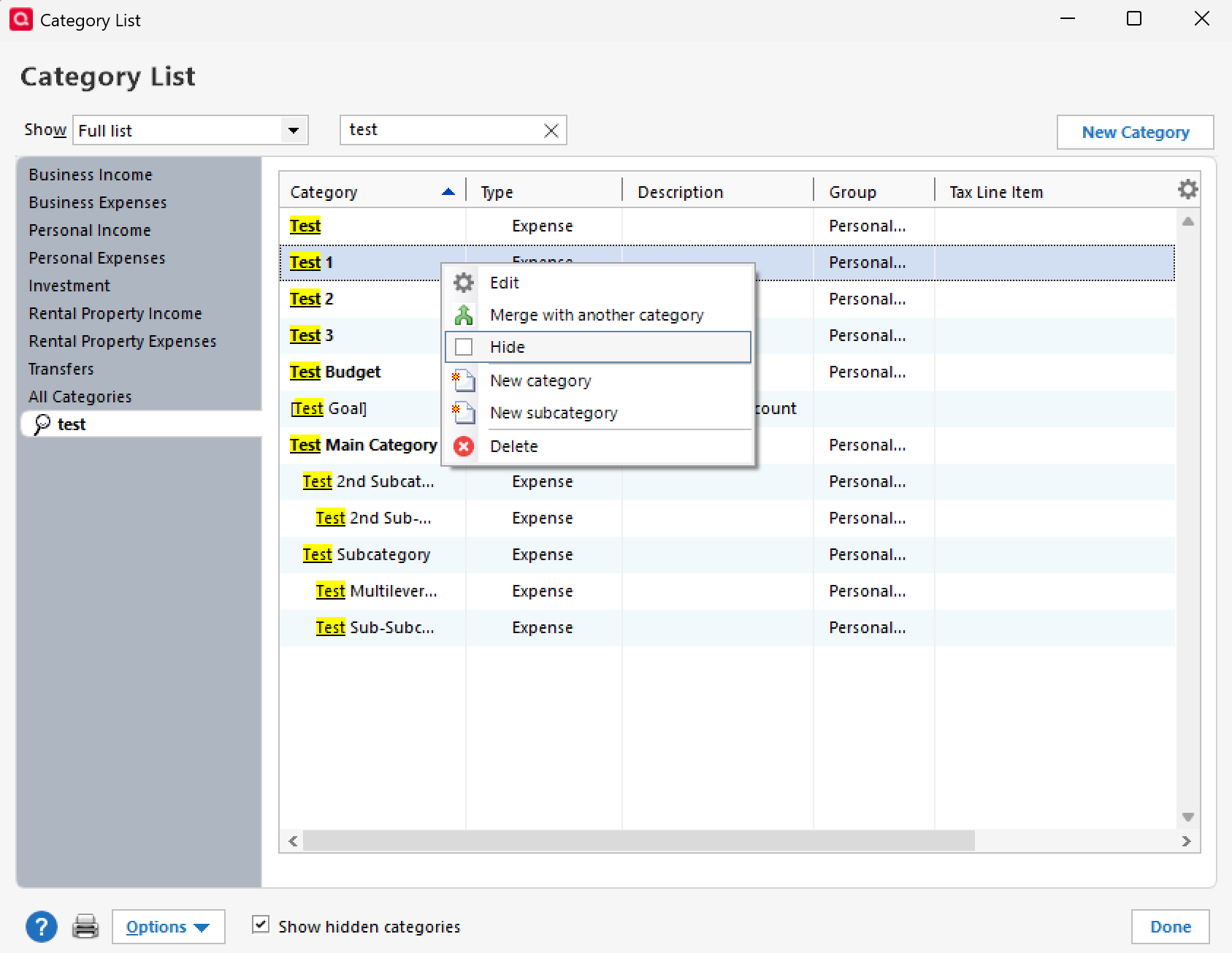
If you still want to clean things up without affecting past data, an alternative is to simply hide categories you no longer use. To do so, please follow the steps below:
- Navigate to Tools
- Category List
- Search for the category name
- Right-click the category
- Select Hide
Hope that helps!
-Quicken Anja
Make sure to sign up for the email digest to see a round up of your top posts.1

Answers
-
Hello @Daniel Borowicz,
Thanks for reaching out!
This ultimately comes down to personal preference—some users like to clean up unused categories to keep things streamlined, while others prefer to keep them for historical consistency.
One important thing to keep in mind: if you delete a category that was used in past transactions, those transactions will no longer retain that category and will instead become Uncategorized. This can impact your reports and historical tracking.
If you still want to clean things up without affecting past data, an alternative is to simply hide categories you no longer use. To do so, please follow the steps below:
- Navigate to Tools
- Category List
- Search for the category name
- Right-click the category
- Select Hide
Hope that helps!
-Quicken Anja
Make sure to sign up for the email digest to see a round up of your top posts.1