My Scheduled Transactions Stopping Updating

I do have a current membership.
Been working on this for a few days and I think I've gone as far as I can go. I searched help, search the community, and talked with a Chatbot. Must be missing something. Need fresh eyes.
Using Quicken Classic Premier version 8.5.2 with MAC OS 26.3.1.
My last Scheduled Transaction in my checking register appeared on 3/27/26. I have a green line at the end of my register but nothing below that. My scheduled transactions show under the Billing and Income Tab up to that date.
I use Fifth Third Bank and have disconnect, logged out, quit Quicken, logged back in, and reconnected. Not getting any errors.
I have tried the schedule date on multiple days.
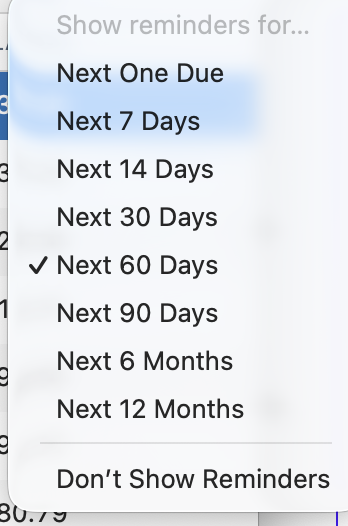
But no change.
It was working great before the end of March and now I find it's difficult to not have the scheduled transactions in my register.
Thanks for any help you can throw my way.
Answers
-
Hi @TimRP,
Thank you for sharing the details of what you’re experiencing. This may be related to a sorting issue in your account register. Please confirm that the Sort Order is set to Date. If it is not, you can correct this by clicking the Date column header in your register. In some cases, transactions may still be present but appear in an unexpected order.
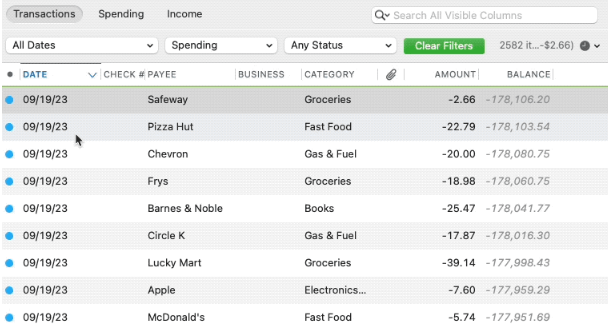
If this does not resolve the issue, could you please provide a bit more information:
- Is the scheduled reminder a manual bill or a linked bill?
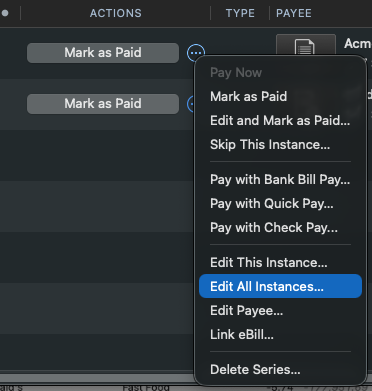
- Under Bills & Income, if you select the three dots and choose Edit all instances, then go to Schedule, do the settings (frequency, date, end date, etc.) appear correct?
- Is your account connected via Direct Connect or Quicken Connect?
If you need any help locating these details, please let me know. I’ll be happy to assist.
Quicken Laura
Make sure to sign up for the email digest to see a round up of your top posts.
0 -
Thank you for your response.
I believe my sorting is set for date:
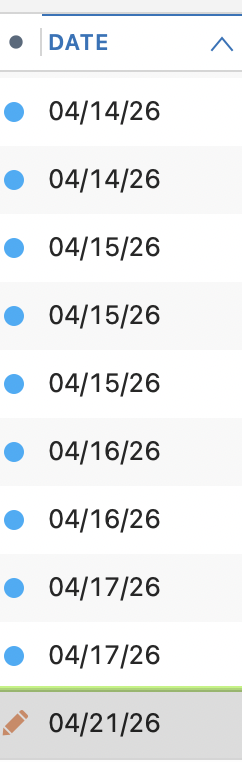
Here is a screen shot of that. (Since this morning I manually added a check). Additionally I scrolled through all my transactions back to 2001 looking for miss-sorted transactions. I did not notice any but there were a lot of transactions.
All of my scheduled transactions that aren't showing up are Linked transactions through Direct Connect. I am not familiar with the "three dots" under the Bills & Income Tab that you referenced.
I hope this helps and I appreciate your time and patience with this issue.
0 -
I am not familiar with the "three dots" under the Bills & Income Tab that you referenced.
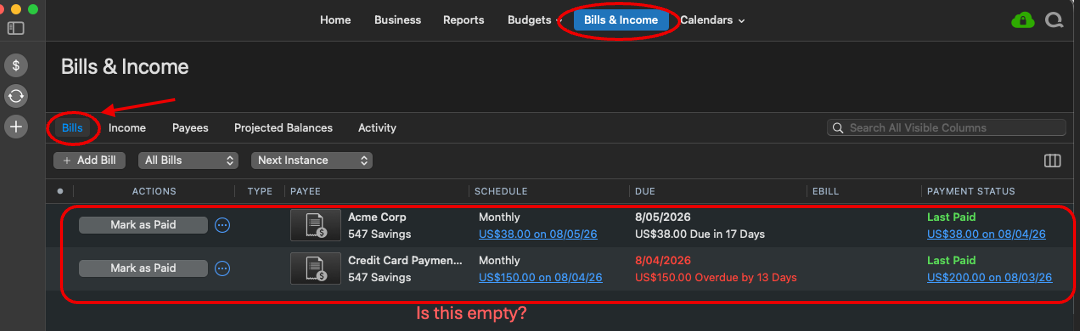
@TimRP It's right there in the picture in @Quicken Laura's post - next to each Mark as Paid button there's a circle with three dots in it that brings up a menu of options for that bill.
0 -
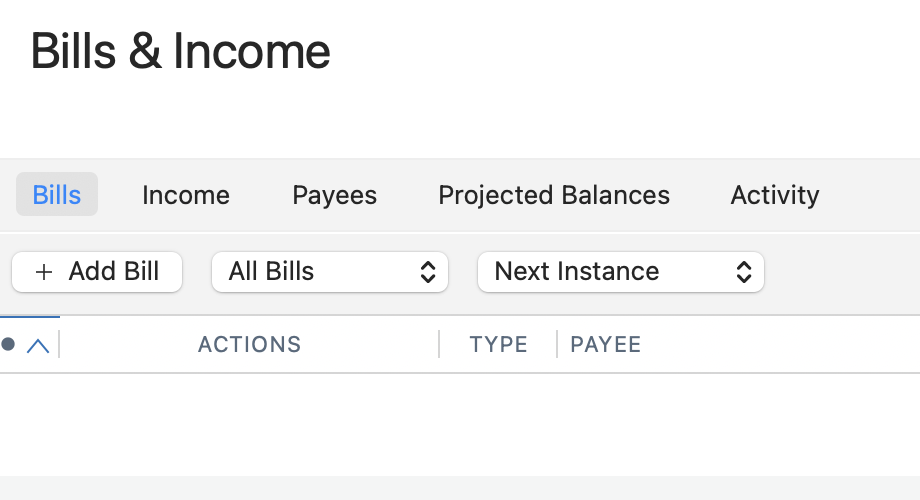
I'm sorry but you are seeing something I am not. My screen does not look like hers.
0 -
Hi @TimRP,
Thank you for your reply.
I have a couple of additional questions to help me better understand your situation:
- Is your Bills & Income screen (under the Bills or Income tab) currently empty?
- How was the scheduled transaction originally set up?
I look forward to your response!
Quicken Laura
Make sure to sign up for the email digest to see a round up of your top posts.
0 - Is your Bills & Income screen (under the Bills or Income tab) currently empty?
-
Yes it is currently empty. If I were to highlight "Activity" under that tap then I would see all my scheduled transactions up to 3/27/26.
I always schedule my transactions through my bank and I can see them listed in my bank under my list of accounts. In the past, those scheduled transactions would have populated over into my Quicken register below the green line. (Incidentally, I only schedule transactions for one of my bank accounts.)
0 -
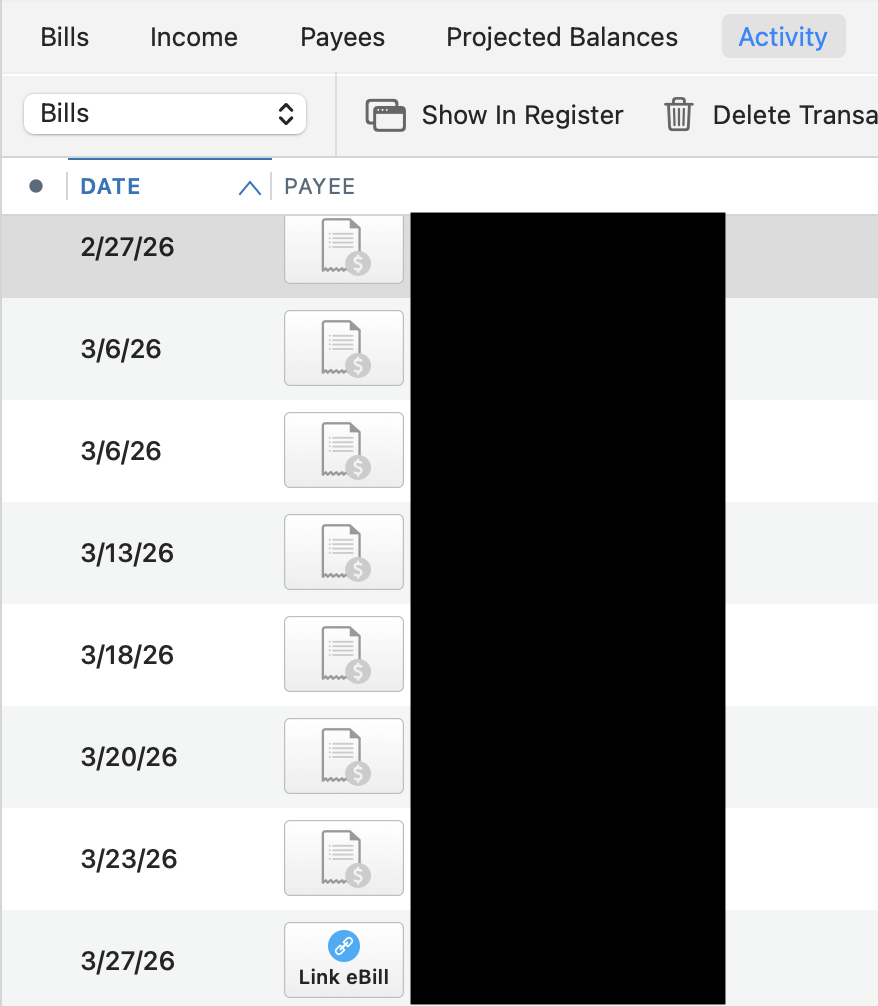
Not sure if this helps or not.
0 -
Hi @TimRP,
Thank you for sharing the additional information; the screenshots are very helpful. Based on what I can see, it looks like the reminder was originally set up as an eBill, which was somehow deleted. I recommend re-adding the eBill using the following steps:
- Go to Bills
- Select Add Bill
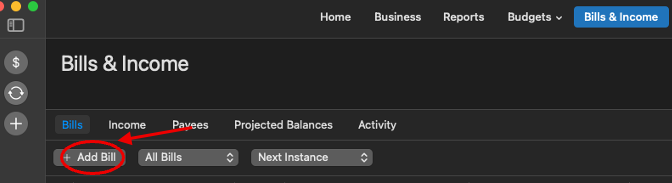
- Select Add eBill
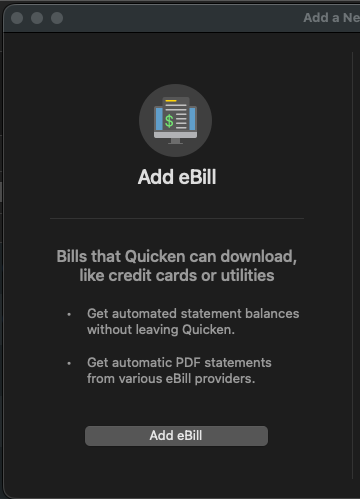
- Search for your Biller
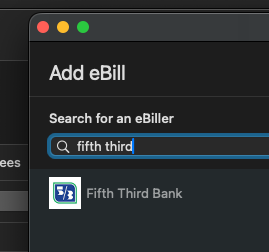
- Follow the on-screen instructions.
Once completed, please check if the reminder appears in your register as expected.
Please let me know how it goes!
Quicken Laura
Make sure to sign up for the email digest to see a round up of your top posts.
0 -
Thank you so much for all your help but that didn't help.
So what I did is disconnect all my accounts except the one that's missing the Scheduled Transactions. I changed to Quicken Connect and logged out and quit Quicken. I logged back in and nothing had changed. Still no Scheduled Transactions. So I followed the same procedure and reconnected using Direct Connect, logged out, and then back in. No change.
It has to be something I did at the end of March that changed things for me. Not sure what that was but I know there was at least one Quicken update between then and now.
Thanks again.
0 -
Hi @TimRP,
Thank you for trying the suggested troubleshooting steps. I’m sorry to hear that they didn’t resolve the issue. At this point, I recommend contacting Quicken Support directly, as they can guide you through troubleshooting in real time and escalate the situation if needed.
You can find the Quicken Support phone number here: Support Home | Quicken. Phone support is available Monday through Friday, from 5:00 AM PT to 5:00 PM PT.
Please don’t hesitate to reach out if you have any additional questions!
Quicken Laura
Make sure to sign up for the email digest to see a round up of your top posts.
0
