When entering a transaction, the category is missing in the pop-up list

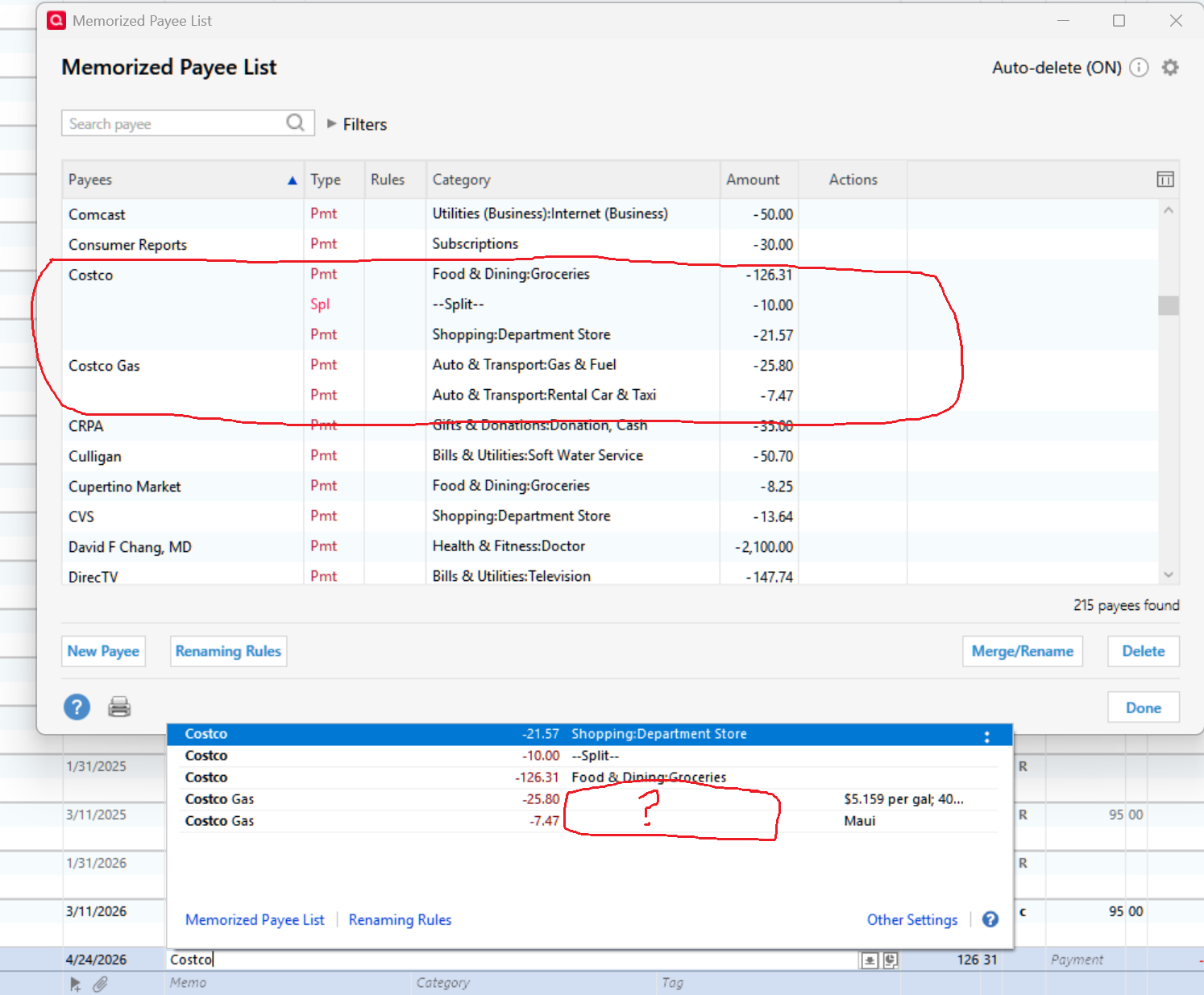
As I type the name of the payee to enter a new transaction, it pops up a list of memorized payees that match. But the list only shows a few of the categories in each matching transaction. All the payees in the Memorized Payee List show their category.
If I edit a memorized payee that doesn't show its category, the category will be blank. If I add it back, it will then show up. The historic transaction used to create the memorized transaction is fine. New memorized transactions are fine too.
This data file was created using a QXF export/import. The original file pop up is fine.
The corruptions might have been from the QXF process or because I ran Auto-delete in the Memorized Payee list.
I've run Validate and Super validate. There aren't any errors and it didn't fix the problem
Comments
-
What happens if you select "Costco Gas" and tab over? Does it fill in the category or leave it blank?
It does look like some kind of corruption, maybe because of the QXF creation. You might have to delete those and recreate them.
0 -
In the Memorized Payee List, both Costco Gas transactions show a Category. But when I edit them, their categories are blank. When I click a transaction in the pop up to use, it populates the new transaction with everything available in the edit view; not what's shown in the list. Think of the displayed list as a screenshot and not the data in the database.
Upon deeper investigation, the old file used for QXF has some transactions with the same corruption. Its data goes back to 2010. I think that running Auto-delete to removed transactions that haven't been used within 26 months left my new file with a higher percentage of bad ones. This made the corruption more obvious.
Quicken should use the same data base to display the Memorized Payee List that is used to populate the new transaction.
0
