Shared File Access

I have successfully shared my Quicken Classic data file with my wife's e-mail address. She went ahead, accepted the invitation and logged in with an account of her own.
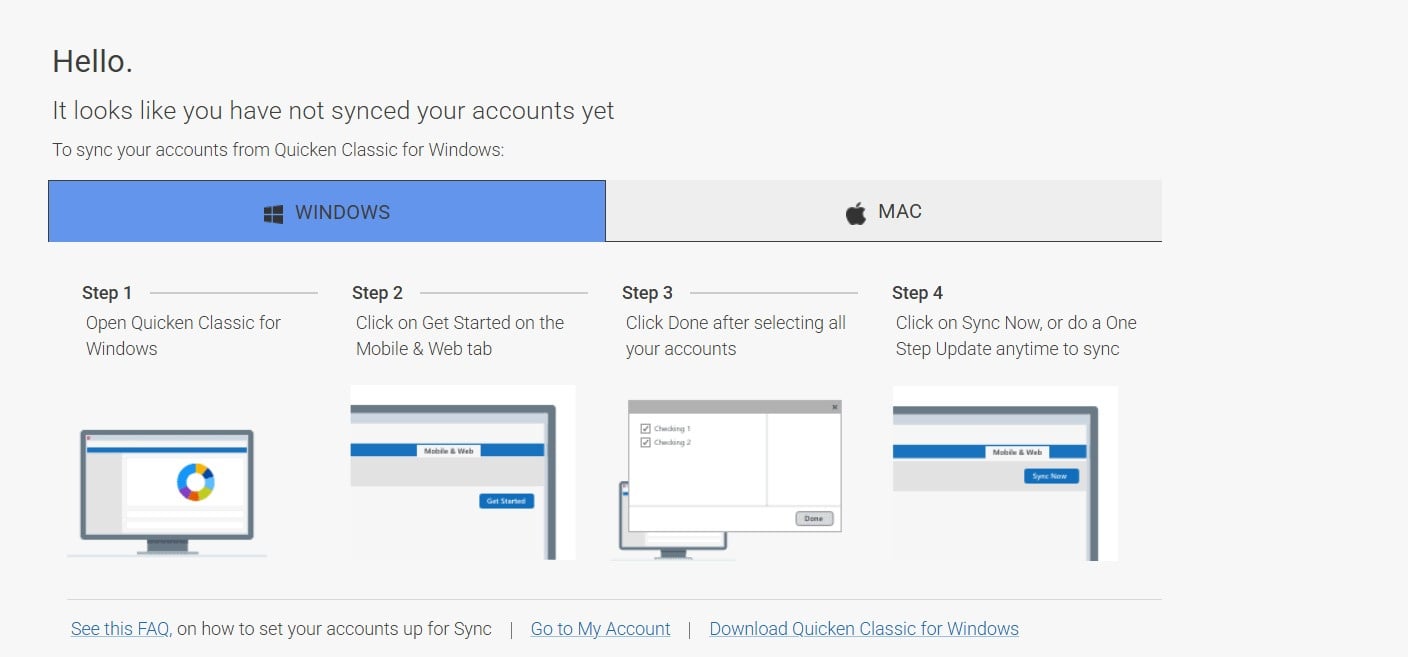
When she opens Quicken on the web, she gets a screen that says something to the effect that she has not synced a file yet. My file shows under profile → shared data files, but she cannot switch to it.
What am I missing?
[Edited Readability]
Comments
-
Thank you for sharing the details of what you’re experiencing. I’ve checked your account, and it appears that the file was successfully shared. However, it’s a good idea to reset the cloud date using the desktop application to ensure it’s fully accessible on the web.
Please follow these steps to reset the cloud data:
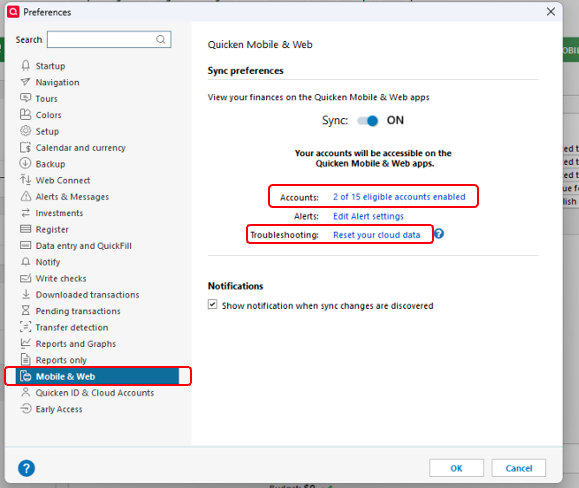
- Fo to Edit → Preferences.
- In the left pane, select Mobile & Web.
- Make sure the accounts you want to share are selected under Accounts.
- In the right pane, under Quicken Mobile & Web, click Reset your cloud data.
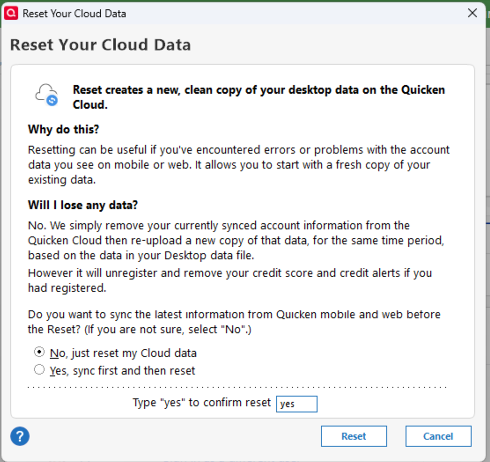
- In the Reset Your Cloud Data dialog, type yes, and then click Reset to confirm the reset.
After completing these steps, sign in to the web app using your account to verify that the file is visible and shared. Then, check if the file appears on your wife’s account as well.
Please let me know how it goes!
Quicken Laura
Make sure to sign up for the email digest to see a round up of your top posts.
0 -
Hi @Quicken Laura ,
I tried this before and just repeated this after seeing your reply. Still no dice. She is seeing this when logging in, and after clicking on the shared file under profile, this just remains.
 0
0 -
Thank you for trying that. Could you please confirm that you have opened the correct data file under your wife’s profile? Here’s how:
- Sign in to the Quicken web app.
- Click on Profile at the bottom left.
- Under My Cloud Accounts, make sure the correct file is selected (checked).
If the correct file is selected on your wife’s profile and the issue persists, I recommend contacting Quicken Support directly. They can guide you through troubleshooting steps in real-time and escalate the situation if needed.
You can find the Quicken Support phone number here: Support Home | Quicken.
- Phone support: Monday through Friday, 5:00 AM PT – 5:00 PM PT
- Chat support: Every day, 5:00 AM PT – 5:00 PM PT
I apologize that I could not provide a more direct solution, but please don’t hesitate to reach out again if you have any other questions.
Quicken Laura
Make sure to sign up for the email digest to see a round up of your top posts.
0
