Separate Contribution and Employer Contribution in Investment Performance Report

I use these built-in categories to separate contribution types in a 401(k):
_401Contrib
_401EmployerContrib
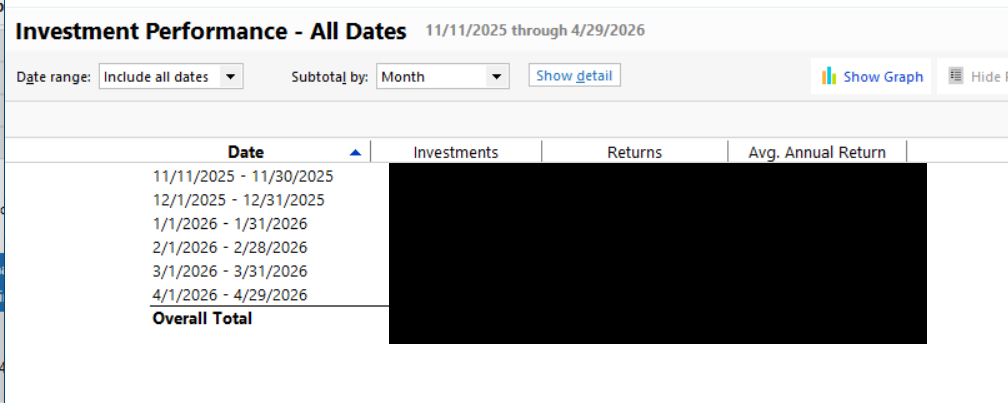
When using the built-in Investment Performance report on the 401(k), the totals of both are combined into the Investments column. I could probably create a custom report to show them separated, but I'd like to request that these contribution types be separated into columns of their own in the built-in Investment Performance report.
Quicken user since 1991
VP, Ops & Tech in the biometric space
Comments
-
I don't quite understand why. Are you investing your contribs vs employer match differently?
And, you're already showing 1 level of subtotaling in the report, by month, are you requesting a 2nd level of subtotaling … which Q doesn't currently do in any report?
Just re-read. OR, are you requesting that the current "Investments" column be split by action … which still looks like a 2nd subtotal to me.
Q user since February, 1990. DOS Version 4
Now running Quicken Windows Subscription, Business & Personal
Retired "Certified Information Systems Auditor" & Bank Audit VP-1 -
I want the liberty of seeing how much I've withheld compared to how much the employer has matched.
Quicken user since 1991
VP, Ops & Tech in the biometric space
-1 -
@MSStateDawg I take it you want a second column of Investments (Your Investments and Employer Investments). I'd say the Investment Performance report is not the place to identify how much you contributed directly vs. how much you contributed through the Employer Match option. Use a transaction or category report to tabulate the components.
Sidebar: I always looked at employer matching values as part of my overall earnings. It's is not 'free money' going in as the employer contribution. It is money the employee earned.
0 -
As I mentioned in the post, you're correct - I'm wanting to see contribution types be separated into columns of their own and, yes, I could probably create a custom report to show them separated, but requested the additional column be added.
Quicken user since 1991
VP, Ops & Tech in the biometric space
-1

