Category Reports - Update to Show

Please see the two pictures below:
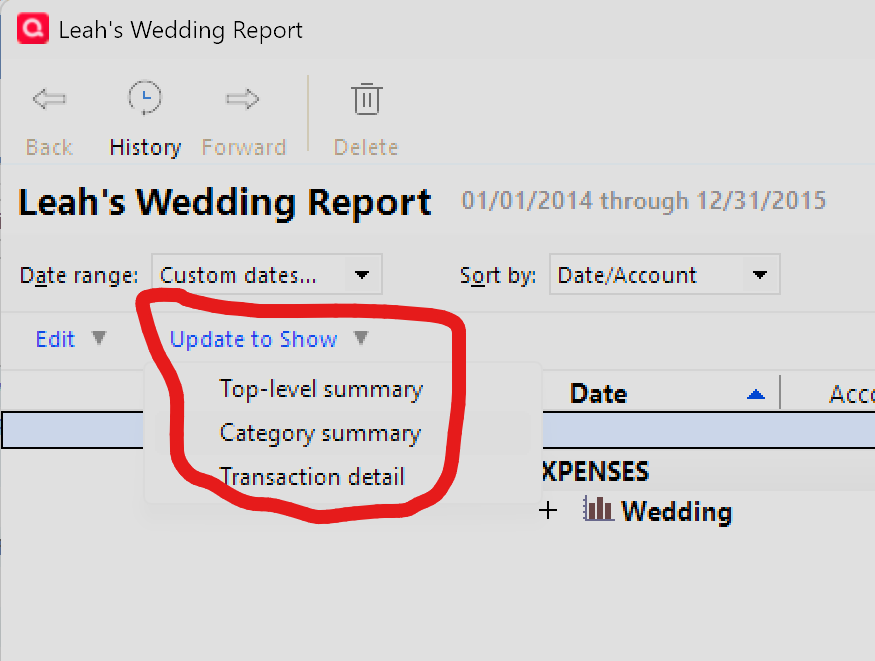
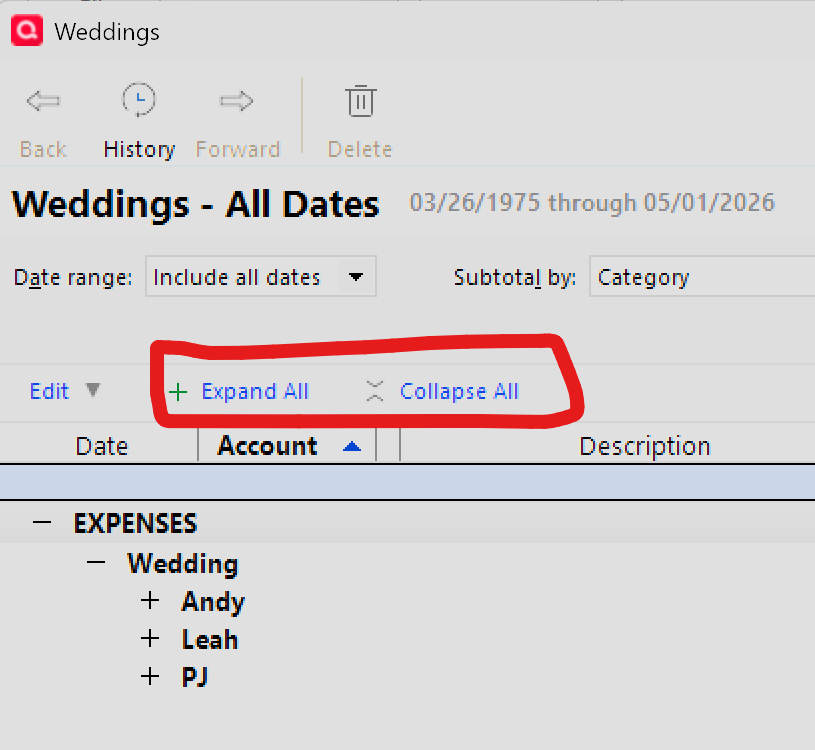
It appears there are two methods for expanding the categories.
Can anyone tell me the secret for making a report with the "Update to Show" dialogue?
Thank you,
Fred J.
Quicken Classic Premier on my
Windows 11 Home ARM64 release 25H2 on Samsung Galaxy Book4 Edge CoPilot+ PC
Best Answer
-
The difference is:
- Leah's Wedding Report started out as a Spending / Itemized Categories Report. This gives you the Update to Show selection.
- The Weddings Report started out as a Banking / Transactions Report, subtotaled by Category. Selecting subtotals gives you the Expand all / Collapse all settings.
1

Answers
-
Just click on those + signs next to the Andy/Leah/PJ sub-cats to show the transactions.
Q user since February, 1990. DOS Version 4
Now running Quicken Windows Subscription, Business & Personal
Retired "Certified Information Systems Auditor" & Bank Audit VP-1 -
The difference is:
- Leah's Wedding Report started out as a Spending / Itemized Categories Report. This gives you the Update to Show selection.
- The Weddings Report started out as a Banking / Transactions Report, subtotaled by Category. Selecting subtotals gives you the Expand all / Collapse all settings.
1 -
@UKR
Supercalifragilisticexpialidocious!
So there is something going on behind the scenes - not a option to select within 'Customize'.
Thank you so much.Fred J.
Quicken Classic Premier on my
Windows 11 Home ARM64 release 25H2 on Samsung Galaxy Book4 Edge CoPilot+ PC0
