SchoolsFirst FCU: CC-885 Using QFX

This discussion was created from comments split from:
SchoolsFirst FCU: FDP-102.
Comments
-
I can understand the occasional issue connecting to my bank with Web Connect, and I've been patiently waiting for the FDP-102 fix. But in the meantime, why would that prevent me from downloading my transactions from SchoolsFirst as a QFX file and importing them into Quicken?!
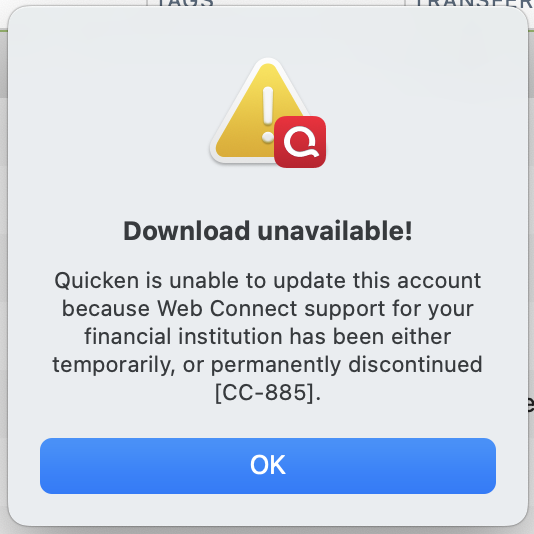
It makes zero sense to have these two processes so tightly coupled. Even the error message is misleading, since all I did was select 'File —> Import —> Bank or Brokerage File' before selecting my LOCAL file, completely bypassing the live connection attempt.
Please ask your engineering team to decouple the QFX import process from the Web Connect service. A local file import should always function as a reliable, independent fallback when live connections fail.
Again, this is the message I get when trying to manually IMPORT, not download! The only option available now is to type every transaction individually.
 0
0 -
Hi @Scott BJ,
Thanks for reaching out to the Quicken Community!This message is typically displayed when a financial institution discontinues its connected services in Quicken (the most common cause) or when the service is no longer available, such as after a merger with another bank.
To better understand the issue, I have a few questions:
- Is the QFX file showing a file size, or does it appear as 0 KB?
- When did you first notice the CC-885 error message?
- What happens when you try to open the file from your Downloads folder?

I look forward to your reply!Quicken Carlos
Make sure to sign up for the email digest to see a round up of your top posts.
0

