Cannot import OFX after credit card replacement

I have an existing TD bank credit card account which I update from a downloaded OFX. Following the card being replaced, the import dialog requires me to create a new account as "Link to existing account" is greyed out. I've updated the card's number in the account settings and I have the online update service deactivated.
I'm using the Canadian version of Quicken on Windows.
Comments
-
Hi @harrymalcolmson,
Thank you for taking the time to reach out to the Quicken Community!
Before following any troubleshooting steps, I recommend creating a backup file. If you haven’t tried this yet, I suggest following these steps:
- Go to Tools > Account List
- Locate the account in question and click Edit
- In the General tab, remove the financial institution name and account number
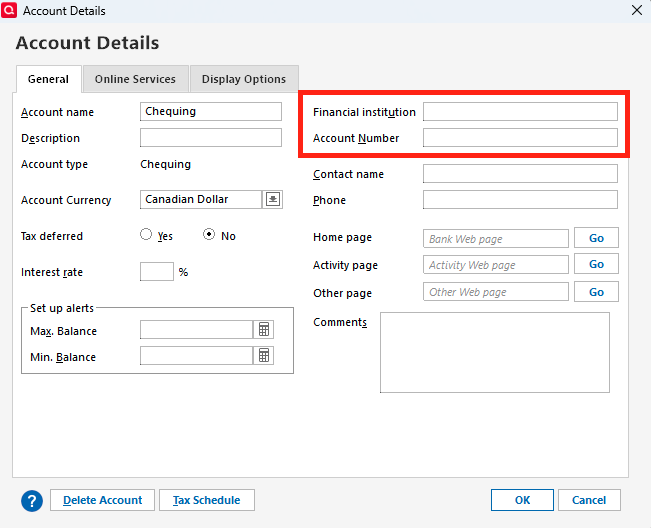
- Click OK
- Try importing the file again and check if the option to link to an existing account is available
Let me know how it goes!
Quicken Carlos
Make sure to sign up for the email digest to see a round up of your top posts.
0 -
Thanks for the reply Carlos but removing the content of these two fields plus restarting Quicken didn't fix the problem. "Link to existing account" is still greyed out.
I don't mind making a new account if that's necessary but I would want the original account's transaction history to be included.0 -
@harrymalcolmson there are two things, which are really different sides of the same coin, that can cause the behaviour you are describing:
- The bank account for which you are trying are trying to download tranactions is already linked to an online account, or
- The bank account for which you are trying to download transactions is identified as a different account type than all the Quicken accounts that are not already set up for transaction download.
Let's start with #1 above. When you go to Account Details —> Online Services, do you see this:
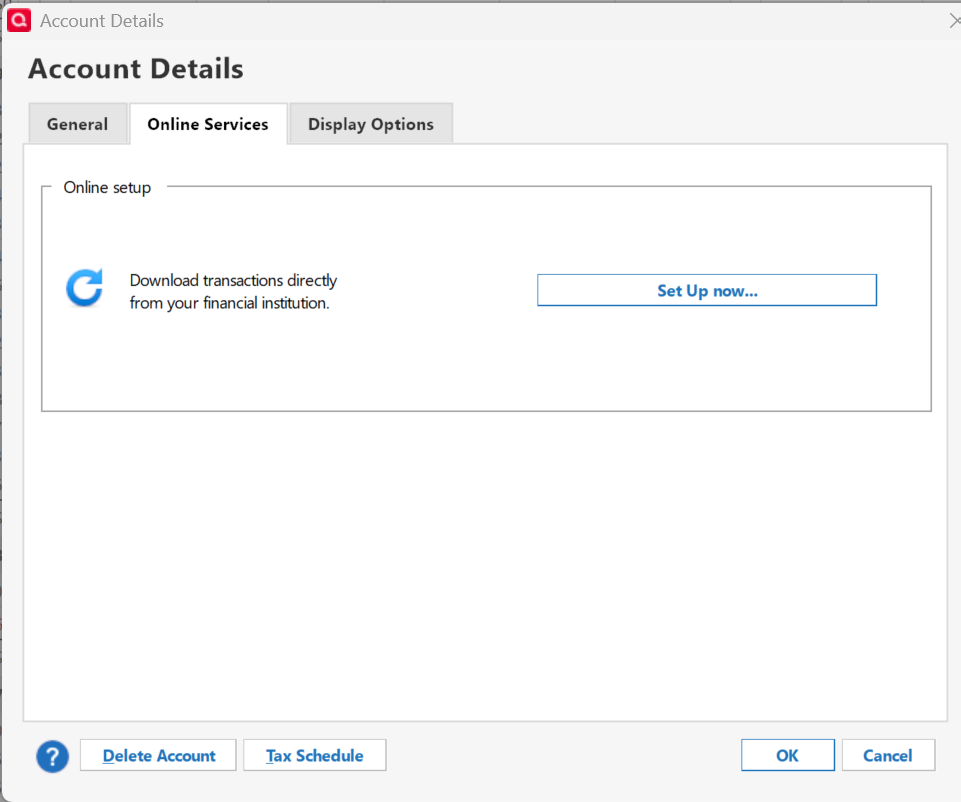
Or does its indicate it is set up for Web Connect?
0

