DaveF said: No, same results. However, if I update Baird, using the Update from the gear in the upper right corner, it works the first time. Doing the same thing with Chase, it took 3 times before it updated. I did notice that the OL-297A error appears almost as soon as I select Update Now in the OSU.
If the issue is not resolved after following the steps above, you will need to contact your financial institution to resolve this issue. Quicken does not have access to the financial institution's servers to correct the problem. This may require you ask to speak with an online services specialist that handles transaction download issues at the financial institution. If your financial institution states they can't assist, an escalation with the financial institution may be necessary.
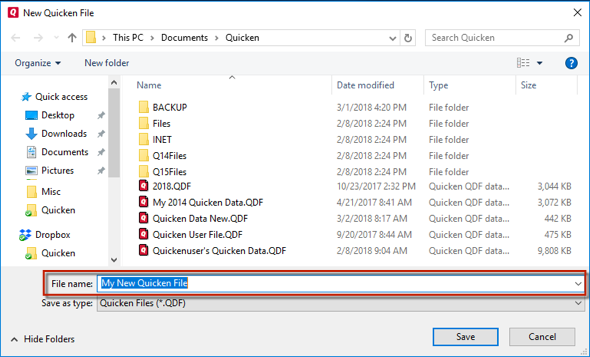
Don't use any of these characters: * ? < > | " : \ / (asterisk, question mark, left and right-angle bracket, pipe, straight quotation marks, colon, BACKSLASH, FORWARD SLASH). Also, don't add the .qdf extension; Quicken does that for you.
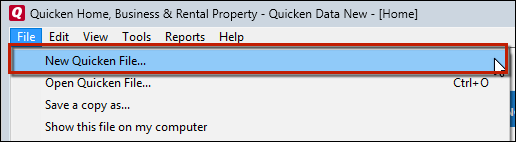
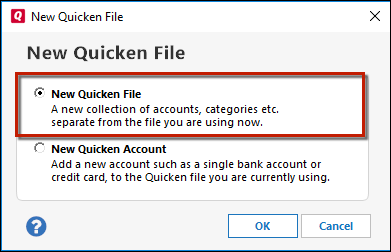
After adding accounts, see if you are experiencing the same problems in this test file.