how add bank statements after subscription expires [edited]

bigaldallas
bigaldallas Quicken Windows 2017 Member ✭✭

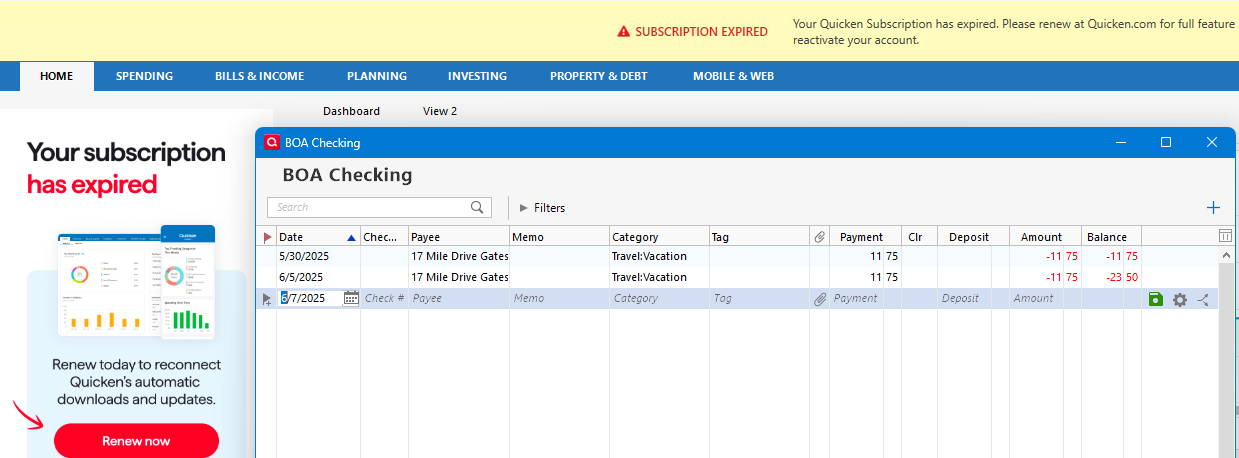
i chose not to renew as I do not need the download feature currently. i get the notice on right side of screen "YOUR SUBSCRIPTION HAS EXPIRED". It blocks the icon in upper right to give options to say transfer or add document such as bank statement. there is no way to remove the subscription has expired notice to access the icon.
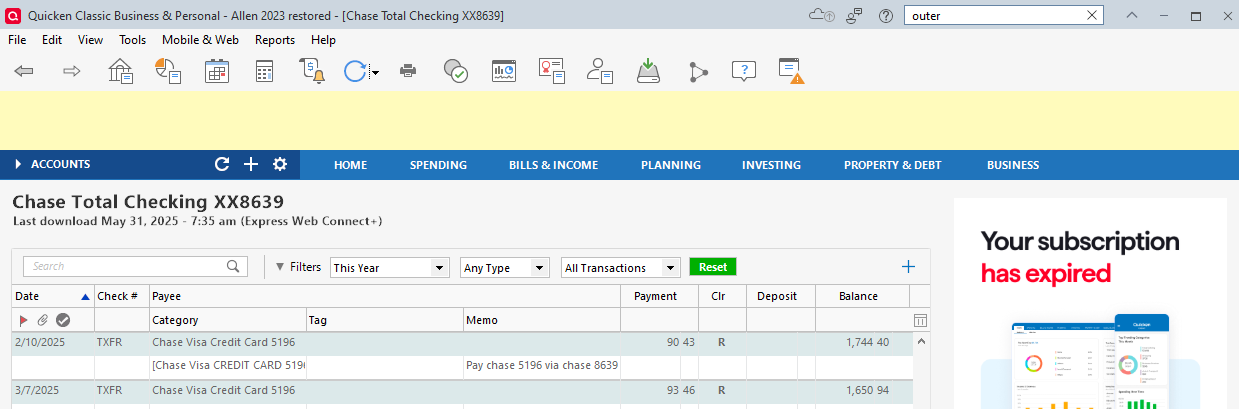
image.png

Comments

  • NotACPA
    NotACPA Quicken Windows Subscription SuperUser ✭✭✭✭✭

    The ONLY was to remove that "nag message" is to renew.

    Annoying, yes, but Q's original plan was to disable ALL input when a subscription expires … so the nag message was a mildly welcome change.

    And, apparently, the message has gotten smaller. At one time, it took up 1/4 to 1/3 of your screen.

    Q user since February, 1990. DOS Version 4
    Now running Quicken Windows Subscription, Business & Personal
    Retired "Certified Information Systems Auditor" & Bank Audit VP

  • Jim_Harman
    Jim_Harman Quicken Windows Subscription SuperUser ✭✭✭✭✭
    edited June 6

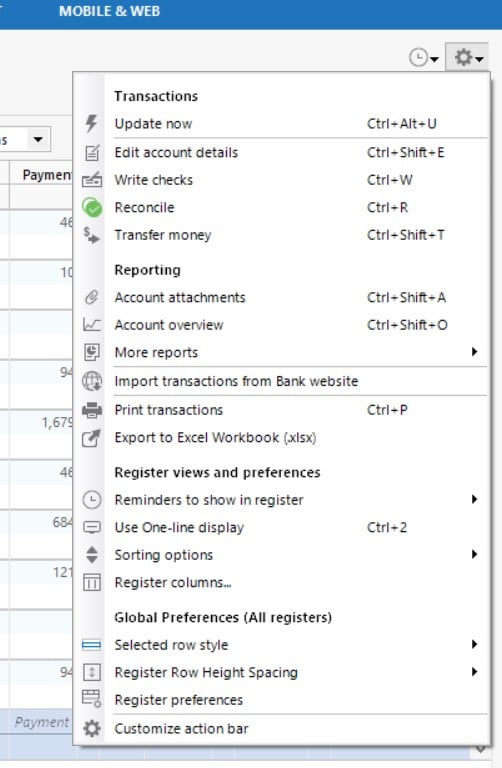
    Are you referring to the gear menu, normally at the top right of the account, that leads to Edit account details, Reconcile, etc.? Hopefully Quicken did not intend to make that inaccessible when your subscription expires.

    Do you have the option View > Use large fonts selected? De-selecting that might make a difference.

    Or perhaps if you hide the Accounts bar clicking on the little arrow to the left of "ACCOUNTS" you will be able to see the gear again.

    I edited the title of your post to clarify the issue.

    QWin Premier subscription
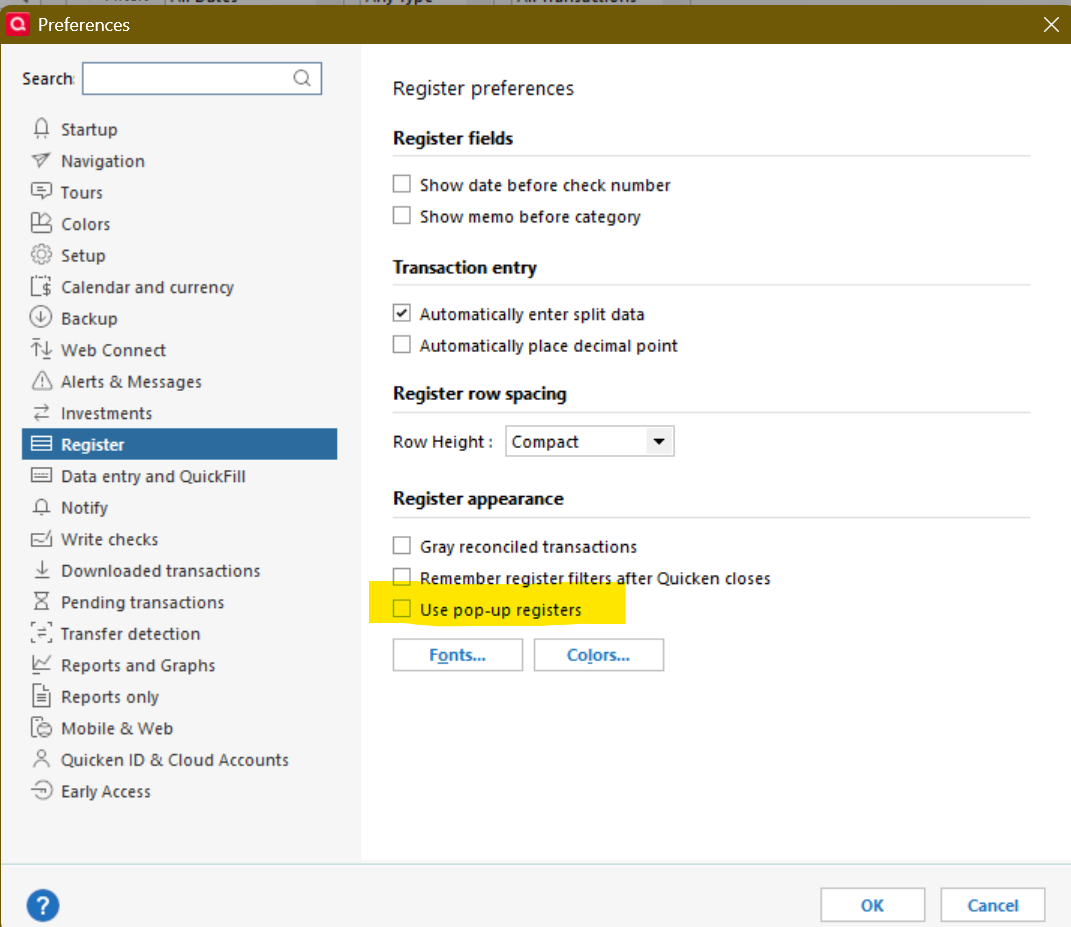
  • The other thing to try is to use "pop-up" registers.

    image.png

    If the option is grayed out, change your Startup location to anything except an account register.

  • MHSwizzleStick
    MHSwizzleStick Quicken Windows Subscription Member ✭✭✭✭

    If it's the gear icon you're referring to, I notice that some of the options in the Gear dropdown have keyboard shortcuts. Perhaps you could use these to perform the tasks you need.

    q.jpg
  • Jim_Harman
    Jim_Harman Quicken Windows Subscription SuperUser ✭✭✭✭✭

    Also to add an attachment to a transaction, you can right click on the transaction. To add an attachment like a statement to an account, hit Ctrl-Shft-A.

    QWin Premier subscription
  • UKR
    UKR Quicken Windows Subscription SuperUser ✭✭✭✭✭

    The area in the register with the Actions gear icon is usually referred to as the Action Bar. It contains the gear icon by default plus additional optional icons which you can add or delete (click gear icon or press Ctrl+Shift+N, select Customize action bar from the list).

    Is it possible that the Action Bar is overlaid by the renewal screen and did not move left when it should have?

    Can customizing the Action Bar and adding another icon, e.g., the "Reminders to show in register", make Quicken move the Action Bar icons to where they should be?
    @bigaldallas , can you try that?

    I'm beginning to see another To Do List item for the programmers to show up in their future …

  • Chris_QPW
    Chris_QPW Quicken Windows Subscription Member ✭✭✭✭

    Is it possible that the Action Bar is overlaid by the renewal screen and did not move left when it should have?

    I don't believe that it is being overlapped, I believe it is a similar bug to an old one where it wouldn't appear on popup registers. If you watch how it is painted, it is clear that it is a control the is painted on top of that area, and not a control that is actually built into the register controls. And its location isn't in the same place as the renew notices.

    Note that it is also missing from popup registers.

    image.png image.png

    Signature:
    This is my website (ImportQIF is free to use):

    http://www.quicknperlwiz.com/

This discussion has been closed.