understanding the budget tool (Q Mac)

hi, I'm new to quicken and I want to use the monthly budgeting tool but Im not sure that I have it set up correctly. I have a weekly pay check and I have scheduled monthly expenses. I also have rental income. does anyone have any tips, tricks or suggestions that would help understand the budgeting tool?
Comments
-
Hello @benbudgetin,
Welcome to Quicken and budgeting life! Sounds like you’ve got a great mix of income types and planning needs—let's make sure the tool is set up to support that.
Here are a few quick questions to better understand how you’ve started:
- Are your paycheck and rental income set up as scheduled transactions or added manually?
- Is your paycheck the same amount each week, or does it vary?
- Have you entered your regular monthly expenses into budget categories yet?
- Are you using the Actual vs Budget view, or just looking at Planned numbers?
- Is your rental income connected to property-related expenses, or more like general income?
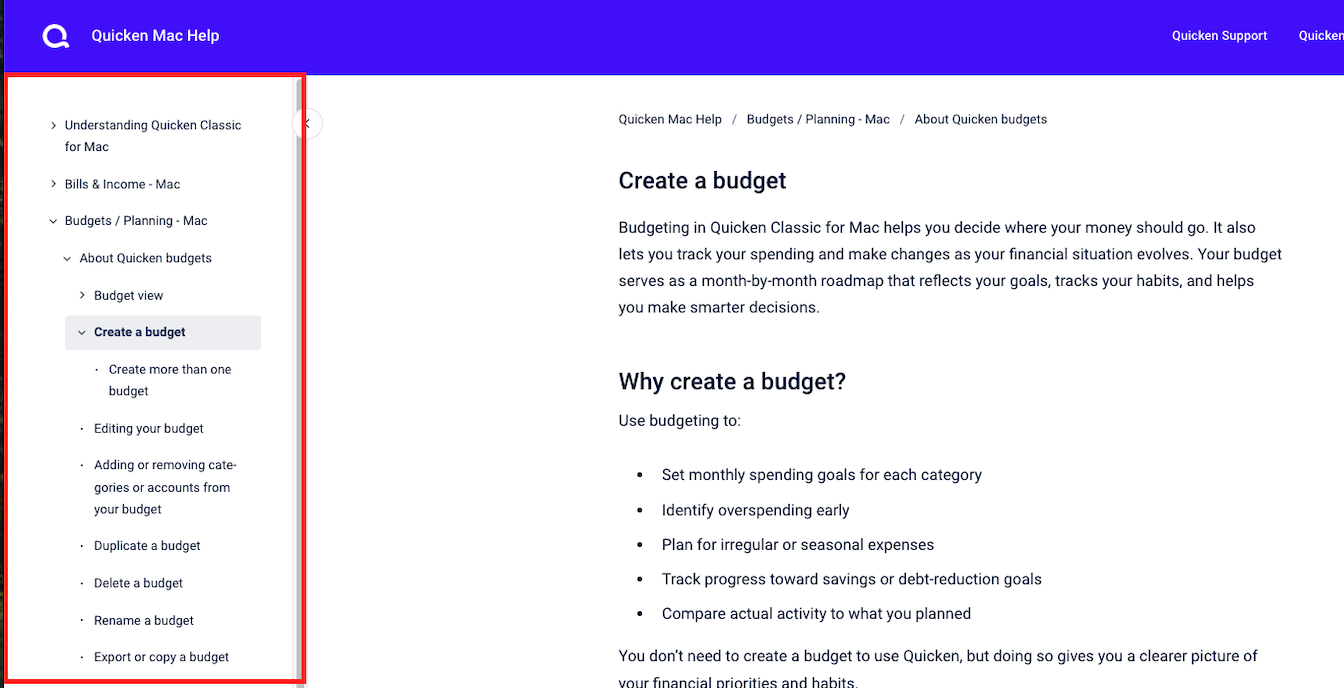
You’ll also want to check out the Create a Budget help article—it walks through the setup process and, as shown in the screenshot below, includes a sidebar you can toggle through to access related topics like editing, duplicating, renaming, or exporting a budget (see below). It’s a great way to explore everything in one place.
Additional resources worth bookmarking:
- Quicken for Mac: Budget Tab Overview
- Creating a Budget in Quicken for Mac
- Creating & Editing a Budget
Let me know once you’ve had a chance to look things over and answer those questions—we’ll get your budget dialed in from there!
-Quicken Jasmine
Make sure to sign up for the email digest to see a round-up of your top posts.
0

Categories
- All Categories
- 15 Product Ideas
- 34 Announcements
- 248 Alerts, Online Banking & Known Product Issues
- 20 Product Alerts
- 516 Welcome to the Community!
- 680 Before you Buy
- 1.5K Product Ideas
- 55.6K Quicken Classic for Windows
- 16.8K Quicken Classic for Mac
- 1K Quicken Mobile
- 834 Quicken on the Web
- 126 Quicken LifeHub