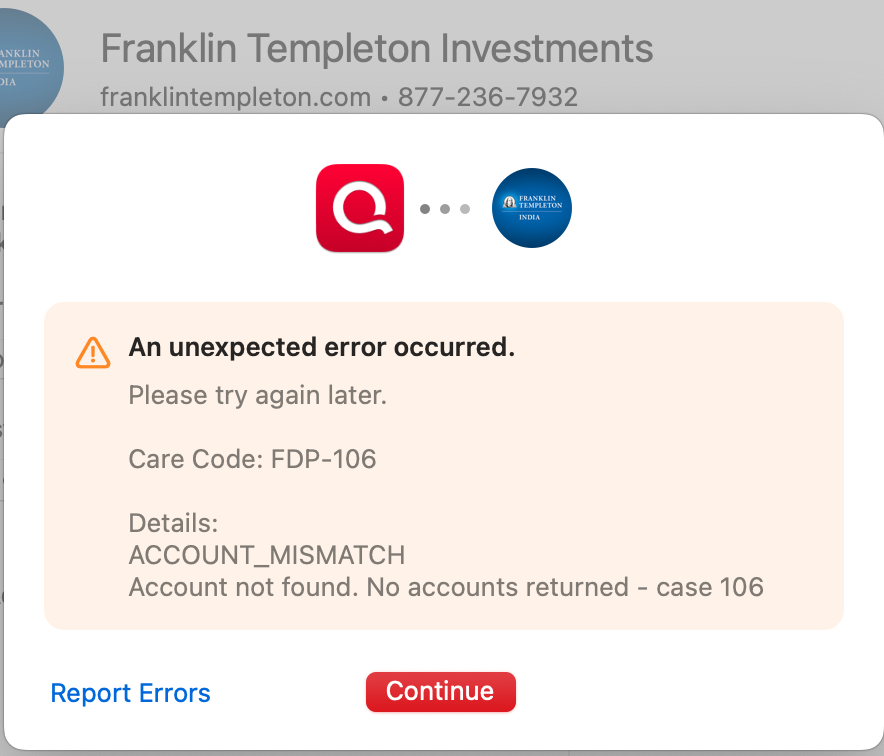
Franklin Templeton Care Code: FDP-106

I know there are several different discussions about this, but I still haven't seen a resolution even though some of those discussions are marked as closed. My login information works on the Franklin Templeton website.
Any progress? It's been about 2 months now without access to my Franklin Templeton accounts through Quicken.
Comments
-
Hello @psforsberg,
Thank you for letting us know you're seeing this issue. Unfortunately, Franklin Templeton Investments no longer supports automatic downloads into Quicken. They do still support Web Connect though.
To connect via Web Connect, please backup your Quicken file. Deactivate all accounts connected to Franklin Templeton Investments.
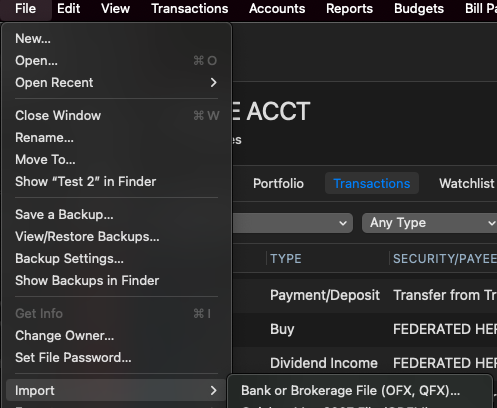
Once that is done, navigate to the financial institution website and select the option to download your account information as a Web Connect (QFX) file. If prompted, open the file. This will often give you a prompt to import into Quicken, but if you do not receive that prompt, in your Quicken file, navigate to File>Import>Bank or Brokerage File (OFX, QFX)…
For more information on importing the file into your Quicken, please see this help article:
I hope this helps!
(Ticket# 11810254)
Quicken Kristina
Make sure to sign up for the email digest to see a round up of your top posts.
0
