HTTP Status 400 with Amex Canada

This discussion was created from comments split from: AMEX data download in Quicken Home & Business Canada.
Comments
-
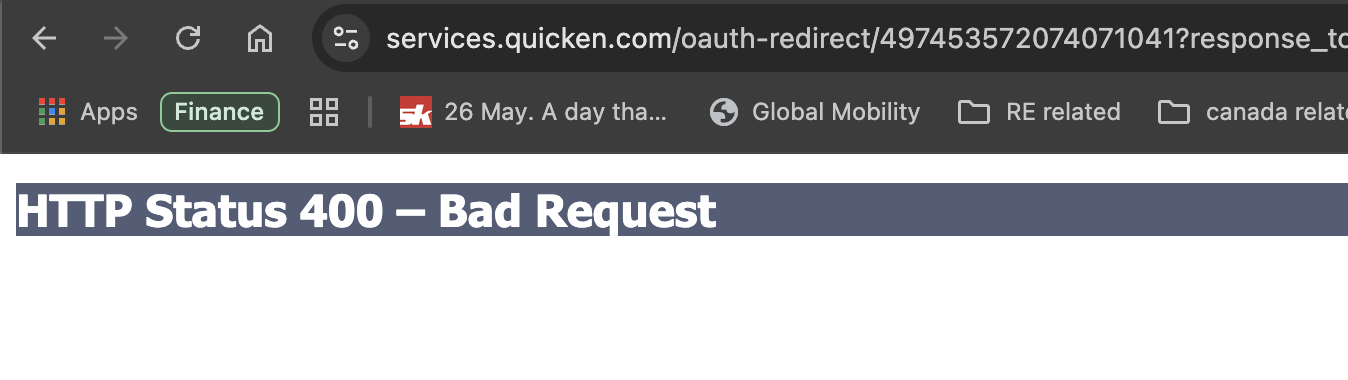
Hi @Quicken Jasmine - I am also facing a similar issue every time I try to connect to Amex Canada. It gives me a "HTTP Status 400 – Bad Request". Note that this is the first time I am attempting to do it via Quicken desktop.
I have attached the error for your reference.
 0
0 -
Hello @derry07,
Thanks for sharing that screenshot—it’s helpful!
The HTTP 400 – Bad Request usually means something went wrong in the redirect back to Quicken after trying to authenticate with the bank’s site. Since this is your first time connecting to Amex Canada via the Quicken desktop app, let’s try narrowing it down a bit:
- Were you signed into your Amex account in a browser at the time, or had you recently signed out before attempting the connection?
- Did you happen to press the back button or refresh the page during the process?
- Have you tried this process using a different default browser (e.g., switching from Safari to Chrome or Edge)?
- Are you using any privacy settings, browser extensions, or antivirus tools that might block redirects or cookies?
One thing that sometimes helps: Try clearing your default browser’s cache and cookies, then relaunch Quicken and attempt the connection again. If you’re comfortable switching your default browser temporarily (like to Chrome or Firefox), that’s also worth testing.
Let me know how it goes—we’ll keep digging if needed!
-Quicken Jasmine
Make sure to sign up for the email digest to see a round-up of your top posts.
0

