Unable to connect to Ascensus (QMac)

This discussion was created from comments split from:
Connecting to Ascensus for transitioned Vanguard account
.
Comments
-
The problem persists on Quicken Mac, as I am still unable to connect to Ascensus (though I could in the past).
0 -
Hello @DoGoodWork,
Thank you for letting us know you're seeing this issue also. I checked our internal tools and can see you are getting a FDP-103 (invalid credentials error). Is that what you're seeing on your end?
If you haven't already done so, please backup your file, then follow the troubleshooting steps from this article on FDP-103 errors:
First, deactivate all the accounts with the affected financial institution
- Open Quicken.
- Go to the Accounts menu and choose Hide and Show Accounts.
- Uncheck any accounts with this specific financial institution (FI) that are hidden in Lists.
- When complete, click on the account name for your account(s) in the Accounts toolbar in Quicken.
- Click the Settings icon in the bottom right corner of the screen.
- Select the Downloads tab.
- Click on Disconnect Account.
- Click Done. Do this on each account with this FI.
- Quit Quicken.
Second, delete Quicken passwords from the Keychain
Users on Sequoia MacOs
- Open Finder and type "Keychain Access" into the Search bar in the upper-right corner.
- Double-click the Keychain Access icon in the Finder window.
- If prompted to open the Passwords app, select Open Keychain Access instead.
- On the left panel in the Keychain app, set the Keychains to login and the Category to Passwords.
- Find and delete any entries that show Quicken or Quicken Connect and this FI name.
- Quit the Passwords app and open Quicken.
Users on older MacOS versions
- Open Finder and go to Applications > Utilities > Keychain Access app.
- On the left panel in the Keychain app, set the Keychains to Login and the Category to Passwords.
- Find and delete any entries that show Quicken or Quicken Connect and this FI name.
- Quit the Keychain Access app and open Quicken.
Third, re-add the accounts
- Go to Accounts > Add Account.
- Type the name of the financial institution and make the appropriate selection.
- Enter your login credentials and click Continue.
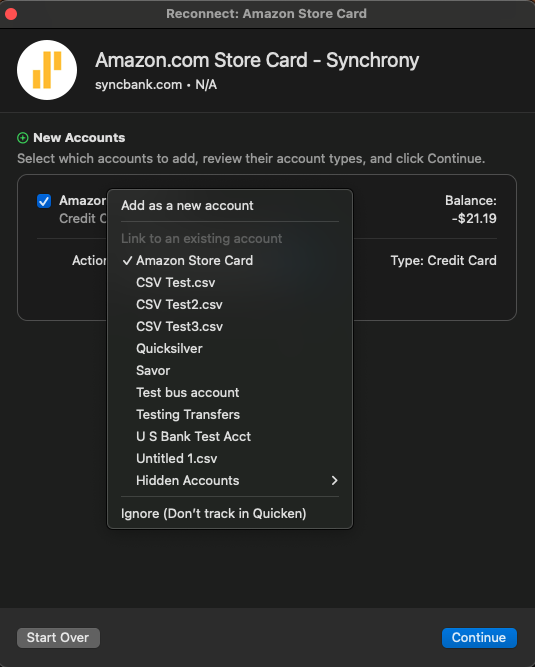
- When Quicken has returned all accounts discovered for this FI, very carefully LINK each of the found accounts to the appropriate account you already have setup in Quicken.
Please let me know how it goes!
Quicken Kristina
Make sure to sign up for the email digest to see a round up of your top posts.
0 -
Vanguard Ascensus Retirement recently made changes to their retirement website (https://my.vanguardplan.com/Login/Participant) and now is not connecting / syncing with Quicken Classic Premier Version 8.2.1 (Build 802.57282.100) macOS 15.6.
I am unable to fix or reconnect to my 401K account.
0 -
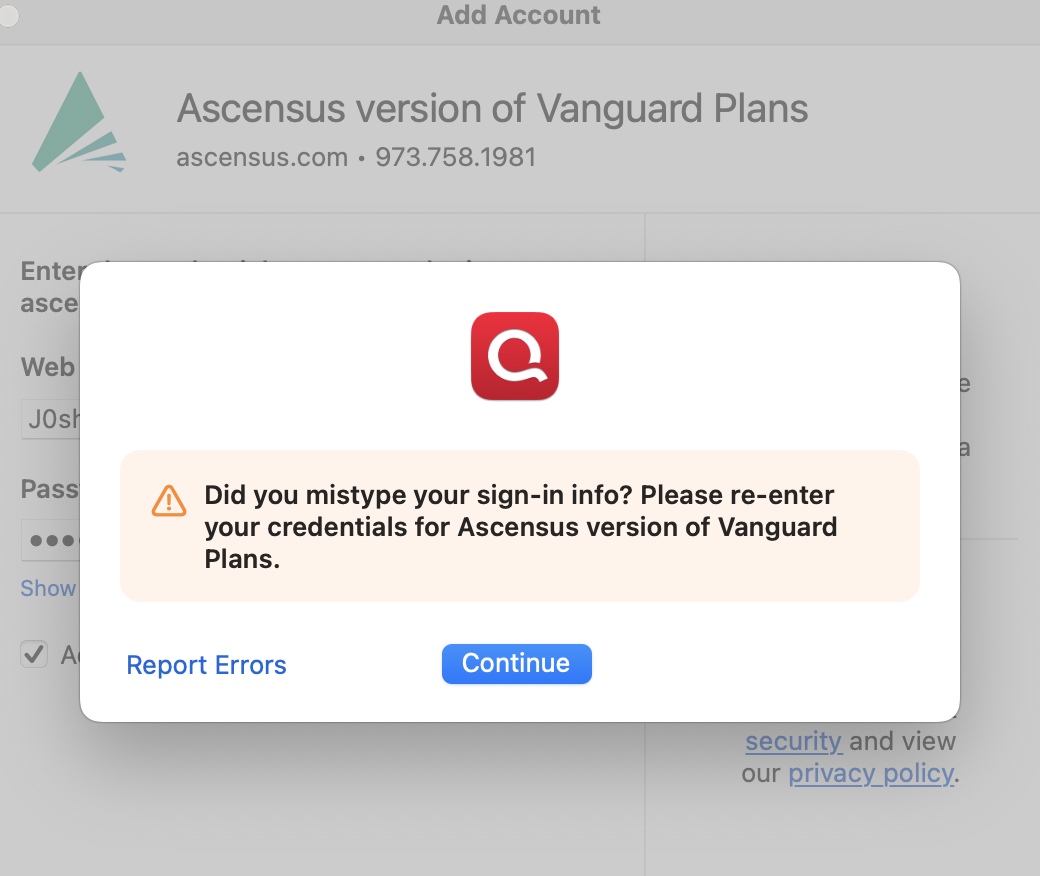
I am having the same issue and followed your steps but am still not able to connect with Ascensus for my Vanguard retirement plan. This connection started having sync errors the past weekend.
Any other ideas?
Thanks
0 -
Thanks for chiming in!
If the steps provided by @Quicken Kristina didn’t resolve the issue, then—as noted at the bottom of the support article she linked—you’ll need to contact Quicken Support directly for further assistance.
Our support agents will need to collect and review your log files to better diagnose the problem and escalate it if necessary.
Thank you!
-Quicken Anja
Make sure to sign up for the email digest to see a round up of your top posts.0 -
I'm also still unable to connect to Anscensus. I've tried all three options available: "Ascensus - RPLink"(worked originally), "Ascensus version of Vanguard Plans", and "Vanguard Ascensus Retirement". I've tried contacting Ascensus tech support, but gotten no response.
0 -
Same here. I spoke with support and have a ticket open but no response from them yet.
0 -
Thank you for your replies,
I can see that there's now an open ticket for this issue, CTP-14118. We don't have an ETA for when it will be fixed. The last update shows our team has reached out to the proper channels to work towards a resolution.
Typically, the escalated team will reach out if they need more information or when they believe the issue is resolved.
Thank you!
(CTP-14118)
Quicken Kristina
Make sure to sign up for the email digest to see a round up of your top posts.
1


