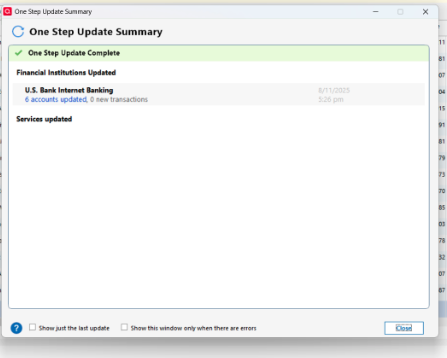
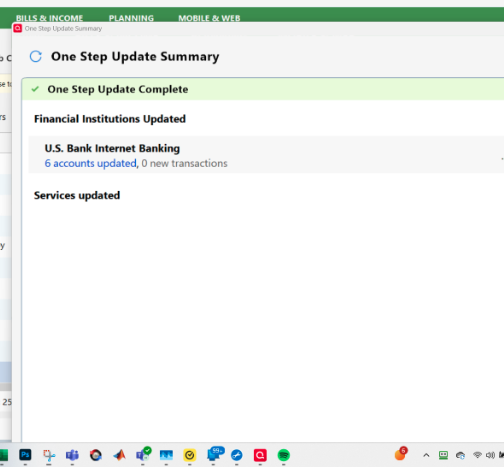
I have Quicken Classic Starter Edition. I'm using "View→Use Large Fonts" and my Windows 11 display resolution is 1980 by 1200 and I'm using a Windows display scaling of "125% (recommended)" When I get a One Step Update on all 6 of my accounts, the One Step Update Summary window that appears after the update is too tall. Not only is it too tall, but it's off the right side of the screen so that the close-window X is not visible and the window needs to be dragged back on screen just to be able to close it. The window is not resizable so the Close button that used to be on the bottom of the window can never be brought on screen. Instead there's tons of unused white space in the window making it much, much taller than it needs to be. It's been like this for several years now but was fine until then. Deselecting Large fonts fixes it but I don't want to run with the tiny fonts as I'm a senior and my eyes aren't so good anymore. This problem occurred on my old computer as well as this new computer. Why is the window too tall and partially off screen? Why is the window not resizable? Is there any fix for this? Is it on their list of bugs to fix in the future?
[Edit - Removed Partial Account Numbers]