I've been using Quicken since the 1990s and currently use Quicken 2015 on my Mac via Parallels. Every year I have to upgrade Parallels and since Quicken is the only app I use in Windows, I'm thinking that for $20 a year more I can use the subscription Quicken on my Mac directly and save 75GB of space that I'm now using for the Windows VM.
I don't use any of the online services, I do everything manually and have all the categories down to exactly what I want and need and the report I use at the end of the year. Which is the simplest version I can use that lets me use my current 2015 file?
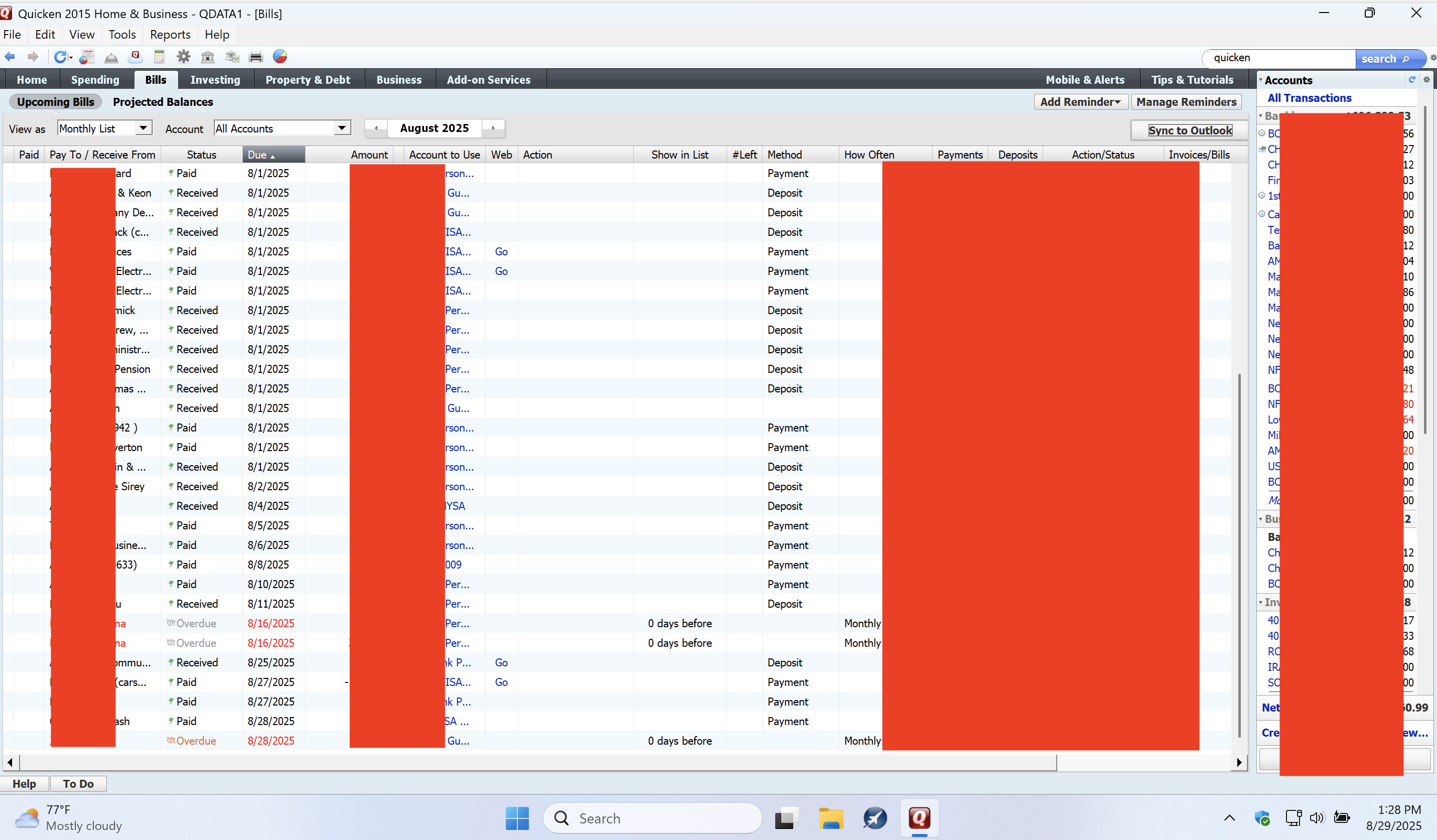
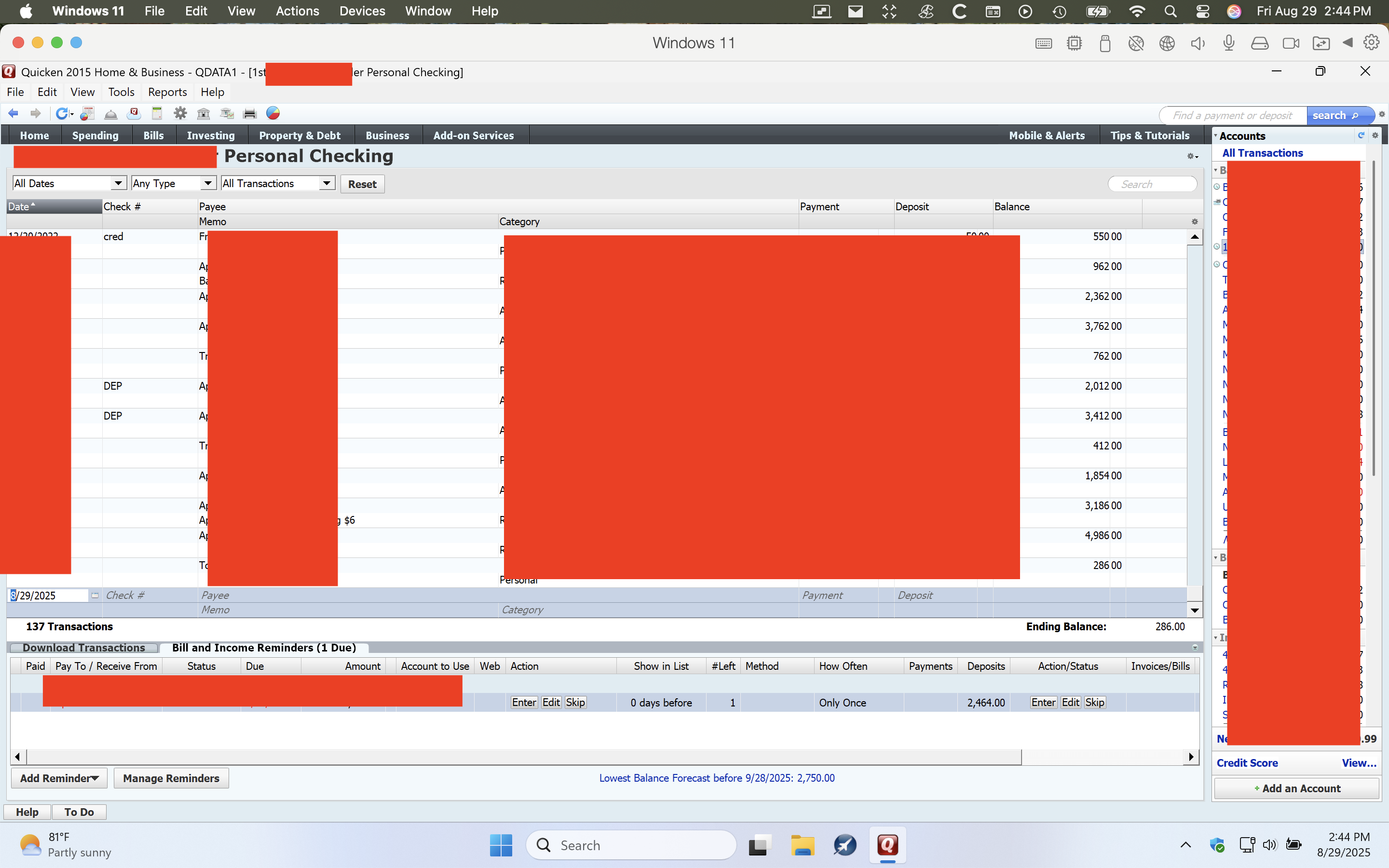
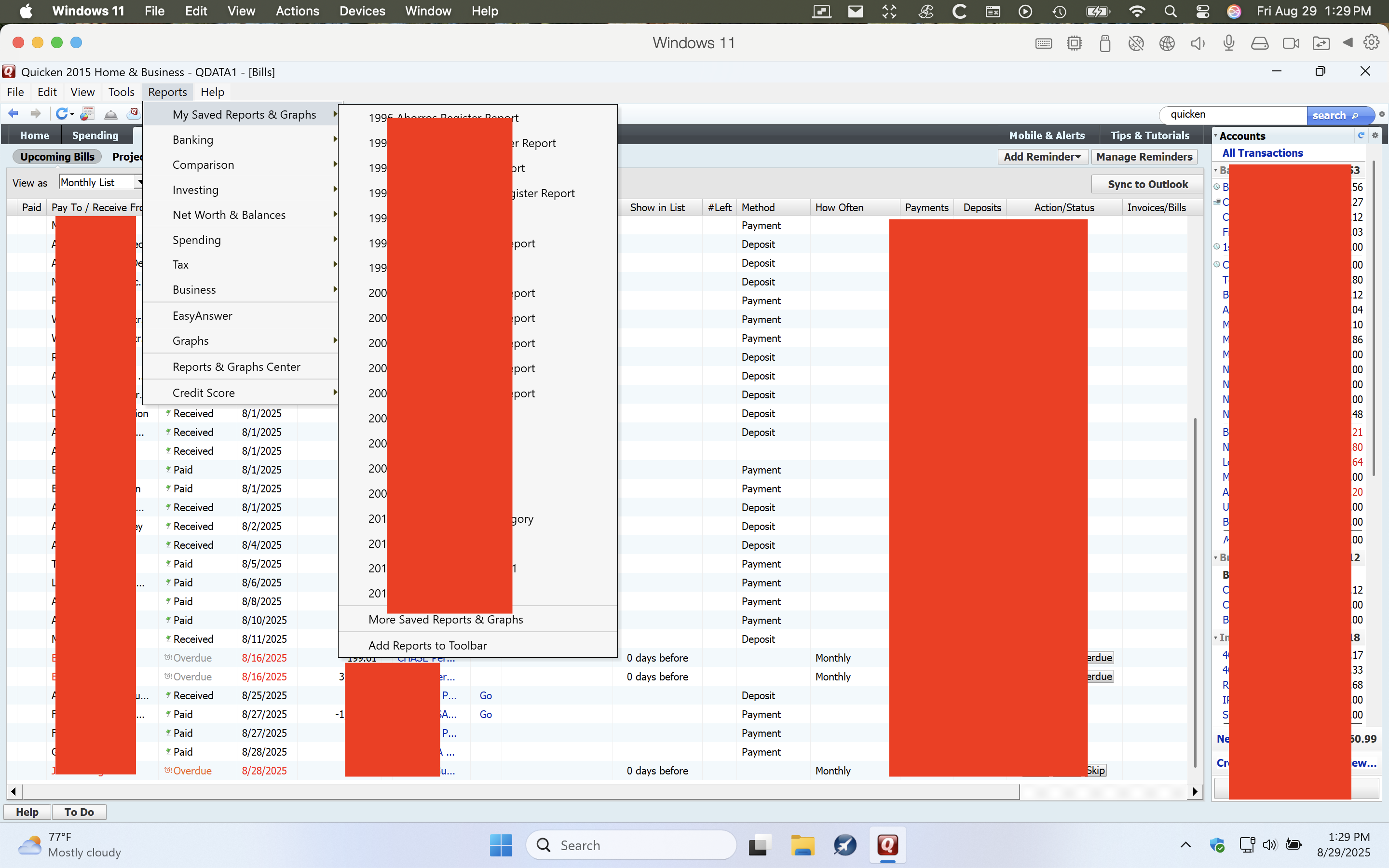
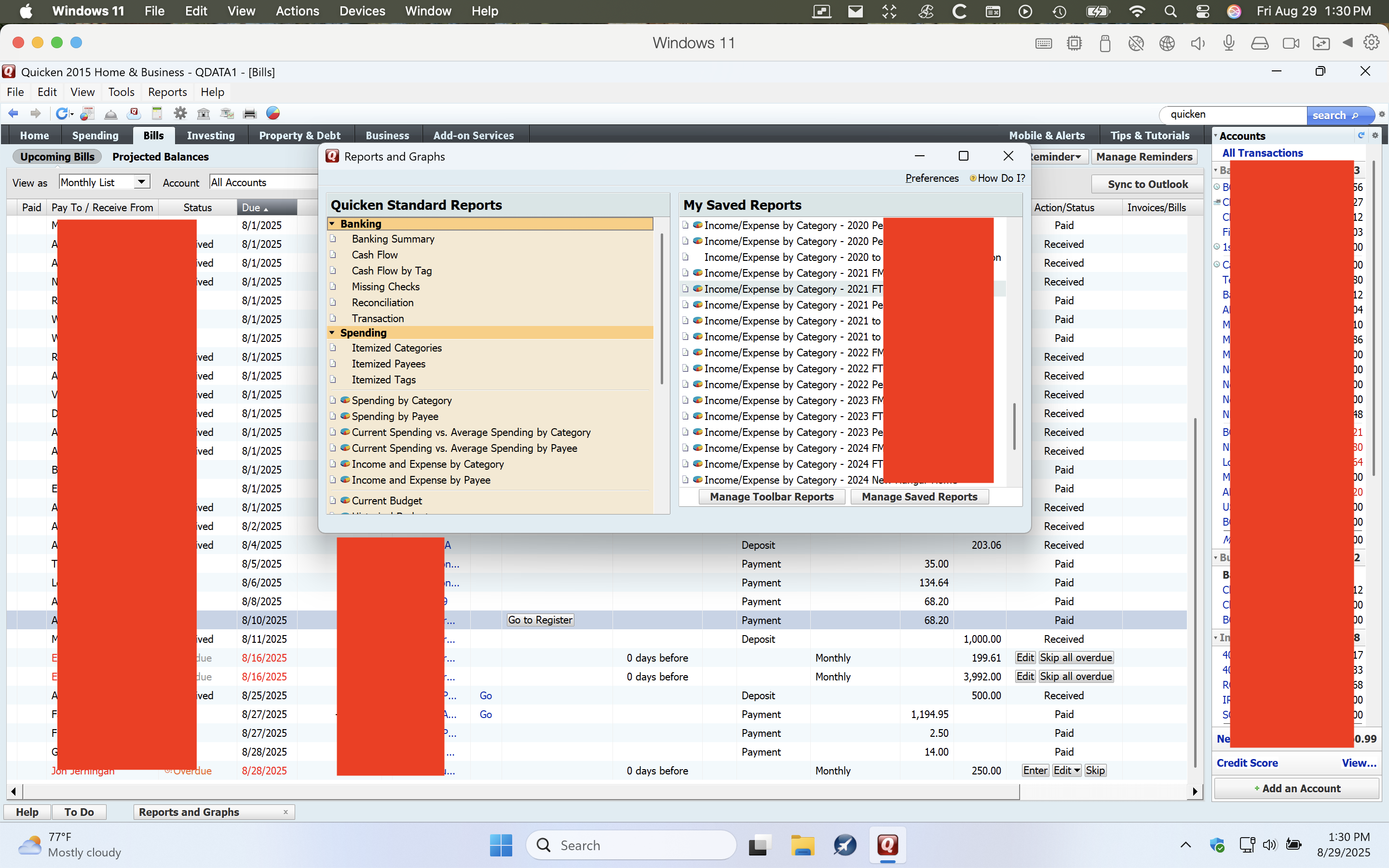
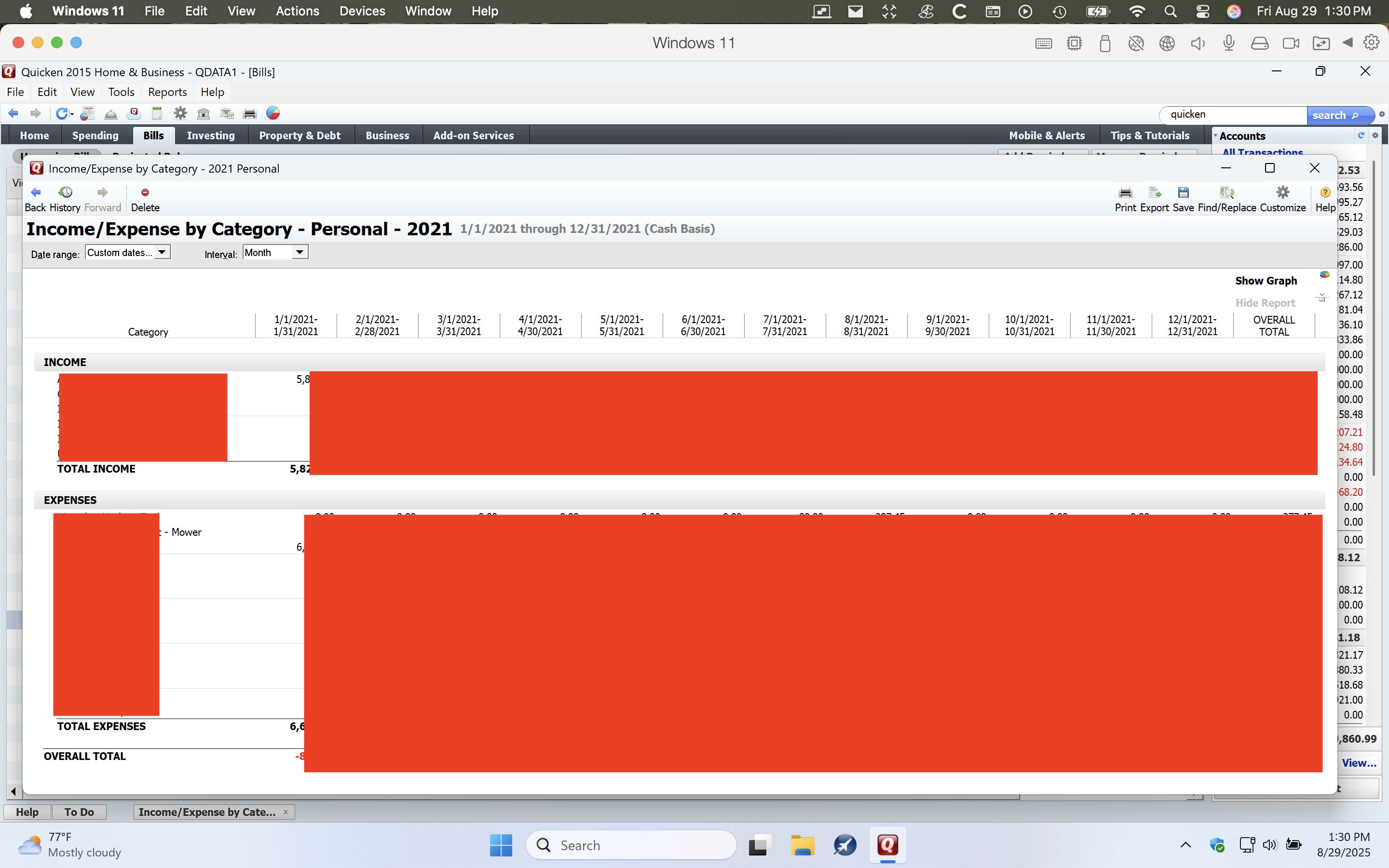
These screenshots show what I use and practically in the same order as soon as I open 2015
If all you need are manual registers and reports that break down expenses by category, then Quicken Mac has you covered. And since your subscription covers both Mac and Windows, you can try out Quicken Mac for free. Run it in parallel with the Windows version for a while & see if it meets your needs.
Your accounts & categories should convert over to Mac just fine but your reports will not - any saved reports will need to be recreated from scratch.
It sounds like you don’t need anything higher than the Deluxe Edition.
I notice that at the moment they are selling it at full price on Quicken.com (lots of times they have it at a 50% discount for new users, which you would be since you have never used the subscription version before.). It is slightly cheaper at retailers lie Amazon and Office Depot. Newegg has good prices sometimes, but it looks like all retailers are priced the same right now.
And since your subscription covers both Mac and Windows…
I don't think you currently have any subscription, right? So what @Jon is saying is that if you buy a subscription, you can download both the current version of Quicken Windows and Quicken Mac, so you want to run them both for a little while to help you insure all your balances are correct beofre you stop using the Windows version. And if you do that, I'd say you might want to update a copy of your Windows data file to run in the subscription Quicken Windows, and then use that file to migrate to Quicken Mac. (Quicken Mac should import the Quicken Windows 2015 data file; I just like using the more current file if you have a choice.)
Oof, I overlooked that you were using a pre-subscription Quicken. If you do try a subscription & are unsatisfied you can get your money back within 30 days.
Note there is a danger of installing Quicken Windows Subscription on your VM if you think you might want to go back to your Quicken 2015 because the old license server is no longer available to allow reregistration. So, make sure you can restore your VM back its pre-subscription installation.
Thank you for all of your comments. More details in case it affects anything, I currently use Quicken 2015 Home & Business Version: R17.4 Build: 24.1.17.4 on a Windows 11-ARM Virtual Machine in Parallels for Mac20. The only "business" I use it for is rent income, so I just have it like any other category for my reports, I don't use the program to generate any business type things, or follow stocks, or use it with any business type categories, or to file taxes or anything like that..
The Quicken Deluxe that I find at Best Buy, Walmart, Office Depot, are all currently around $69. I can wait for any Black Friday sales if they usually show up at half price since I'm not in a big rush, but either way
1- When you guys mention "Quicken Deluxe" and also "Quicken Mac", are they two different programs or are you just abbreviating and they're the same thing and I have to specify that I want" Quicken Deluxe for Mac"?
2- Can I install only the Mac version so it doesn't mess up my current Quicken 2015 that's working perfectly, and use a backup copy of my current data to restore into the Mac side Quicken app, leaving me with both my current Quicken 2015 on the VM, and the newer Quicken Deluxe on the MacOS?
3- If so then can I use them both for a year to compare the two and not be rushed to transfer all of my reports?
4- Is there any difference in the programs between buying it from Best Buy and downloading the subscription version, aside from the fact that if I buy it from Best Buy I can't return it so the money is gone, but downloading the subscription program I can at least cancel before the 30 days go by and not lose my money?
5- Regarding my saved reports, If the new Quicken Mac already has all my old data converted, I would just have to create a report like I did these with the same configurations, or will I have to do something more complicated? Or could I just print them all out with my current VM version to .pdf files and save them, then I wouldn't have to recreate anything. They'd be there in files in case I ever need them i can print them in the future. Those reports are basically end of year reports so the data isn't going to change so the reports shouldn't change either. I'd only have to create the last ones because every year I take the 3 last year's saved reports and just update the current year dates, and rarely but maybe add one or two new categories, and I then save the new reports.
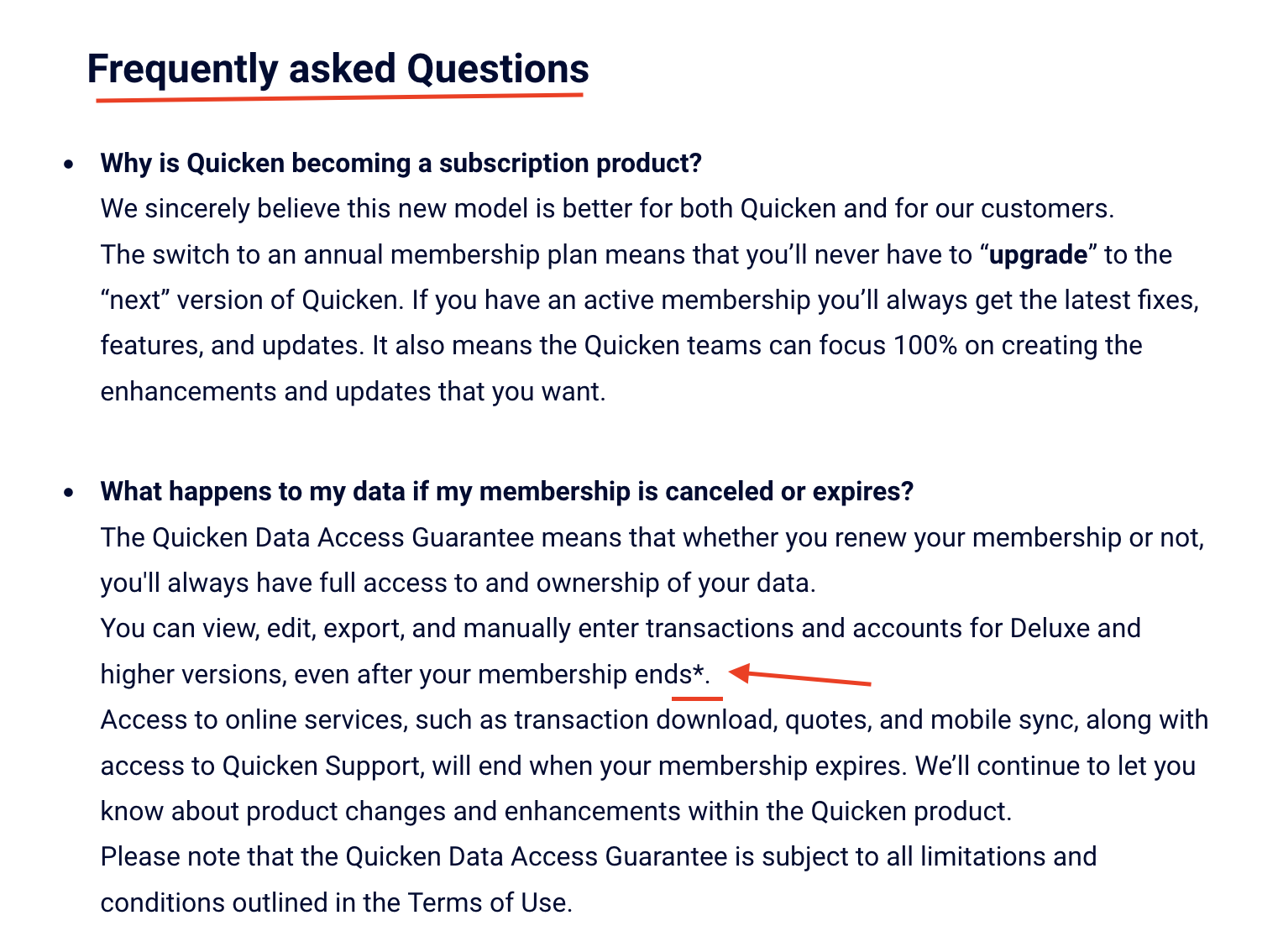
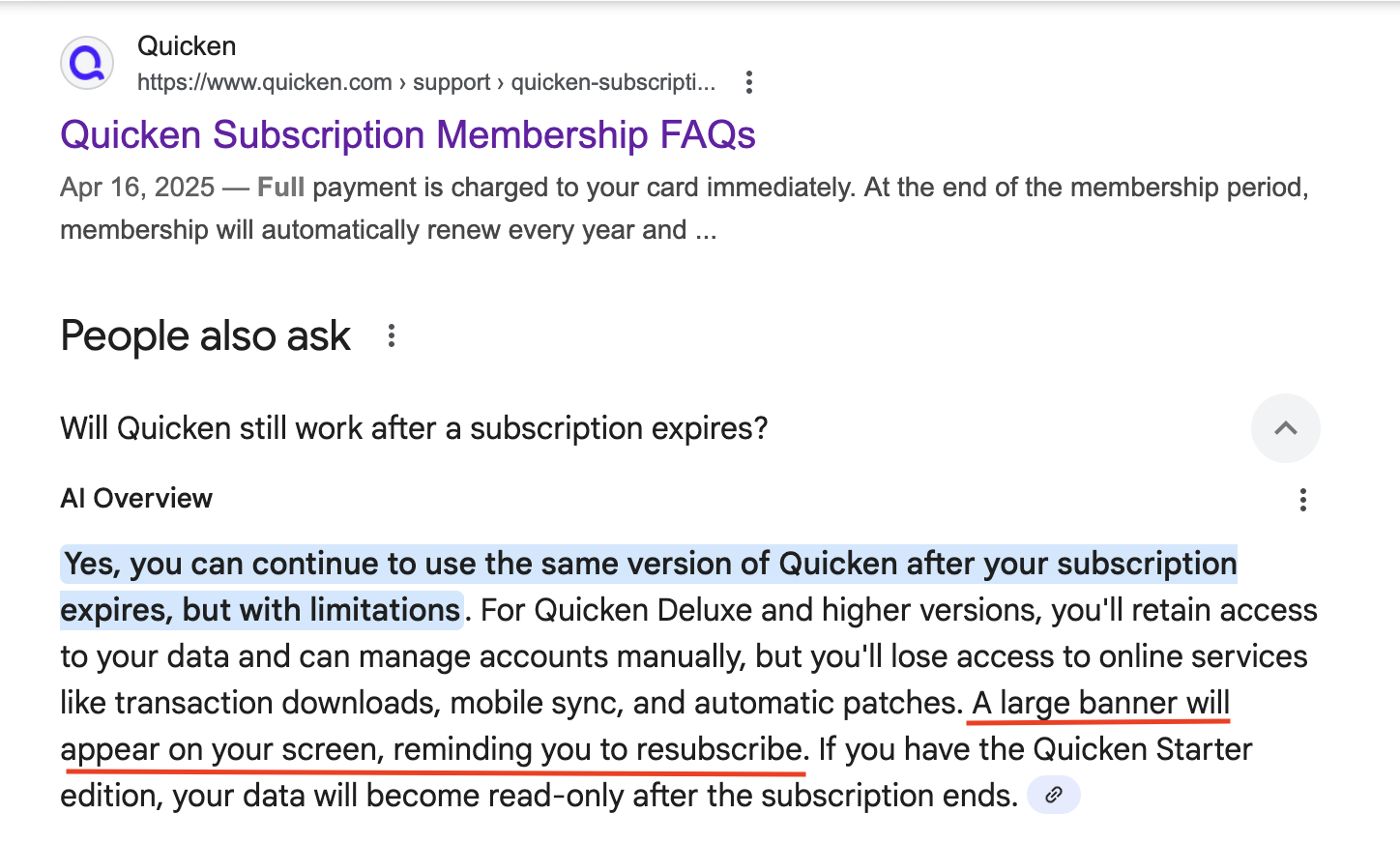
6- If a year goes by and I still don't have all my reports converted if I needed to, or decided to do all of that, since as you can see in the pictures above they start around 1996, what happens after a year if I don;t subscribe or if I bought the store version? Does the Mac Deluxe lock up and I can't use it anymore? For this last question I ask it here because I want to know what happens in REAL LIFE, because when I read the FAQs they curiously place an asterisk at the end of where they say that I have access to all of my data except the online services. You see what I use it for so I don't need any of those services that will go away, so would I end up essentially with what I have now but a better updated version of my current Quicken 2015 where I can do everything, or will it "crap out" (military technical term) after a certain time? I also found where it mentions a large banner reminding one to renew, does it cover up the data? Does it go away or stay there as long as you're using the program?
#1 → Quicken Classic has multiple "editions", like Deluxe, Premier, Home & Business. These aren't separate programs. The license you choose simply turns on more and more options. Like Premier has everything that Deluxe has, plus some more features turned on.
#2 → The Quicken Windows Desktop data file is completely separate from the Quicken Mack Desktop data file. In fact, they are completely different formats, that is why your Quicken Windows data file will have to be first converted before it can be read into Quicken Mac.
#3 → Yes, the Subscription license allows for use on both Mac and Windows (on as many machines as you like). But do watch out for my warning about trying to reinstall Quicken Windows 2015, and the missing server. If possible, take a snapshot of the VM before installing Quicken Windows Subscription on that machine and converting your Quicken Windows 2015 data file to the Quicken Windows Subscription format.
#4 → Functionality wised the program is the same no matter if you buy from Quicken.com or a retailer, but there is a difference in how the license it applies. If you buy from Quicken.com it will immediately connect your subscription to your Quicken Id and start the subscription. If you buy from a retailer, you get an activation code that you enter when you install Quicken Subscription. This probably isn't a problem for the first year, but it does help when looking for a discounted price for other years as the activation code can also be used for renewing and it is valid for up to a year and can be applied to extend the subscription 6 months before it expires.
#5 → Reports won't convert at all. The reports in Quicken Mac "similar" to some of them in Quicken Windows in functionality, but clearly different enough that converting them has never been possible. You will have to recreate your reports in Quicken Mac.
#6 → Answered about the reports above, so I will answer about Quicken Deluxe. If you let the subscription expire you can still do offline manual entry, but there will be ads that take up about 20% of the window asking you to renew.
I went into a report to see if I'm going to have to recreate them and sadly I will if I use Quicken Mac exclusively from now on. The reports as I posted the screen shot above are what I normally would need but if I have to go deeper and find info on a specific day or category, that would mean I would have to print many dozens of reports for just 1 year, if I didn't have access to that one complete report in Quicken.
A couple of workarounds could be to keep Quicken 2015 on 2 other old Macbook laptops where I have it installed with Parallels and Windows 7. Those laptops never leave my office and I update the data weekly just to have more backups, so those reports should work forever, although very slowly on those old laptops, until both laptops decided to go belly up for some reason.
Another workaround would be to take the current VM with Quicken 2015, back it up, then remove Parallels from my current Mac laptop and just use Quicken Mac. I would store it and if I ever decided I didn't want to continue with Quicken Mac I could reinstall Parallels which included that VM and it would be like I never left. I would just have to enter any transactions after when I stopped using it to bring it up to date.
I doubt it would get that far since I would know if I like Quicken Mac in less than 30 days, worst case in less than a year. A few years ago I tried Quicken for Mac and quickly didn't like it, don't remember exactly why, hopefully for the way I use it now I'll like it better.
Here's the catch now:
Since you guys mentioned that I can't transfer my current Quicken 2015 data directly to Quicken Mac, I also don't want to make any changes to my current Quicken 2015 VM in case I need it again, so installing the PC version there is not an option. I do however have a brand new Windows 11 computer I only use for my flight simulator so, could I install the new Quicken Deluxe PC version on that one, use a copy of my Quicken 2015 backup to convert on that machine to the new Quicken PC data format, then use a backup from that PC machine to restore on a new Quicken for Mac on my laptop?
First, I believe you can directly import a Quicken Windows 2015 data file into Quicken Mac. I only suggested that you might want to update to the current Quicken Windows version first, in case it helps avoid any issues. But the Quicken Windows file format apparently hasn't changed since Quicken 2013, so you should be fine to import it into Quicken Mac if you don't want to touch your Quicken Windows 2015 setup.
if I have to go deeper and find info on a specific day or category, that would mean I would have to print many dozens of reports for just 1 year, if I didn't have access to that one complete report in Quicken.
Rather than me trying to parse the detail of your screenshots, please explain what reports, specifically, you are thinking you cannot (easily) accomplish in Quicken Mac.
I'm not doubting that I can create new "Income/Expense by Category" reports in Quicken Mac. I meant that if my saved reports aren't going to transfer from my current 2015 to the new Mac, then my idea of printing them wouldn't work as I previously thought it would.
@Pilot135pd Yes, as mentioned in the first reply to your initial post, reports do not transfer between Quicken Windows and Mac. The formats and options are too different for the developers to have tried to implement a complex and likely imperfect transfer of saved reports.
But creating and saving reports in Quicken Mac isn't particularly complicated or time consuming, and it's a one-time job to get them set up for ongoing use. I'm not sure why you're saying that printing reports will be an obstacle for you adopting Quicken Mac. So again, if there is something specific that you're concerned about being able to accomplish in Quicken Mac reports, please explain and we can try to show you how to get out what you want.
If the reports could be transferred, why would you even need to print them at all? I assumed when you talked about printing reports you meant printing them from Quicken Windows 2015, so you would have access to all those old reports without having to recreate them.
I'm not deleting Quicken 2015 so I already resolved the printing of my OLD STORED REPORTS, so it's not an issue anymore. Thanks !
If they could be transferred you're correct, I wouldn't need to print them, but they can't be transferred. Anyway, since I'm not going to just delete Quicken 2015, I'll have it available just to print any of the old reports if I ever need them. Meanwhile I'll continue using the new Quicken Mac for future reports. All good, thanks !!
I just looked it up and Parallels has a snapshot feature. What this lets you do is save the state of the machine, and restore it back at a later time. So, you could save the state before installing Quicken Subscription and test it out, and still be able to get back to using Quicken 2015 if needed.
As for converting your Quicken 2015 data to Quicken Mac, I believe @jacobs is being a bit too cautious.
The “conversion program” is known to be a modified version of Quicken Windows so it would be the same as you loading your Quicken 2015 data file into Quicken Subscription and having it convert your data file to the new format. It just does that and export to a format that can be read by Quicken Mac and it creates the need data file.
Yes, I can also use Mac's Time Machine which copies my entire drive including the VM and restore it. I just finished using it after deleting and altering some files in Win11 inside the VM. When I was done it didn't give me the effects I wanted so instead of going back and changing everything back again, I just restored yesterday's entire VM and it's as it was last night.
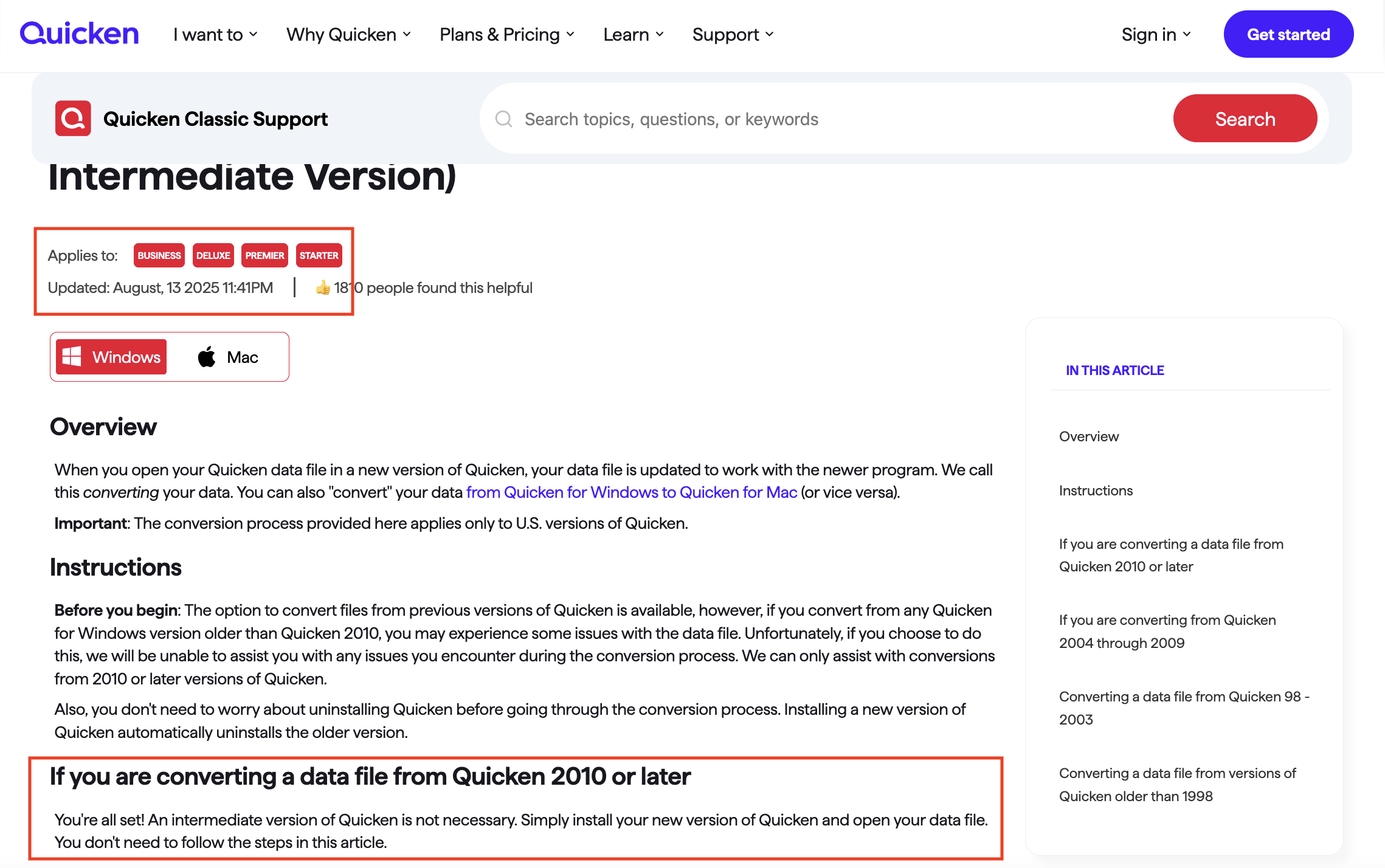
I did find this which seems to me will let me transfer my Quicken 2015 directly to Quicken Mac
https://www.quicken.com/support/how-and-when-use-intermediate-version-convert-older-versions-quicken/
These are the instructions to do the direct conversion.
And yeah, I forgot about Time Machine, with that you are covered for any testing you want to do.