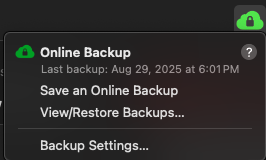
I'm using Quicken Classic 8.3 (build 803.58807.100) on MacOS 15.6.1. I just started using Quicken's free basic Dropbox. It set up a Dropbox location linked to the "Cloud" and it contains (unsure why) a bunch of old BACKUP (Automatic) and (Pre-Update) backup files (three accounts). Maybe they showed up in a previous Quicken update that added Dropbox
My Mac File Manager also has a local "Dropbox" folder with a Quicken Backup Files folder, and an Automatic Backups subfolder which contains BACKUP(Automatic) and BACKUP(Pre-update) files for three accounts I track: Personal finance (current) and two other accounts I don't use anymore. For some reason, under the lead Folder "Quicken Backup Files", there are older backup files for all three accounts (they don't have the BACKUP (xxxxx)) nomenclature and are old enough that I don't need them.
I want to clean this up. Can I backup directly to the Dropbox Cloud the app has set up? Do I need the local "Dropbox" if I use the Cloud? I keep 5 automatic backups per Q Settings. Do I need to keep years worth of Pre-Update versions, or can I manually limit to, say, the last year or so? Can I move the two accounts which are inter-mixed with my current personal to a separate subfolder, or does each update cause all three accounts to get a backup?
I also use Time Machine for backups.