Quick Pay Not Working
I went to pay my monthly bills via quick-pay to find they are not able to be paid as Quicken is going through a new migration for paying bills. I did call technical support, and the answer was to use check-pay over quick-pay.
What I find frustrating, is why there were no notices to consumers whom uses this quick-pay integration to not use quick-pay for the month of August. That is what I was told from support.
The tactics that this company seems to deploy is not to inform their customers and ask for forgiveness when processes do not work.
I'd like to know who is going to tell my mortgage company, or other billers I use quick-pay for to not charge me interests due to this company not following good SDLC practices and customer awareness.
Comments
-
Same here. I'm going to bite the bullet and move over to my credit union's payment system.
0 -
Hello @pgdco,
Thank you for letting us know you're encountering this issue. To help troubleshoot, I checked our internal tools and can see the reason for the payments failing was listed as an outage (the service provider was unable to connect with the biller to send the payment).
I can see that you're using version R63.21. Since we are transitioning to a new service provider, I recommend that you backup your Quicken file, and update to R64.19. Please use this article for the link to the update patch and instructions on installing it:
Hello @OnceAnArmyMedic,
Thank you for letting us know you're also seeing this issue. To help troubleshoot, I checked our internal tools. I can see that you're using Quicken for Mac, version 8.2.1, and I wasn't seeing any failed payments for August.
What is happening when you try to schedule payments? Is it not letting you schedule at all?
You may want to try making a backup of your Quicken file and upgrading to version 8.3.0. That version uses the new service providers. For the link to download the patch and instructions on installing it, please read this article:
I hope this helps!
Quicken Kristina
Make sure to sign up for the email digest to see a round up of your top posts.
0 -
thank you for your feedback — should we look to transition to this community forum as its 100% more informative then calling into technical support. Technical support needs to be overhauled and given better insight and tools to do their job. (just my opinion).
Again thank you for your feedback and a way forward.
0 -
Thank you for the follow-up,
We're happy to help!
If you need further assistance, please feel free to reach out!
Quicken Kristina
Make sure to sign up for the email digest to see a round up of your top posts.
0 -
I found another problem this week!
I was seeing several issues all around banking bill pay issues.
- Online Payee still shows pending, even several days after payment had processed.
- Bank was no longer downloading transactions; performing a reset did seem to fix this issue.
- Quicken seemed to be locking up when communicating with my bill-pay and banking institutions.
Called L1 support and was told to reinstall Quicken.
One practice that L1 support never performs, is to ask the client to perform a backup prior to making changes on the client's computer. This practice should be something we should not have to remind L1 support to suggest to their clients.
Now, after re-syncing two of my bill-pay banking institutions, I find I have to setup bill-pay again before I can pay a bill. I called L1 support and they stated they did not think this was software related, but bill-pay related and nothing they can truly do.
I find it interesting that L1 support did not attempt to reach out to see if this is a problem as I just upgraded to the latest release that was pushed out this morning.
Really getting tired of talking with support that does not get intrigue with dealing with client issues. But I'm also tired of calling support when they have zero answers.
At this time, I will need to wait for the deposits to come through, and hopefully I will be able to pay my bills via quicken bill-pay.
[Edited - Readability]
0 -
Thank you for sharing your experience!
To clarify, did the issue with needing to set up bill pay again happen after the uninstall/reinstall, or was there something else that triggered it (such as restoring a backup)?
Thank you!
Quicken Kristina
Make sure to sign up for the email digest to see a round up of your top posts.
0 -
We'll I have more bad news — nearly all my quick pay payees seem to be no longer supported.
Centurylink, City of Aurora Water, Mr. Cooper, I'm sure the list goes on….
What frustrates me more is why they show up when adding a quickpay pay payee. If there is no integration, then it should not be in the list. This is really a simple programmatic change.
I now need to really review if quicken is right for me. I've been a customer of this product so long, its hard to leave, but waiting for a company to get it right, is just embarrassing and today is bad customer experience.
0 -
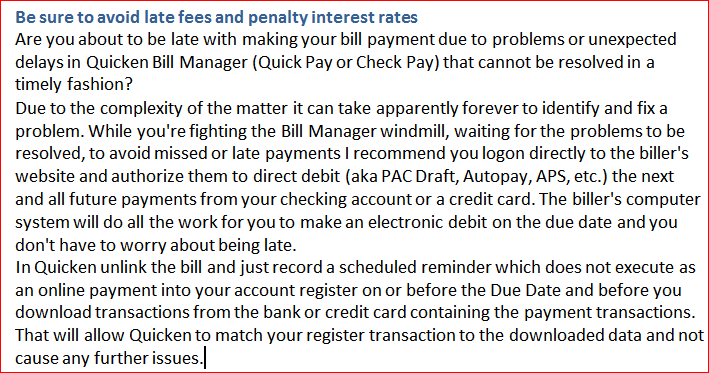
Please consider this alternative
1
Categories
- All Categories
- 56 Product Ideas
- 36 Announcements
- 223 Alerts, Online Banking & Known Product Issues
- 22 Product Alerts
- 701 Welcome to the Community!
- 671 Before you Buy
- 1.2K Product Ideas
- 53.7K Quicken Classic for Windows
- 16.3K Quicken Classic for Mac
- 1K Quicken Mobile
- 813 Quicken on the Web
- 111 Quicken LifeHub