Is new Quick Pay service limited to $1,500 transactions?

rmn
rmn Quicken Windows Subscription Member ✭✭

I set up American Express in the new Quick Pay service and tried to pay a bill. I received this pop-up error:

"Invalid Payment Amount. The amount entered exceeds the Quick Pay limit for this payee. Please enter a payment amount less than 1,500.00. Alternatively, this payment can be sent out as Check Pay."

The only options are OK or Switch to Check Pay.

This was never a problem with the previous Quick Pay service, where I routinely paid much higher credit card balances.

Is this new Quick Pay service actually limited to $1,500 per transaction (which would be a downgrade), or is something wrong with my setup?


Answers

  • The Accountant
    The Accountant Quicken Windows Subscription Member ✭✭

    Seems to be, same problem here. Probably a quicken show stopper for me after many years.

  • cleroks
    cleroks Quicken Windows Subscription Member ✭✭

    You've got to be kidding! So, if I fight through all these issues and finally get Bill Pay working, I'm limited to a $1500 payment per bill? That is definitely a show stopper. I guess I'll never get migrated off my credit union Bill Pay system. It's far from ideal but at least it works.

  • Quicken Anja
    Quicken Anja Moderator mod

    Hello All,

    Thank you for reaching out about this issue. To help us better understand what’s happening, could you confirm whether this $1,500 limit is occurring only with American Express, or are you also seeing the same restriction when attempting Quick Pay with other payees?

    Check back and let us know!

    -Quicken Anja
    Make sure to sign up for the email digest to see a round up of your top posts.

  • rmn
    rmn Quicken Windows Subscription Member ✭✭
    edited September 10

    I don’t have another Quick Pay bill over $1,500 to test with (only Check Pay), so I can’t confirm whether this is AmEx-only or broader. What I can confirm is that this issue is not on the AmEx side.

    I called Quicken Support this evening and did a screen share. The Level 1 agent admitted the $1,500 cap was unusual but then, as expected, defaulted to finger-pointing — telling me to call American Express because the restrictions were likely with them. That makes no sense, since I showed clear proof that I’ve been paying well above $1,500 to AmEx through the old Quick Pay for the past 10 years without a single problem. Only with the new Quick Pay, instituted this month, has this restriction suddenly appeared.

    When I pushed back and explained that Quicken needs to take ownership of the problem instead of bouncing users between Quicken and AmEx (which only leads to the usual endless back-and-forth finger-pointing between big firms we have no control over), he suggested escalating to Level 2. Unfortunately, they were closed, so I have to call back tomorrow.

    To cover my bases, I also called American Express. AmEx’s Quicken support confirmed this is not on their side and that no restrictions apply. They stated it is a Quicken issue, since they have no way of controlling limitations imposed by Quicken and their third-party software providers.

    Bottom line: this is clearly a new Quick Pay limitation, not an AmEx restriction. Level 2 call tomorrow.

  • Stripedbass411
    Stripedbass411 Quicken Windows Other Member ✭✭✭
    edited September 11

    @Quicken Anja -

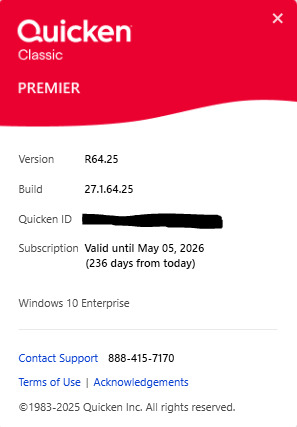
    The $1500.00 limit dialog is also displaying for Citi Cards and their credit card account payments. This surprised me because Citi Cards with "Quick Pay" support was removed from Quicken back in early 2023 so why the prompt. The $1500.00 limit prompt started happening after both the latest release was installed (see below) and the new "bill payment" feature prompts from this release were answered by me. Not sure what the bill payment questions were all about because I've had the same billers setup using check pay and quick pay for years.

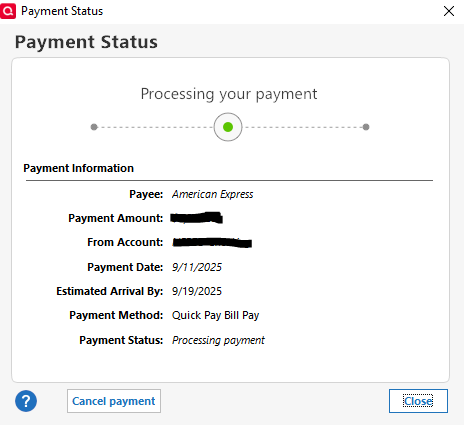
    Something else to note, I noticed my Amex "Quick Pay" I just submitted a few minutes ago has today's payment date with an estimated arrival date of eight days later. "Quick Pay" used to be just that, quick and immediate on the same day, and not eight days later.

    image.png

    image.png
  • UKR
    UKR Quicken Windows Subscription SuperUser ✭✭✭✭✭

    As far as the Payment Dates and Arrival Dates are concerned, please see this discussion for an explanation:

    Quick Pay Payment issues with dates? — Quicken

    Still waiting and hoping for an official word from Quicken about the $1,500 transaction limit and what can be done about it.

  • Quicken Anja
    Quicken Anja Moderator mod

    Hello All,

    Thank you for sharing your experiences with the new Quick Pay service and the $1,500 limit message. I’d like to gather a bit more detail to help us better understand what’s happening.

    When you attempted these payments, were you using an existing payment account that you’ve successfully used with Quick Pay/Bill Manager in the past, or was it a newly added payment account?

    This detail will help us determine whether the limitation is tied to specific accounts or if something else is at play.

    We appreciate your patience while we investigate further!

    -Quicken Anja
    Make sure to sign up for the email digest to see a round up of your top posts.

  • rmn
    rmn Quicken Windows Subscription Member ✭✭
    edited September 11

    Following the upgrade, my existing Quick and Check Pay connections were automatically removed, making me re-enter every biller as if it were a new online or check pay biller.

  • Stripedbass411
    Stripedbass411 Quicken Windows Other Member ✭✭✭

    @Quicken Anja -

    An existing payment account was being used and this account was successfully used many times in the past for the billers.

  • Quicken Anja
    Quicken Anja Moderator mod

    @Stripedbass411 Thank you for confirming!

    I have sent you a direct message to gather more details for our team to further investigate, please navigate to the inbox in the top right-hand corner of the Community page and check your inbox.

    image.png

    Thank you!

    -Quicken Anja
    Make sure to sign up for the email digest to see a round up of your top posts.

  • JDT
    JDT Quicken Windows Subscription Member ✭✭
    edited September 16

    Change to the new Quick Pay fixed nothing for me as I routinely have made credit card payments exceeding $1,500 in the past. It's just not worth the bother now because I have to initiate multiple payments or just pay on the vendor website. Practically useless!

    [Merged Post]

  • Quicken Anja
    Quicken Anja Moderator mod

    Hello All,

    Thank you all for sharing your experience. We want to let everyone know that this issue has been escalated, and a ticket has been created with our internal teams. The $1,500 transaction limit is currently under investigation.

    At this time, there is no estimated time of resolution. We appreciate your patience while we work to identify the cause and determine the next steps.

    We apologize for any inconvenience in the meantime! Thank you.
    (CTP-14522)

    -Quicken Anja
    Make sure to sign up for the email digest to see a round up of your top posts.

  • fw6322+
    fw6322+ Quicken Windows Subscription Member, Windows Beta Beta

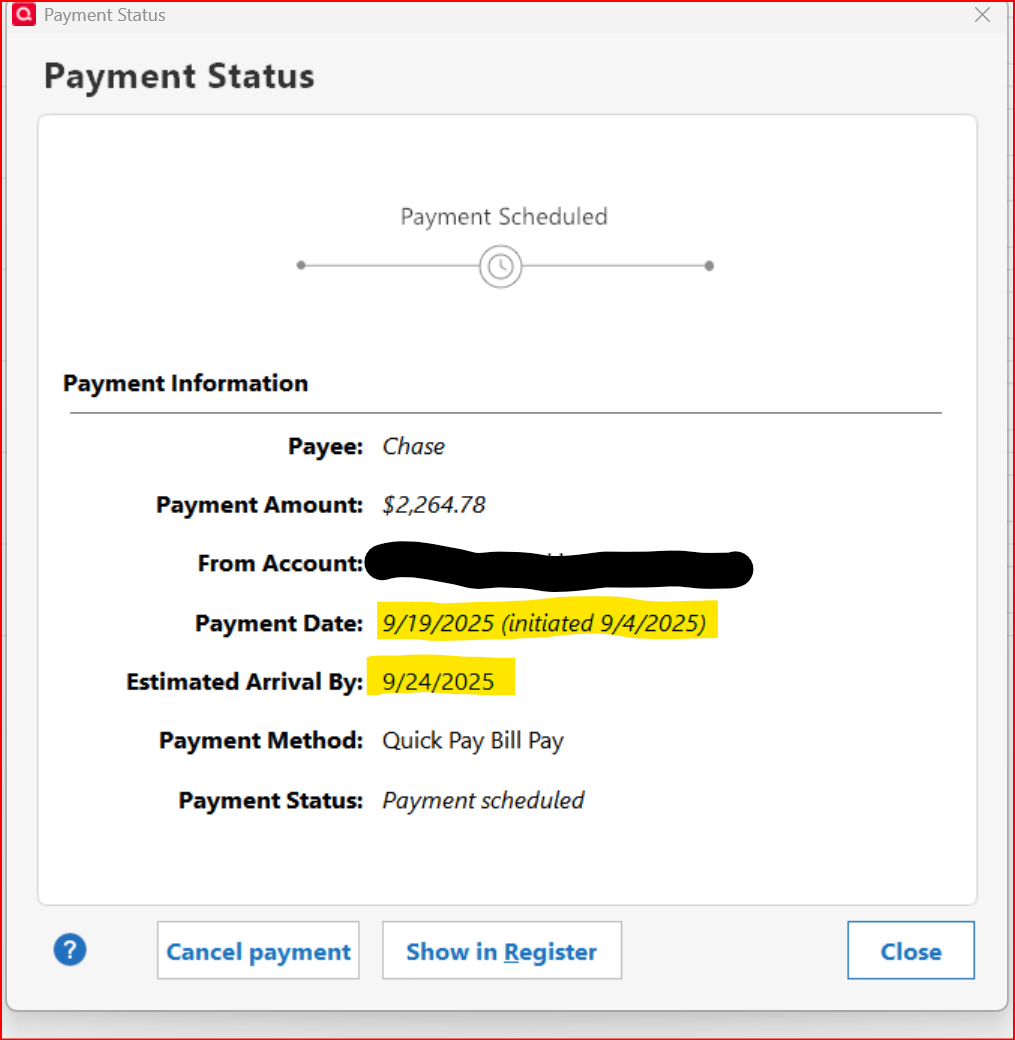
    Have a Quick Pay scheduled to Chase for over $1,500 and have made smaller payment when beta testing. The payment has worked with Chase. Here is the current Payment Status:

    image.png
  • Simond
    Simond Quicken Windows Subscription Member

    Same issue here. The new bill pay is limiting me to $1500 payments on Discover Card, just to mention one. It's useless unless the bill pay amount is raised to a more reasonable number such as $10,000. I have been a Quicken user from the start of the product. I also am an engineer and was a product manager for a software product. I can't understand how things like this are tested so poorly before roll out on such an established product. Please fix this and find a decent SW QC Manager.

This discussion has been closed.