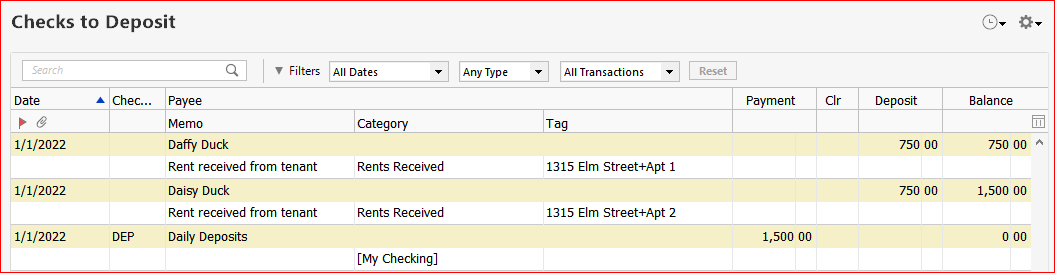
I am trying out Business and Personal for Mac. It appears there is no way to create a deposit slip with checks from my clients. If I can't create a deposit slip, how do I record payments? Frustrating.
Hello @wjfreitag,
Thank you for sharing your feedback! To answer your question, in Quicken for Mac, you record payments using the invoice. For more details, please see this help article: https://info.quicken.com/mac/recording-a-payment-on-an-invoice
I hope this helps!
I haven't been using invoices for payments from my psychotherapy clients. They pay for the session and at the end of week, I would deposit the checks. If the only way to record payments in Quicken is to create an invoice first, I will consider staying with Quickbooks. Thanks for your help.
If you currently don't create invoices for each therapy session, you don't have to in the future. I would suggest that you do the following:
(This was originally written for Quicken for Windows, but also applies to Quicken for Mac, neither of which can create and print deposit slips) When you receive multiple payments by check per day/week but only make one summary deposit to your bank ...
Hello All,
This Idea seems to have stalled, and we would like to gauge the current interest in this request.
Thank you!
Being able to print Deposit Slips from both Quicken Mac and Quicken Windows would be a helpful enhancement, albeit for a minority of users.
An Idea about Deposit Slips for Quicken for Windows is posted here:
Print Deposit Slips - Quicken