This discussion was created from comments split from:
What’s Going On Between Fidelity and Quicken?
.
I converted to the new connection method a week ago (roughly), manually fixed the cash errors in 2 of 5 accounts and now this morning am in an unending loop of "reauthorize" which mostly fails and even if it appears to work, it doesn't download transactions and then immediately goes back into the "reauthorize" required and fail….. [Removed - Language/Rant]
Please reference the comments around
for a possible resolution. I had to deactivate all Fidelity account connections and re-add Fidelity Investments to reconnect and get downloads to work again. Seems like there is a reauthorization bug.
Downloads were working, now today I am prompted to reauthorize, and I logon to Fidelity check boxes and when directed back to Quicken the process FAILS! OMG!
R64.30
[Removed - Duplicate Post]
Please reference
as the resolution that worked for me. It is an aggravation though.
Deactivated all 5 Fidelity accounts, re-added all accounts, reauthorized, and appeared good. Next OSU, Fidelity failed CC-901, need to reauthorize!
[Removed - Language]
Hello @Movie Nut,
To troubleshoot the issue, please backup your Quicken file and follow the steps in this article on CC-901 errors:
Hello @randy_woodruff,
…now this morning am in an unending loop of "reauthorize" which mostly fails and even if it appears to work, it doesn't download transactions and then immediately goes back into the "reauthorize" required and fail…..
Thank you for letting us know you're seeing this issue. What is the exact message you're seeing when prompted to reauthorize? What is the message you see when it fails? Are you getting any error codes? If possible, please include a screenshot of the messages you are seeing (remove any personal information and account numbers). If needed, please refer to this Community FAQ for instructions on how to attach a screenshot. Alternatively, you can also drag and drop screenshots to your response if you are not given the option to add attachments.
Thank you!
I already Deactivated my 5 Fidelity accounts and followed the process to Re-add & Link to my Quicken accounts after I approved the Reauthorize step.
As I stated that process seemed to work, but during the next OSU, I get the CC-901 error again and prompted to re-authorize AGAIN. This is in a Loop.
Hello @randy_woodruff & @Movie Nut,
I moved your posts to a new discussion since it appears to be a newer issue.
We have forwarded this issue to the proper channels to have this further investigated. In the meantime, we request that you please navigate to Help > Report a problem and submit a problem report with log files attached and (if you are willing) a sanitized copy of your data file in order to contribute to the investigation.
While you will not receive a response through this submission, these reports will help our teams in further investigating the issue. The more problem reports we receive, the better.
We apologize for any inconvenience!
Thank you.
(CBT-839)
After dinner, I tried a different approach. I took the "Reset Account" action on the Online Services tab. This required resetting each of my 5 Fidelity accounts, one at a time, and logging on to Fidelity to reauthorize 5 times. I selected all 5 accounts on Fidelity screen each time. Each Reset Account action processed to normal completion. Of the 5 accounts 3 (IRA, Brokerage, New ROTH) completed, but there were no new transactions to download.
The 2 ROTHS each showed 2 Dividend received and on Fee Charged transactions in Fidelity.
One Roth all three transactions were downloaded and I accepted them.
The other ROTH, only the 2 Dividend transactions were downloaded (which I accepted). The Fee Charged transactions was not in download. I manually created this transaction to make sure Quicken and Fidelity were in agreement.
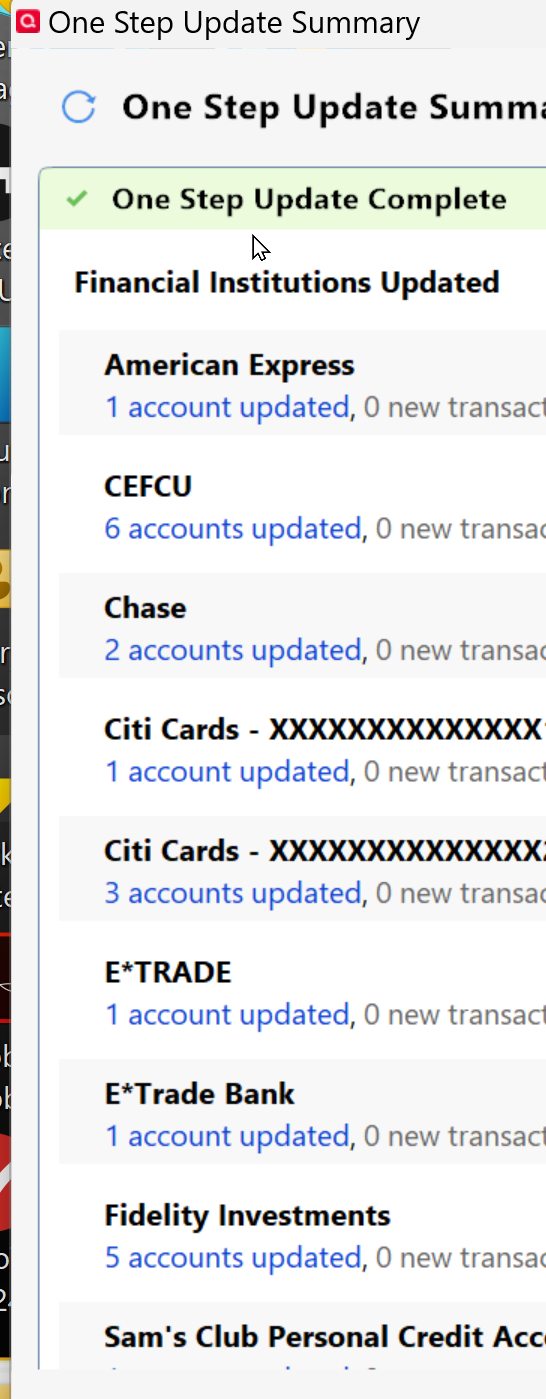
One problem I am now seeing is none of my EWC+ accounts (Fidelity, Credit Union, CITI Cards, etc) are showing a status in the "Update Summary" after I perform OSU.
As a Quicken user for over 20 years, I must say that these ongoing issues with Quicken are disheartening. One should not have to hold their breath and pray every time they do a Quicken update. People are paying good money for your product and shouldn’t have to spend hours troubleshooting and fixing Quicken software issues. I understand that integrations with third parties can be difficult, but with proper testing, all of this nonsense is avoidable.
End users should not be your beta testers. I am about ready to stop using your product.
@Quicken Kristina
We have set up Quicken downloads under three separate Fidelity Login IDs (1 Fidelity Netbenefits & 2 Brokerage/IRA account log ins). Two of the three (1 Netbenefits and 1 Brokerage/IRA) fail with Quicken error code cc-901, as has been reported here, while the other Brokerage/IRA Fidelity login downloads without a hitch and no error codes whatsoever. I can't see any difference between these three Fidelity account downloads, all three were migrated from DC → EWC+ at the same time, end of July. Possibly this may provide additional insight into the issue?
Your bank has revoked the authorization token
Why would Fidelity revoke/let expire the security tokens for two Fidelity accounts, yet not for the third, if all three were migrated from DC → EWC+ on the same day, on July 29, 2025?
Hello @HKB,
Thank you for sharing your experience. The most common thing that can cause the authorization token to be revoked by the financial institution is if, when authorizing accounts on the financial institution website, the account got unselected. If you haven't authorized/reauthorized accounts recently, then the problem is likely related to the CC-901/reauthorization loop issue.
@Movie Nut,
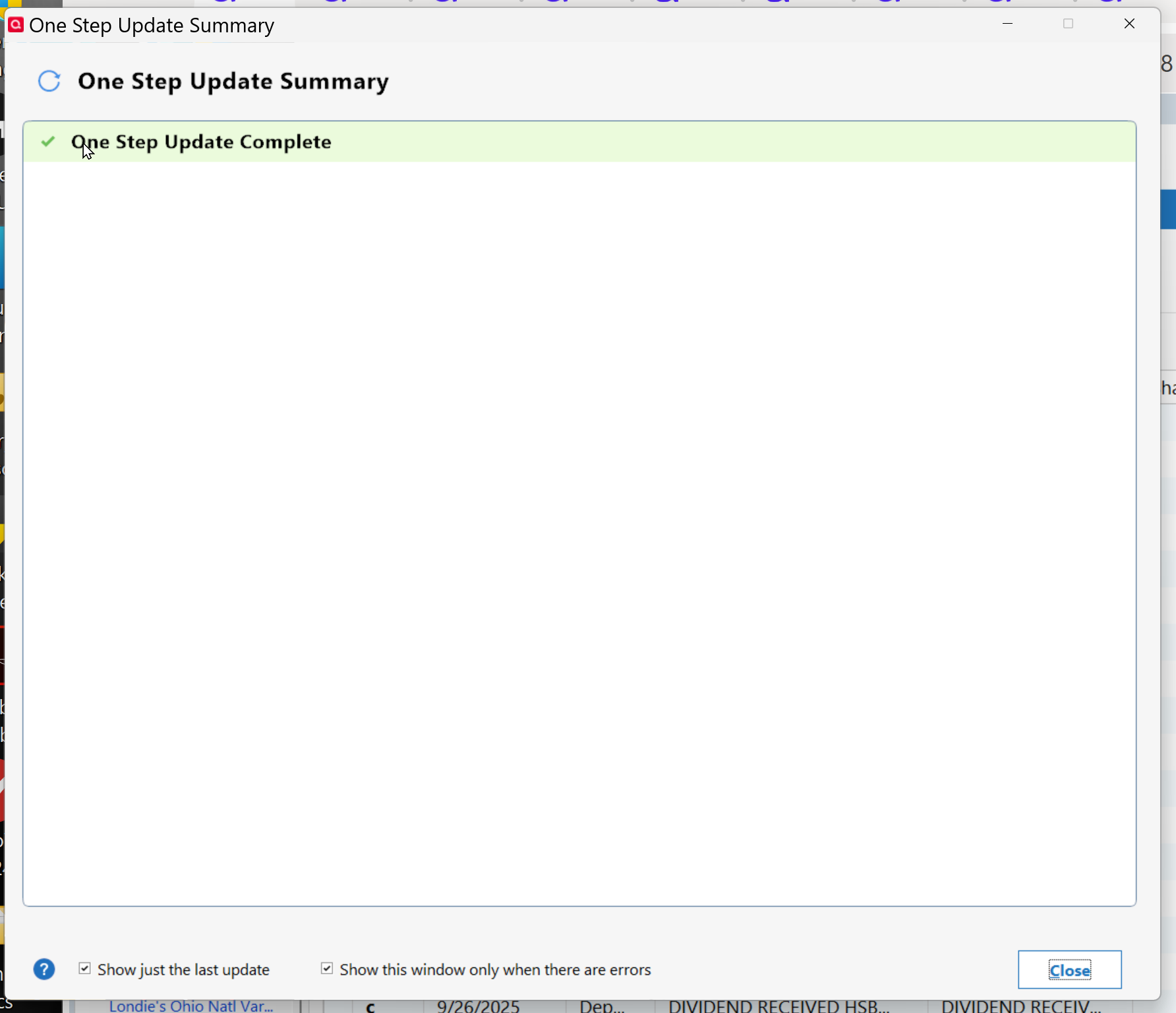
I'm glad to hear it did finally reconnect. Getting a blank One Step Update Summary screen usually indicates an issue with the runtime.dat file. To resolve this issue, please navigate to this directory in your Windows system:
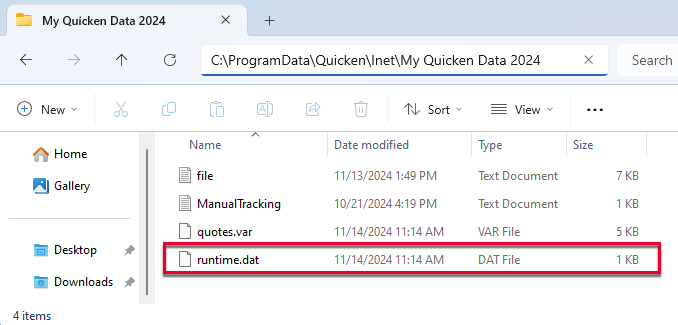
C:\ProgramData\Quicken\Inet[folder with your data file name].
The Program Data folder is hidden by default. If you need instructions on unhiding the folder, you can find instructions on Microsoft's support site.
Once you're in that directory, rename the runtime.dat file found at C:\ProgramData\Quicken\Inet\FILENAME\.
After you have renamed the runtime.dat file, run a One Step Update (OSU) again to confirm the issue is resolved.
Please let me know how it goes!
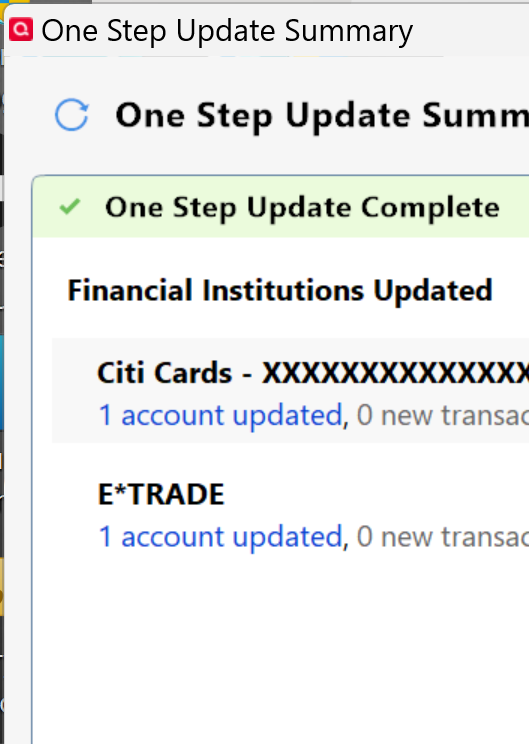
Thanks for the suggestion. I renamed runtime.dat, opened Quicken, ran OSU which completed. However OSU Summary page only displayed my 2 DC accounts and none of my several EWC+ accounts. Also the EWC+ accounts usually take several seconds to process, but they completed rather quickly.
I did a search and I see a second runtime.dat file in the C:\programdata\quicken\inet\common folder too.
Should I also rename that in addition to the the one within my C:\programdata\quicken\inet\"filename" folder?
UPDATE***
I went ahead and renamed the runtime.dat files in both folders, same results, only my 2 DC accounts are displayed in OSU Summary?
UPDATE 2 ****
I tried updating each Account one at a time. I selected an account, went to setting gear, selected Update Transactions. Each time the update processed, and that on Account appeared in OSU Update Summary. I did this for all my accounts, checking the OSU Update Summary each time for a correct result. I also had one case were a transaction was downloaded. After doing this for ALL my EWC+ accounts, I ran the OSU with all EWC+ and DC accounts selected and all processed and appeared on OSU Update Summary.
"Hello @HKB,
Thank you for sharing your experience. The most common thing that can cause the authorization token to be revoked by the financial institution is if, when authorizing accounts on the financial institution website, the account got unselected. If you haven't authorized/reauthorized accounts recently, then the problem is likely related to the CC-901/reauthorization loop issue."
A straight forward solution to the expired Fidelity authorization tokens for the two Fidelity logins with CC-901 Quicken errors was a simple "Reset Account (no account data will be lost)" execution, which presumably issued new Fidelity authorization tokens to each of the accounts. All three Fidelity connections are now working again without issues, both for transaction and price downloads.
Thank you for your replies,
I'm glad to hear that you were able to resolve the issue with the blank One Step Update Summary screen by renaming the runtime.dat file and updating your accounts one at a time.
I'm glad to hear that resetting the accounts corrected the issue!
If you need further assistance, please feel free to reach out!
We will see how long this lasts.
You might want to look into why the Reset Account on individual Fidelity accounts worked, but the Deactivate and Add back a group of Fidelity accounts did not work.
Also not sure why the rename of runtime.dat didnt work, but the update of individual accounts did. On thing I did not try was the Update of one account and then OSU of the group to see if that fixed the OSU Update Summary.
Are there any more fixes being worked on for this WHOLE Fidelity EWC issue?
Thank you for your reply @Movie Nut,
I suspect the reason the reset worked when deactivating and reconnecting did not was a matter of timing. The CC-901/reauthorization loop issue was an intermittent issue yesterday and there are far fewer reports of the issue today.
There are fixes being worked on for known issues with Fidelity's Express Web Connect + connection. Is there a specific issue you are encountering or need to check on? If you're just trying to track the status in general, this Fidelity Updates alert gets updated when there's new information:
I do track that link, just have'nt seen any update since the 9/25 posting.
Areas I am concerned about are mentioned in other postings and observations I have seen with timing of Fidelity Updates.
Larry
Thank you for your reply,
I hope this helps!