Fix for: You Have Never Downloaded Transactions

Bob@45
Bob@45 Member ✭✭✭✭

I've had this problem for a while. @andersonandernet described it, but that discussion is closed and I saw no resolution.

I have a manual account, used to reconcile personal debt between two family members. The amount goes up when member A buys something for B on A's credit card, and down when B repays A for the purchase. There's no financial institution to download from. Whenever I try to reconcile this account I get:
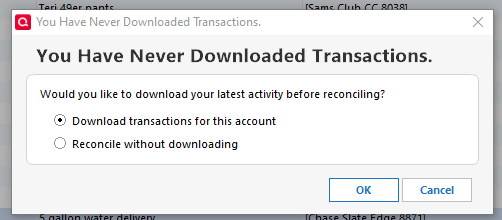
image.png

I always select Reconcile without downloading. I'd like to get rid of this pop-up.

Like in the earlier report, the Account Details > Online Services tab shows
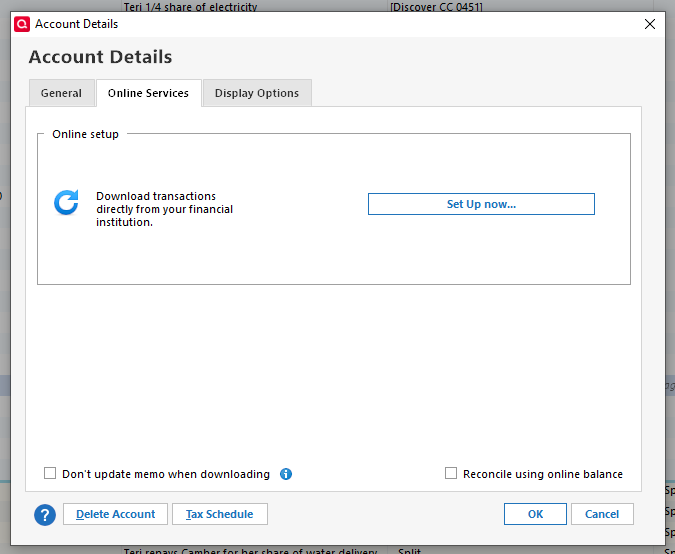
image.png

and as @Chris_QPW pointed out, those two check boxes at the bottom should not show up for a manual account. It doesn't for others.

Conclusion: Somehow, somewhere, there's a flag indicating that this is an online account that should be downloading transactions, rather than a manual account, although there's never been anything to download transactions from.

Not recently, but this data file has been through multiple Validates and Super Validates since this problem has been occurring.

So, how do I turn that "online account" flag off? How do I convince Quicken that this is a manual account that will never have any transactions downloaded?


Tagged:

Answers

  • splasher
    splasher Quicken Windows Subscription SuperUser ✭✭✭✭✭

    I'd create a new CASH account and move all of the transactions from the existing account to the new account.

    -splasher using Q continuously since 1996
    - Subscription Quicken - Win11 and QW2013 - Win11
    -Questions? Check out the Quicken Windows FAQ list

  • Bob@45
    Bob@45 Member ✭✭✭✭

    I'd create a new CASH account and move all of the transactions from the existing account to the new account.

    Thanks, a good idea, but the instructions provided wouldn't work for this. It says to copy the transactions from the old (bad) account to the new (cash) account. They are almost all of them either transfers (Person A charged $N on their CC, and so B now owes $N to A), or worse, split transactions (A charged $N on their CC, $N/2 is owed by B, and $N/2 is owed by C). Copying and then deleting the old transactions break those links.

    Indeed, I took the 12 most recent transactions, and tried to Move them; the Move failed because all 12 were part of split transactions, and could not be deleted from the old (bad) account.

    I then selected the 12 and tried to Copy them into the new account. I was asked 4 times (out of 12) "Is this existing transaction in account xxx the same transaction sas the transfer you just entered?" and I answered No to each. The 12 transactions copied, WITH Category being [otheraccount]. I follow those links to the otheraccount, and I now have bogus entries added there which destroy the balance and transaction history of what were good accounts.

    So no, this method does not work. Thanks anyway. Hopefully someone else will have a better idea.

  • splasher
    splasher Quicken Windows Subscription SuperUser ✭✭✭✭✭
    edited September 28

    A copy will definitely not work, move could have, but evidently the fact that you have splits is causing it not to.

    I would then just start a new account and phase out the old one as all of its loans are settled.

    -splasher using Q continuously since 1996
    - Subscription Quicken - Win11 and QW2013 - Win11
    -Questions? Check out the Quicken Windows FAQ list

This discussion has been closed.