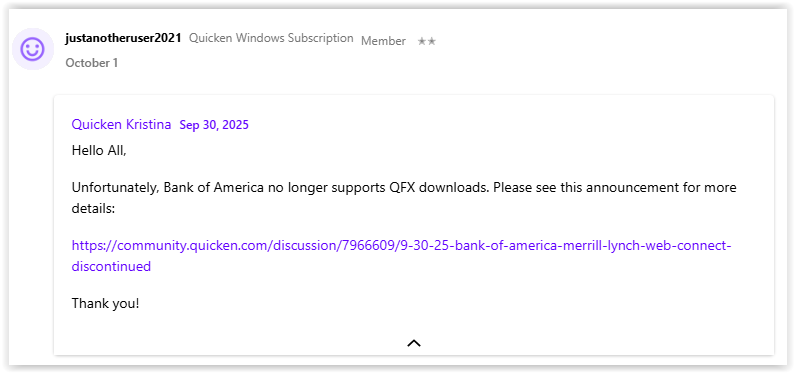
So, it's been about 10 days since I last used Quicken. Launched it last night and it updated so I am on R64.30 on Windows 10.
I do NOT use the One Step stuff. At the end of each month, I manually go to the Bank of America website on my browser and I download the transactions as a qfx file. Then I review each transaction.
Well, last night, this did not work. The qfx would only give this error:
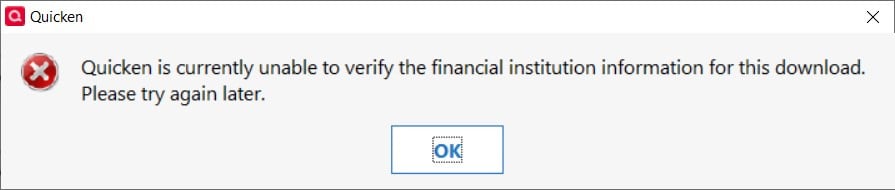
Did a little searching and see the stuff about reauthorization. Truly have no idea what all of that is about since again…I don't use OSU, etc. But figured…ok, why not.
Big mistake.
I was able to reauthorize apparently successfully because as soon as I did, it automatically downloaded a bunch of transactions, including some duplicates, across all 3 of my BoA accounts (checking, savings, credit). Even worse, it put them all directly into the registers even though I have the box for doing that UNchecked. The credit card account had lots of duplicate entries and the balance was off by like $10k!!!
I have currently rolled back to a backup from 09/19. And I removed each of my BoA accounts from online access. And yet I still cannot import the qfx file. I get the same popup about unable to verify.
How can I get Quicken to allow my qfx downloads again without OSU happening and putting unwanted/duplicate transactions into my register and messing up my balances so badly?
I have to assume this happened with x.29 or x.30? Can I roll back to x.25 somehow and prevent the updates?