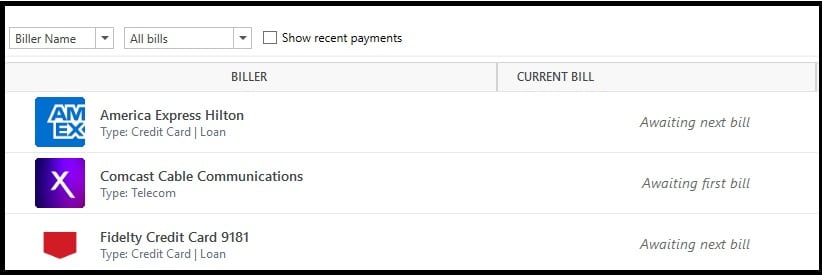
I have three accounts that show as supported under the new Bills options. They have been setup over one month now. But I have seen no postings for any of them. Has anyone else seen these work?
Hello @Bione,
Thanks for reaching out!
To start with, I suggest you try reviewing and repairing your online billers. Before doing this, I recommend saving a backup of your data file first (just in case).
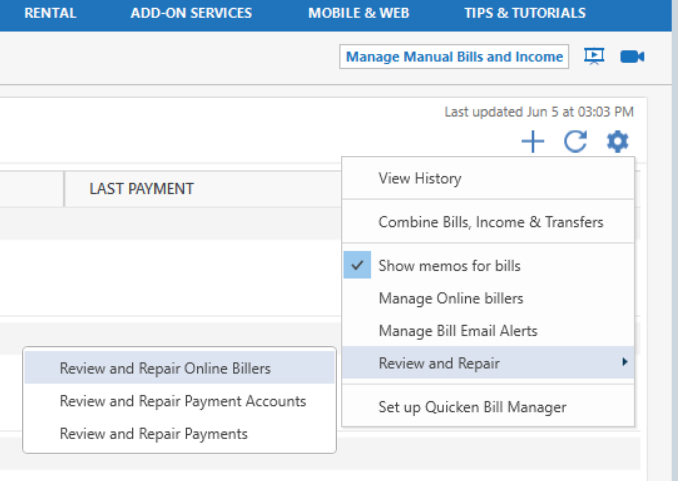
Once that’s done, please navigate to the Bills & Income tab, click the gear icon in the top-right, then select Review and Repair > Review and Repair Online Billers from the dropdown menu.
Let us know how it goes!
I have 2 accounts Awaiting next bill and they are Citi Cards (9-23-25 Last Statement), Chase (Last Statement 9-28-25).
Did the repair process and have done a Report a Problem on these two accounts.
I did the Review and Repair. It came back they were all in sync. The Fidelity account should update around the 10th of the month, both the Amex and Xfinity towards the end. The accounts were setup sometime around the end of August when we were asked to update.
@Bione & @fw6322+ Thank you both for following up.
Since you’ve already tried the Review and Repair option and the issue is still persisting, the next best step would be to contact Quicken Support directly. Our support team can take a closer look and escalate the issue further if needed.
Thank you!
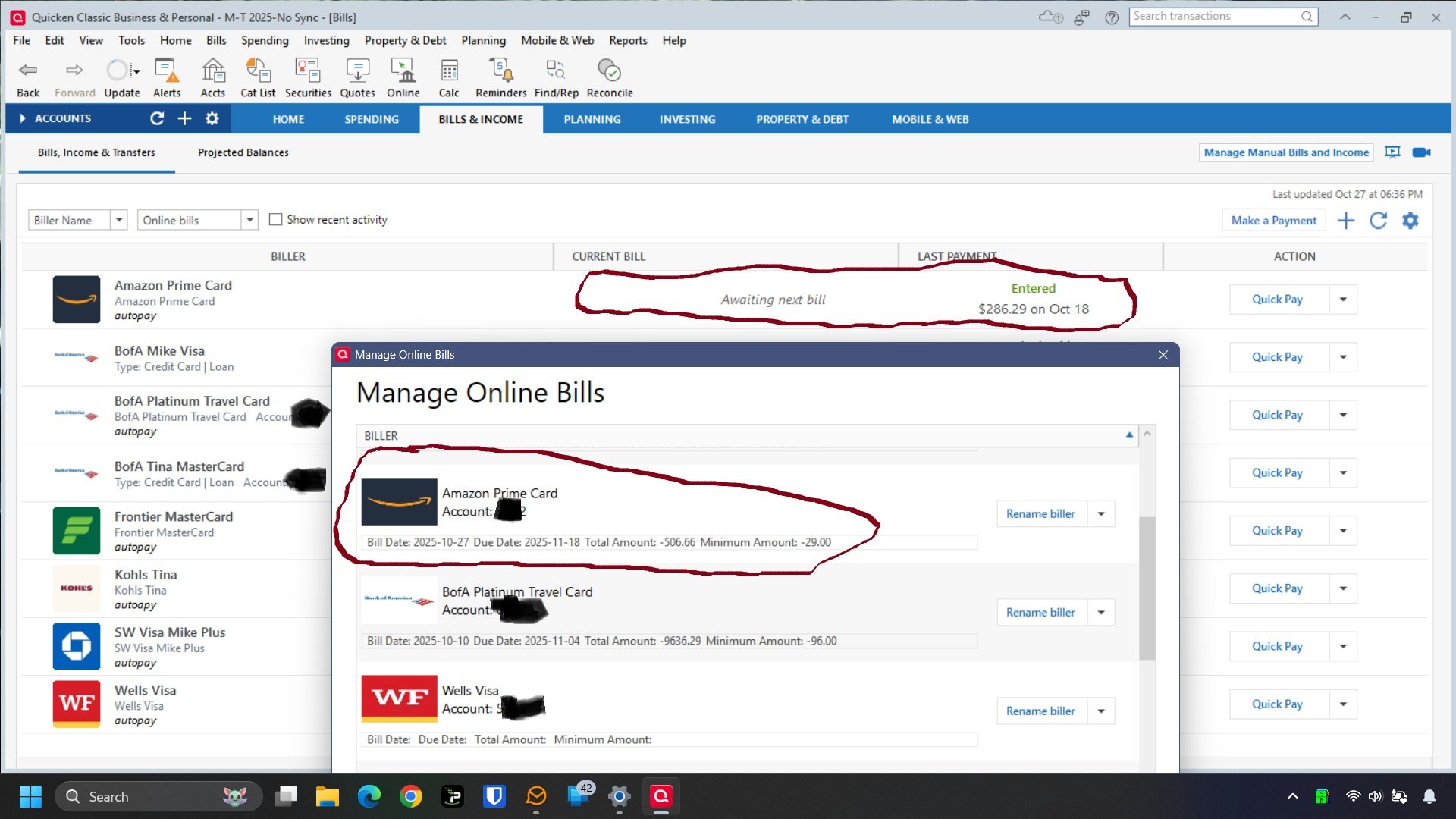
Having the same issue. The online billers show as “Awaiting next bill” in the BILLS & INCOME tab.
However, when I check “ Manage Online Bills in the settings menu for the tab, the online billers are shown along with bill date, due date, and amounts due. So, the data is being downloaded but not displayed.
Review and Repair has not fixed the problem
Hello @Robhermann ,
Thanks for sharing these details. Since Review and Repair did not resolve the issue, the next step would be to contact Quicken Support directly. They can take a closer look at your account and escalate the issue if necessary.
I did contact support today. And they told me they are still working on the servers, and this feature may not work until November. I am not sure he really meant that but was what he said. This is a horrible situation as so stated and you would announce to us to do the transition and it not be ready. This and the Fidelity transition have been beyond horrid.
I have NOT got any Connected Account Bills (credit cards) that updated yet either.
When I know a bill is out, I delete the Bill and then re-add from the gear Icon " Bills from connected accounts". It seems to get the updated info when added.
I made NON Linked reminders for the Bills to remind me when due. (I had major problems with linked reminders)
Did the process of re-adding like miklk explanted above in the past.
I have just been using the Quick Pay button and enter the data manually. Get the confirmation that it's schedule and the payments have worked.
I ran that option and it did pick up the AMEX amount but also duplicated three of the four accounts excluding Xfinity. I deleted the oldest copy of all the accounts.
I'm having all kinds of issues with Quicken online bills/billers/Fidelity….. This has become a colossal waste of time. Tried everything they suggest and nothing works. Quicken would abruptly shutdown in many instances in the middle of following their instructions. I predict this will be the start of the end of Quicken. I will be investing my time between now and my subscriptions expiration to transition to excel.
Found this thread and it exactly describes what I am seeing. No updates to bills on the tabulation screen but I can delete a biller and then add it again form connected accounts and the bill shows up again. Its brutal, because the process to delete the biller and then re-add from the gear icon is a 10 minute or more process. The biller tab takes 5+ minutes to do anything anymore, from entering a bill, editing one or this convoluted process to make a bill I know should be there show up.
I have this same issue with 11 Accounts, Chase, Capital One, Discover and American Express most recently.
At this point, everyone is better off unlinking the Online Billing and returning to Manual Bills as you will spend less time trying to add, deactivate and re-active and wait for it to fail while not soling the issue of displaying the Current Bill data its already received.
[Removed - Disruptive/Rant]
The online Billers tab still has MANY problems. MAJOR BUGs to the way I use Quicken.
For this thread I agree, the Billers Tab rarely gets updated when a bill shows up.
Todays example was an Amazon store card bill that Quicken shows received in the log files and in the Manage Online Billers Window it shows it has the new updated Bill BUT the Billers tab still shows awaiting next bill which is wrong. SEE PIC. (I use manual non-linked reminders to not miss Bills and force the Billers tab to update by deleting and re-adding the Bill via Bills from connected accounts.) Obviously, the review and repair options do NOT fix the obvious BUGs.
The only one that works for me with any regularity is ComEd (electric bill). Despite having deleted and re-entered them, the rest all continuously show "Awaiting Next Bill."
Hello All,
Thank you all for taking the time to share your experiences and updates.
Our teams are aware of this issue. We currently have an internal ticket open and actively being worked on. At this time, there is no ETA for resolution.
We appreciate your patience while this is being investigated. (CTP-14949)
Quick Update. Comcast Cable just posted today for the first time.
Thanks for the update, @Bione—glad to hear Xfinity/Comcast finally posted on your end. We’re still tracking the broader issue under the internal ticket (CTP-14949), so experiences may vary across billers right now.
If any of your other billers begin updating as well, feel free to share—it helps us monitor progress.
Thanks again for checking back in!
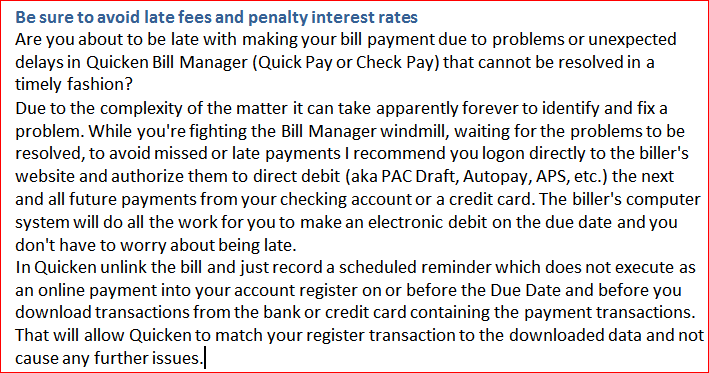
Until Quicken and the new service provider they were forced to migrate to can iron out the wrinkles, I recommend falling back to a known good process that has been around for decades: