Fidelity connection update reperforms the update and connection on each update

When you update accounts it tells you to update the Fidelity Connection. you do it and it looks great but tomorrow it tells you to update it again and then again. It is not maintaining the knowledge that the connection is now updated.
Comments
-
Hello @unknowndomain99,
Thank you for reaching out! To troubleshoot this, if you are repeatedly receiving reauthorization prompts, that usually means that Quicken is seeing at least one Fidelity account that is still on the old connection method. The reauthorization prompt will usually show you the name of the account(s) that needs to be reauthorized.
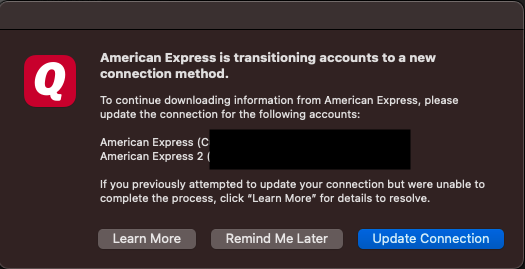
Take note of the account name(s) it shows, then navigate to Accounts>Hide and Show Accounts…, and review that list to see if you can locate the problem account(s).
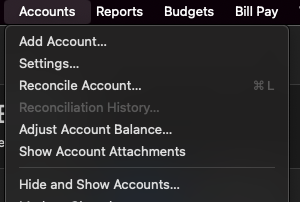
If the problem account(s) is a duplicate account(s) or should no longer be connected in your Quicken, then backup your file, deactivate the account(s), and delete the duplicate account if appropriate.
If the problem account(s) does need to be connected in your Quicken, then update the connection method by backing up your file, deactivating the account(s), then navigating to Accounts>Add Account… and following the prompts. Make sure to carefully link the account(s) to the correct account in Quicken.
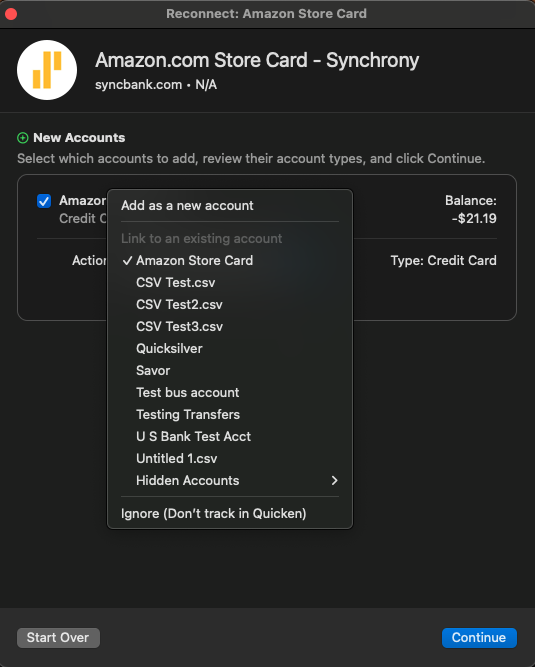
Please let me know how it goes!
Quicken Kristina
Make sure to sign up for the email digest to see a round up of your top posts.
0
