This discussion was created from comments split from:
Fidelity Cutover recognizes the wrong money market fund as cash balance
.
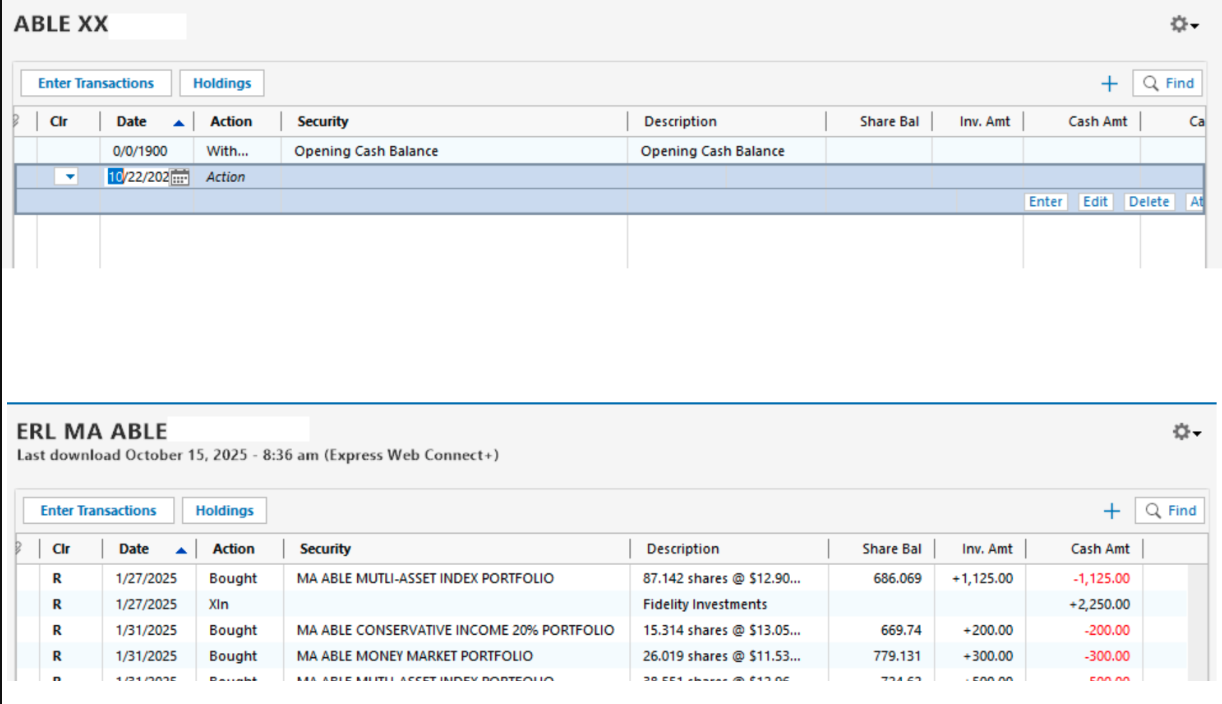
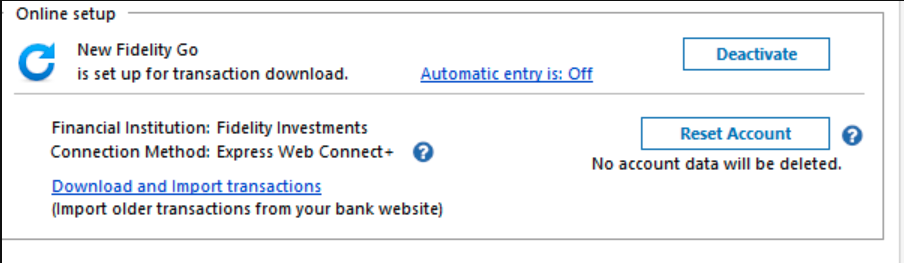
I ran into similar issues, but when I did a "reset" I lost the option to change the "cash representation". Ever since I updated to EWC+ for Chase and Fidelity, my balances don't line up properly without manual intervention. It took 5 times restoring from backups to get all 15 accounts from Fidelity to show up, and nothing worked. I can't change the cash handling option for the account (see screenshot) and the global option suggested causes side effects impacting non-cash investments, cash investments, or both regardless of its setting.
What I had to do to get transactions to download after the "upgrade" was create a new account from scratch and use the "move accounts" functionality and pray that nothing broke. Even after that, I run into issues with BrokerageLink and my employer 401ks, where BrokerageLink accounts show up as an "Unidentified Security".
Since "disconnect and reconnect" has been the Quicken refrain for solving all problems, I disconnected everything, renamed the file, and now when I "add new accounts to quicken", they show up with no securities and an invalid date.
Ever since the update to EWC+, I lost download access permanently to 2 Chase accounts. Even starting a new Quicken file from scratch didn't work let me get access to those 2 chase accounts again.
Quicken was always finicky, but it's now completely unreliable. It's not even like the old days where you could log into your bank or financial institution and download the transactions in a file to import manually.
[Edited - Removed partial account numbers]
Hello @w004,
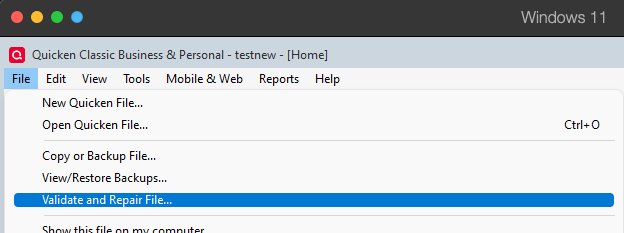
Thank you for letting us know you're seeing this problem. The issues you describe make me suspect you may be having a file specific issue. To start troubleshooting, I suggest that you try validating your data file. Please save a backup file prior to performing these steps.
Validate:
Please let me know how it goes!