If you'er unable to Sign In after getting a new Mac or Upgrading, Try this...

Kwiknip
Quicken Mac Subscription Member
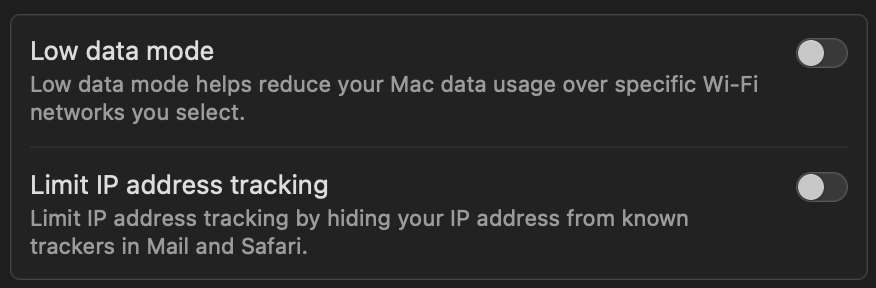
Go to Apple Menu → System Settings → Network → WiFi or Ethernet (the one your using for internet connection) → Click "Details Button" → Switch OFF "Limit IP address tracking".
Retry Quicken.com Sign In using the last password you've reset. 👍🏽
Tagged:
0
Comments
-
Hello @Kwiknip,
Great tip! That setting can definitely interfere with some sign-ins on a new Mac or after an upgrade. Thanks for sharing this workaround—it’ll likely help others experiencing the same issue.
Thank you!
-Quicken Anja
Make sure to sign up for the email digest to see a round up of your top posts.0

This discussion has been closed.
Categories
- All Categories
- 3 Product Ideas
- 34 Announcements
- 249 Alerts, Online Banking & Known Product Issues
- 19 Product Alerts
- 266 Welcome to the Community!
- 42 Before you Buy
- 1.4K Product Ideas
- 55.8K Quicken Classic for Windows
- 16.9K Quicken Classic for Mac
- 1K Quicken Mobile
- 834 Quicken on the Web
- 84 Quicken LifeHub