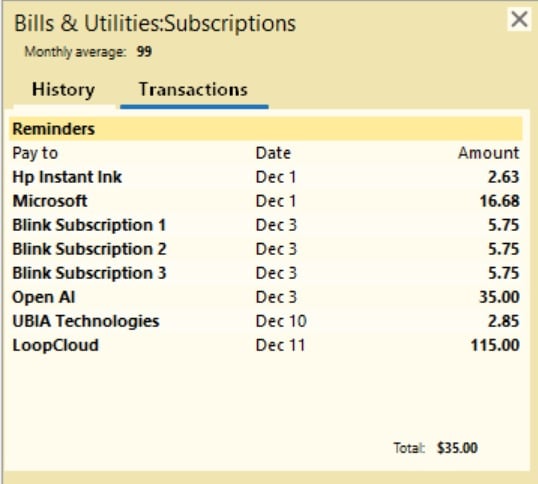
Pop up for actuals TOTAL column showing incorrect total at the bottom for Bill Reminders

BigSpender69
BigSpender69 Quicken Canada Subscription Member ✭✭✭
Quicken Subscriptions Pop Up.jpg

Using the Canadian version of Quicken R64.31

When in the budget and you have multiple bill reminders for the same month, the total in the actuals column is correct.

But when you click on the amount and the yellow pop-up appears, the total at the bottom is incorrect.

It is only showing the total of ONE of the bill reminders in the list.

It's not giving you the sum of all Bill reminders.

I tried deleting the budget and recreating it. No good.
I tried with a brand new data file. Same error.

This does not happen with entries in the POP UP that are in the account register - those total up ok, only the Bill Reminders are not adding up.

So this looks to be a bug.

Also, when setting bill reminders to the frequency of ONCE ONLY, that bill reminder appears twice in the stated month.


Comments

  • Quicken Anja
    Quicken Anja Moderator mod

    Hello @BigSpender69,

    Thanks for providing all the details and screenshot! I can see you’ve already submitted log files, so I’ll go ahead and add them along with your details to an existing ticket (CTP-15201) regarding the “once only” bill reminder appearing twice—that’s a known issue.

    For the main issue with the pop-up total showing incorrectly, I just need a few more details to further investigate:

    1. Where is your Quicken data file stored? Is it on your local hard drive (C: Drive) or a cloud/external location (OneDrive, Dropbox, USB, etc.)?
    2. Have you tried any troubleshooting steps so far? If so, which ones?
    3. When did this issue first start occurring?
    4. Were there any significant system or software changes around that time (updates, new installations, etc.)?

    Thank you!

    -Quicken Anja
    Make sure to sign up for the email digest to see a round up of your top posts.

  • BigSpender69
    BigSpender69 Quicken Canada Subscription Member ✭✭✭
    edited November 13

    Hi @Quicken Anja,

    My Quicken file is not on my ONEDRIVE.

    I saved it locally to my secondary logical partition - my D drive.

    My Onedrive is D:\Onedrive
    My Quicken Data File is D:\Quicken

    Because I know there are issues with the data file being in the Onedrive directory.

    Yes, I have deleted the budget and recreated it.
    I have deleted the category with the error and recreated it
    I have deleted the Bill Reminders and recreated them

    and finally, I made a new blank Quicken data file. I made three bill reminders of different amounts and put them in the same category.

    Then I created a new budget and the problem still exists.

    I know this is a new issue - I didn't have this problem before so I am thinking one of the most recent patches may have caused this to happen.

  • Quicken Anja
    Quicken Anja Moderator mod
    edited November 14

    @BigSpender69 Thanks you for following up with such thorough details—that's very helpful.

    To start with, I suggest that you please try validating and/or super validating your data file. However, I do recommend that you first save a backup file prior to performing these steps.

    Validate: 

    1. File
    2. Validate and Repair File... image.png
    3. Validate File
    4. Click OK
    5. Close the Data Log
    6. Close Quicken (leave it closed for at least 30 secs)
    7. Reopen Quicken and see if the issue persists.

    If the issue persists, proceed to Super Validate. If the issue is resolved after performing validation, then please disregard the instructions to Super Validate.

    Super Validate:

    1. File
    2. Hold CTRL + Shift and click Validate and Repair File...
    3. Super Validate File image.png
    4. Click OK
    5. Close the Data Log
    6. Close Quicken (leave it closed for at least 30 secs)
    7. Reopen Quicken and see if the issue persists.

    Let us know how it goes!

    -Quicken Anja
    Make sure to sign up for the email digest to see a round up of your top posts.

  • BigSpender69
    BigSpender69 Quicken Canada Subscription Member ✭✭✭

    Hi @Quicken Anja

    Hi Anja,

    Like I said, this happens with a brand new Quicken File so there is no need to validate and super validate.

    I tried it with my main Quicken file.

    And then I was able to recreate the problem with a brand new Quicken file, with only a CASH account that I made and created 3 Bill reminders to test and the problem was still there.

    This is a bug.

    When it crept in, I do not know but this is a new issue. I never had this problem before.

  • Quicken Anja
    Quicken Anja Moderator mod
    edited November 19

    @BigSpender69 Thanks for following up!

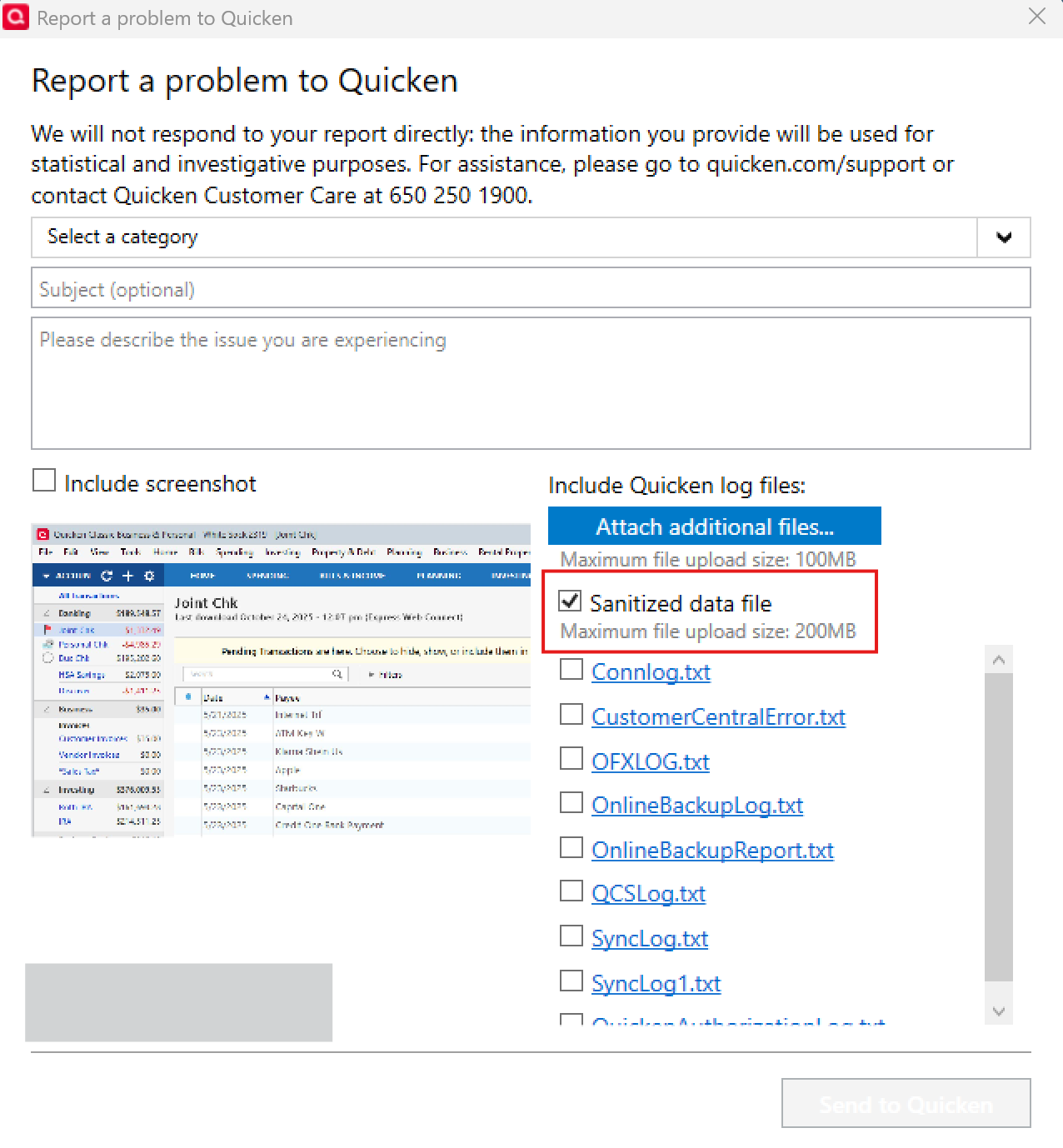
    We will be forwarding this issue to the proper channels to have this further investigated. Since you have already submitted a problem report, we will use those files to attach it to the ticket. However, it would also aid the investigation to include a sanitized file. A sanitized file is a data file that removes personally identifiable information so you can comfortably share this file with the Quicken team.

    image.png

    You can submit this via Help > Report a problem as well.

    Unfortunately, we do not have an ETA on resolution.

    Thank you!
    (CBT-921)

    -Quicken Anja
    Make sure to sign up for the email digest to see a round up of your top posts.