Default to Quick Pay which I do not want to use
I am having problems with my Costco and Capital One Accounts updating in Quicken. I have autopay set up with all these accounts, and so did not want Quicken to pay, just to track and update the accounts. Now the accounts in Quicken seem to default to QUICK PAY, which I do not want to use. The accounts are also now updating correctly, so everything in bills is now manual.
Anybody else having this issue?? I have talked to 3 different reps who have told me different things and have had me 'try' different things.
Windows
[Edited-Readability]
Comments
-
Hello @airjilly,
Thank you for sharing your experience and posing this question.
I reviewed some of the tickets from your most recent interactions with support. Can you tell me exactly what you are seeing on your end to cause these concerns?
With the information I have gathered thus far, it sounds like you are seeing the "Quick Pay" button next to these bills in the Bills & Income section, and this concerns you because you don't want to use Quick Pay for these, as they are set up for auto-pay through the biller/bank.
- Having Quick Pay as an optional way to pay this bill will not affect anything you have established with the biller/bank outside of Quicken. Seeing the Quick Pay option shouldn't be concerning if this is the case.
It also sounds like you are not getting updated bill amounts. Are you seeing that these bills always display "Awaiting next bill", even when there is a bill due?
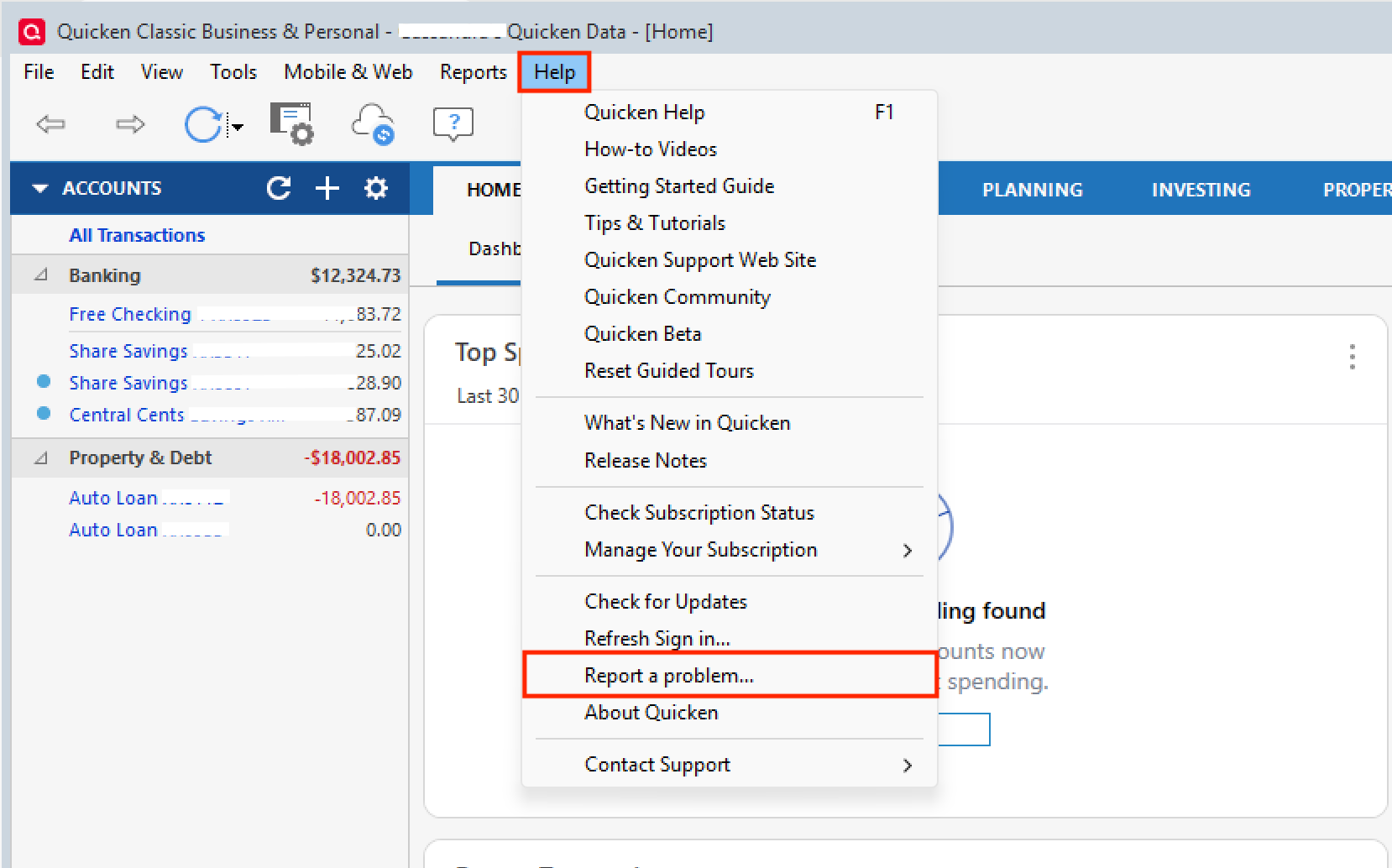
- If so, many people are seeing the same thing as you, and this issue has been reported. If you would like to aid in the investigation of this, please go to Help>Report a problem>Send to Quicken and send over your log files. Once you have done so, make sure to let me know so I can add you to the ticket. [CTP-15189]
If I have misinterpreted the situation, please provide more information, and I will adjust my guidance accordingly. Additionally, if this is the case, screenshots of what you are seeing could be helpful. If needed, please refer to this Community FAQ for instructions on how to attach a screenshot. Alternatively, you can also drag and drop screenshots to your response if you are not given the option to add attachments.
Looking forward to your response.
Quicken Alyssa
Make sure to sign up for the email digest to see a round up of your top posts.
0
Categories
- All Categories
- 56 Product Ideas
- 36 Announcements
- 223 Alerts, Online Banking & Known Product Issues
- 22 Product Alerts
- 701 Welcome to the Community!
- 671 Before you Buy
- 1.2K Product Ideas
- 53.7K Quicken Classic for Windows
- 16.3K Quicken Classic for Mac
- 1K Quicken Mobile
- 813 Quicken on the Web
- 111 Quicken LifeHub