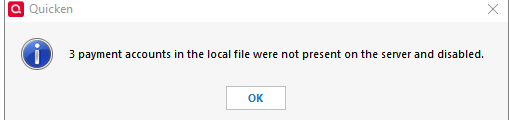
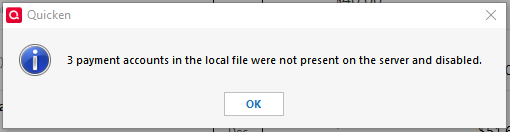
I received this note when trying to make a payment by Check Pay.
After seeing this notice pop up, ALL my Check Pay information is gone, I did have many that were paid via Check Pay, and had 3 bank accounts available to pay from.
Any ideas?
Hello @wdwyatt,
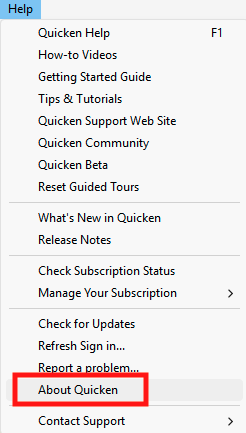
Thank you for reaching out. To help troubleshoot, please provide more information. When was the last time you successfully sent a payment using Check Pay? Have you restored a backup or made a copy of your Quicken file since then? Which version of Quicken are you currently using? You can check this by navigating to Help>About Quicken.
I look forward to your reply!
I use quicken regularly - most recent check pay was probably a week ago, this problem started this week.
I've restored a backup, and tried again, and the issue repeated. I no longer have CheckPay as an option on any of my upcoming Bill payments.
Quicken Premium version is R64.35 build 27.1.64.35
Help / Check for updates - reports I have the latest.
Thank you for your reply,
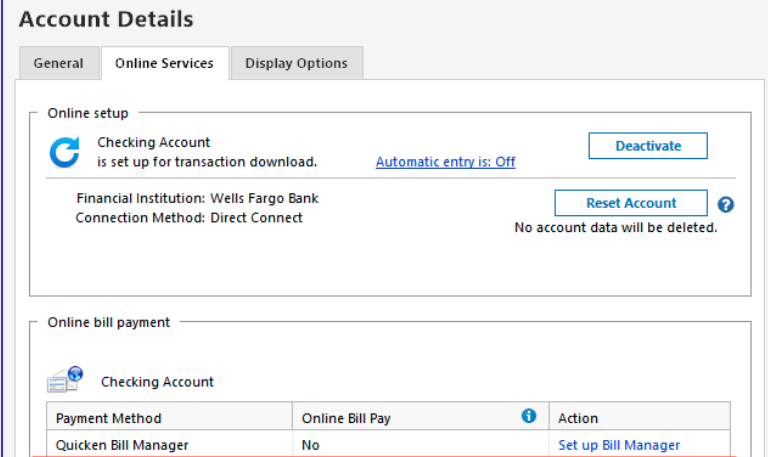
Are those 3 payment accounts still showing as set up in your Quicken? To check, navigate to Tools>Account List, click the Edit button next to one of the accounts, then choose the Online Services tab. If Quicken is not seeing it as set up, then in the Online bill payment section, it will show No and have a blue Set up Bill Manager link.
Repeat for the other 2 accounts. If the accounts aren't set up anymore, you can use the blue Set Up Bill Manager link to get them set up.
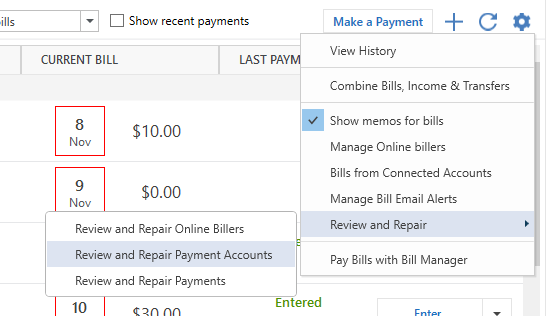
If they are showing as set up, but you're still seeing the error message, then navigate to the Bills & Income tab, click the settings gear near the upper right, hover over Review and Repair, then select Review and Repair payment Accounts.
I hope this helps!
Yes - all accounts are set up for Online services. They are also set up for Bill Manager funding accounts.
I tried the Review and Repair payment accounts already - that's what removed all connections between billers and check pay. See the message window attached. After that, I go to Check Pay for any bill, I have to re-connect, add address etc - for EVERY biller. So I'm going back to re-storing from backup
Thank you for the follow-up,
Please let me know what happens in the newly restored backup!
Hello -
As I mentioned above - I had restored a backup, and tried again, and the issue repeated. I no longer have CheckPay as an option on any of my upcoming Bill payments.
I've repeated that with multiple restores, tinkering with different things to try, with no change in results. I lose all Check Pay links.
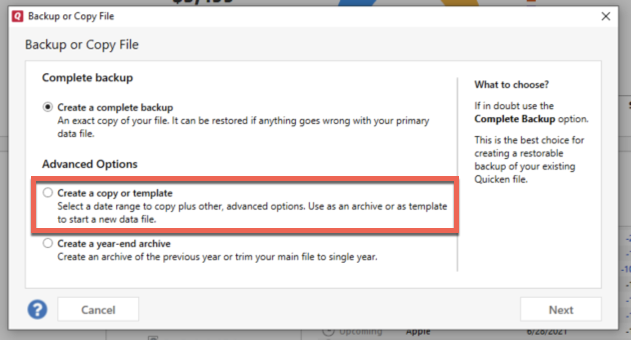
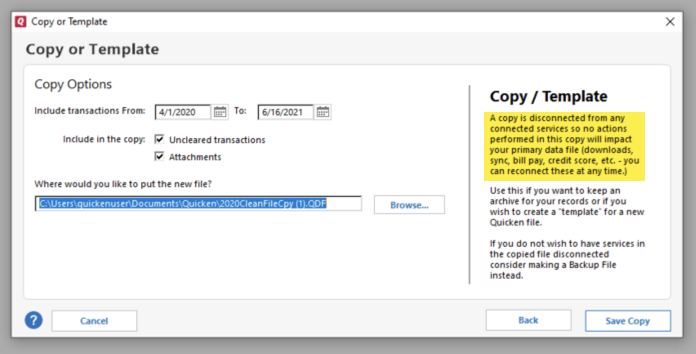
I suggest that you try creating a copy of your data file, which will rebuild all of the internal lists and database tables. If successful, you would then move forward with the copied file. To create a copy, please navigate to File > Copy or Backup File... > Create a copy or template (see examples below) which will also allow you to select a date range to move forward with.
If you wish to move forward with your entire data file, please check the full date range of your entire data file before copying so you can enter the correct date range if you do not wish to "shrink" your file by eliminating certain dates.
It's important to know that all online services will be disconnected in the copied file, and you will need to sign back in with your Quicken ID and reconnect all of your online accounts, online billers, Quicken Bill Manager services, etc if you plan to use that copied file going forward. The reason for this is that the new copy also creates a new and separate dataset ID.
Please reconnect only what is necessary to test if the issue is resolved. If the issue is resolved, then I recommend reconnecting your accounts and online services, and using the copied file as your new main file.
If the issue is not resolved in the copied file either, then feel free to switch back to your original file. For instructions on switching between Quicken files, please click here.
Thank you!
Nope - not doing that. That sound like it'll open up so many more issues that what I'm facing now.
Why will I have to "sign back in with your Quicken ID and reconnect all of your online accounts, online billers, Quicken Bill Manager services, "
That sounds so far from the error I'm facing. Why should I have to disconnect from my ID etc. Something went wrong with Check Pay. I hope that issue can be addressed rather than a shotgun fix like what is suggested above.
If making a copy of your file is not a viable option, then I recommend you contact Quicken Support directly, since they have access to tools we can't access on the Community and they're able to escalate the issue as needed. The Quicken Support phone number can be found through this link here. Phone support is available from 5:00 am PT to 5:00 pm PT, Monday through Friday.
I apologize that I could not be of more assistance!
I phoned in to customer support. Apparently this is a KNOWN ISSUE.
It's unfortunate that Quicken didn't offer any info or alert that something broke when they transferred to a new payment system. Hours have been wasted on my end trying to fix this… Had they let me know they're on it and to stand by, would have saved a lot of frustration and instead generated good will.
I reviewed your contact with Quicken Support. The agent may have misunderstood the issue, since the alert they tagged in the ticket does not appear to be the same issue you reported in this discussion:
It sounded like updating your Quicken to the newest version did allow you to re-add the payment accounts and you are waiting for the micro-deposits to get Check Pay set up again. Is that correct?
Well, first thing, I was running the newest Quicken version when this issue with CheckPay started for me last Thursday or so.
Without any notice, all my CheckPay functionality went away -Error messages such as the ones I listed above appeared, and both payment accounts and payee addresses were no longer available.
If there ARE other error messages related to this, I don't know. It sounds as though a new Bill Payer system was installed, and migration of (some or all?) EXISTING users failed. TODAY, a newer version of Quicken was offered, and I installed it. I still have the issue with missing Check Pay functionality, but at least I can now proceed with re-establishing the payment accounts, starting with the micro-deposit verification. To be determined is whether or not all the payee address information is still there for me to use.
With how recently the issue started, the change to the new service provider could not be the only cause. The hard cut over to the new provider happened in October. Additionally, the new provider is for online bills and Quick Pay. It should have minimal impact on Check Pay.
For more information on the change to the new provider, please see this article: https://www.quicken.com/support/improved-ebills/
Considering that the issue seems to be fixed by the most recent update, it's possible you were impacted by a bug that was fixed in the recent update.
Please let me know if the issue persists!