Honda Finance No Longer Connects

For the last month I have been getting this error message when updating:
Honda Finance American - Owner requires a password change. Log in at their web site to update your password. Return to Quicken, Update again, at which time you’ll be asked to reauthorize. (FDP-108)
Logging onto the site shows no indication to change the password
Since this has been going on so long I changed the password anyway (and updated the password in Quicken) and now I am getting this message (see below). Note: I can log into the account no problem
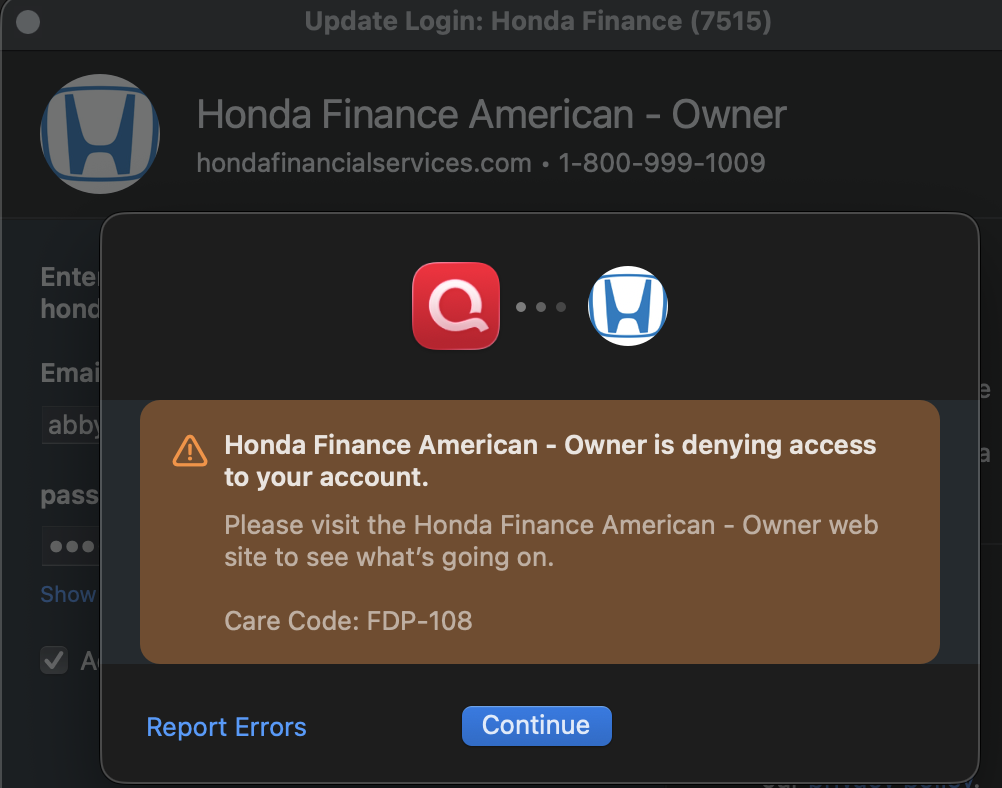
Please advise
Comments
-
Hello @Frank DeMello,
Thanks for reaching out!
This is a known issue that has been escalated internally, though we do not have an ETA on resolution at this time. While the investigation remains ongoing, please refer to this Community Alert for any and all available updates and information.
We apologize for any inconvenience in the meantime! Thank you.
-Quicken Anja
Make sure to sign up for the email digest to see a round up of your top posts.0 -
Just my 2cents' worth …
I would not bother attempting to activate any loan or mortgage accounts for downloading. I would just simply set them up as "offline" (manual) loan accounts with a Scheduled Reminder to record the monthly payment from your checking account. (Not discussing LOC or HELOC accounts here. They should be set up as offline credit card accounts)
At least in Quicken for Windows, an online-connected loan or mortgage account does NOT have a transaction register. All data shown in the account come from whatever information the bank downloads to you ... if this process works at all.
As a result of being connected, the scheduled payment transaction reminder cannot transfer the amount of principal paid into the (non-existent) account register and must use a category, usually something like Mortgage:Principal, instead. The category name seems to vary with the Loan Type you selected when creating the loan account in Quicken.
Effective with Quicken Windows 2018 Subscription and newer
you should be able to deactivate an online-connected loan account and regain full control over your transaction register. And you should also review the Scheduled Reminder (or Memorized Payee List entry) associated with the monthly loan payments to ensure they now transfer Principal to the loan account register and not to a Category.
If you're a Q Mac user, you should be able to do something similar about setting up and maintaining an offline mortgage account together with a correctly calculated Scheduled Transaction Reminder for the monthly payments from your checking account.0 -
Hello UKR - this loan account DOES have a transaction register and has been making adjustments monthly to keep the remaining loan balance in sync. And it does break out principal & interest.
So hopefully Quicken can get a fix. Not a sho stopper but would like to have the functionality back
Thanks all
0 -
There isn't much you can do about downloading capability if the account owner refuses to allow downloads. Many banks, in an attempt to follow federal guidelines and to reduce their exposure to hackers, are turning off download access from third party data aggregators like Quicken and Intuit.
And you don't really need to download information from the loan holder. There's only one transaction per month anyway … and that's covered by your payment reminder.
All you need to do is to look at the monthly loan statement on their website and, if principal and interest amounts do not quite match the register transaction, edit the transaction and adjust the Split amounts. Register balance should match statement balance.0

