Manually changing category budget amount on Mobile

tucker
tucker Member, Mac Beta Beta

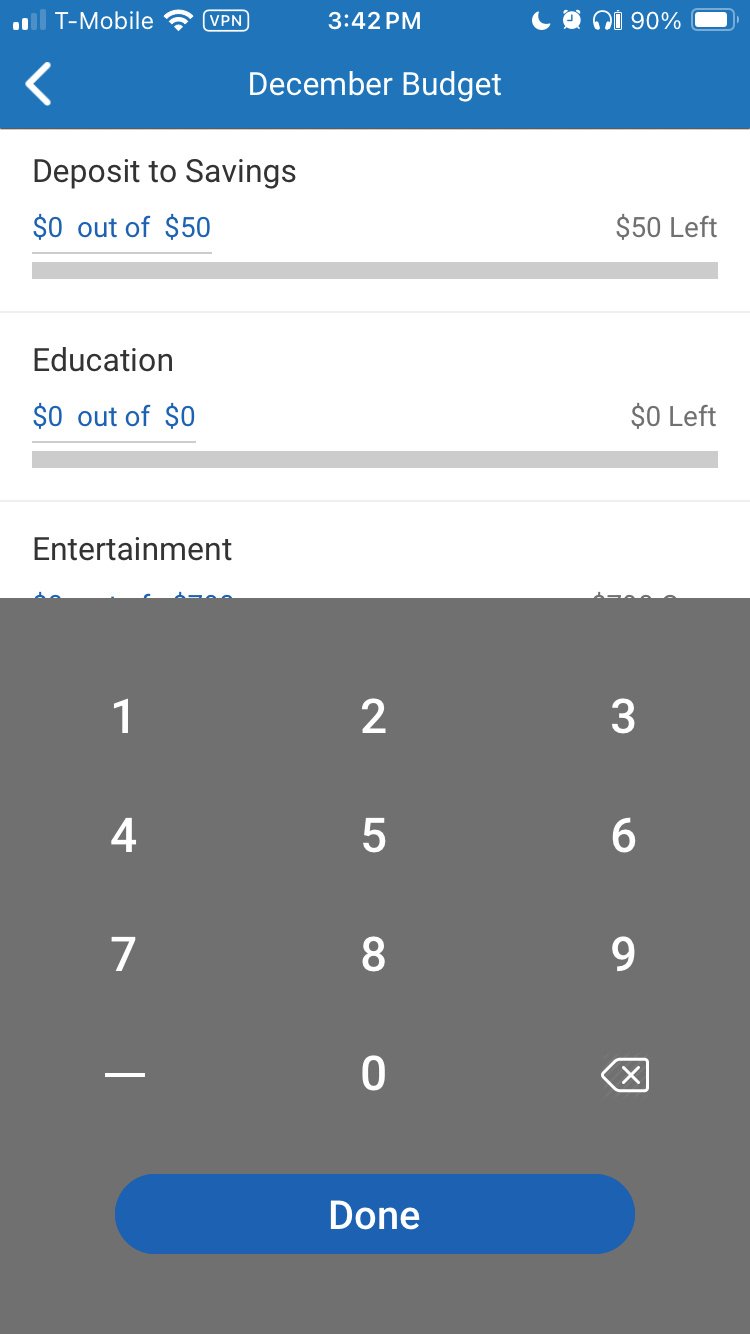
Does anyone else notice that if you scroll down through your budget categories and then try to update the budget amount, the selected category moves to the bottom of the screen and behind the pop-up keypad?  When you try to scroll the category back into view (to above the keypad), the keypad disappears and begin again (and again).

I would like to simply see what I am typing when I update the category budget, but I can’t find a way to enter the numbers and see what I’m typing at the same time.

btw..this was on an iphone

Answers

  • Quicken Kristina
    Quicken Kristina Quicken Windows Subscription Moderator mod

    Hello @tucker,

    Thank you for reaching out! To clarify, is the screenshot below similar to what you're seeing in your app?

    IMG_5854.PNG

    If this is not what you're seeing, then please provide a screenshot (with any personal information redacted). If needed, please refer to this Community FAQ for instructions on how to attach a screenshot. Alternatively, you can also drag and drop screenshots to your response if you are not given the option to add attachments. 

    I look forward to your reply!

    Quicken Kristina

    Make sure to sign up for the email digest to see a round up of your top posts.

  • tucker
    tucker Member, Mac Beta Beta

    yes, that's it.

  • Quicken Kristina
    Quicken Kristina Quicken Windows Subscription Moderator mod
    edited December 12

    Thank you for confirming,

    Since I'm able to replicate the issue, I forwarded this issue to the proper channels to be further investigated.

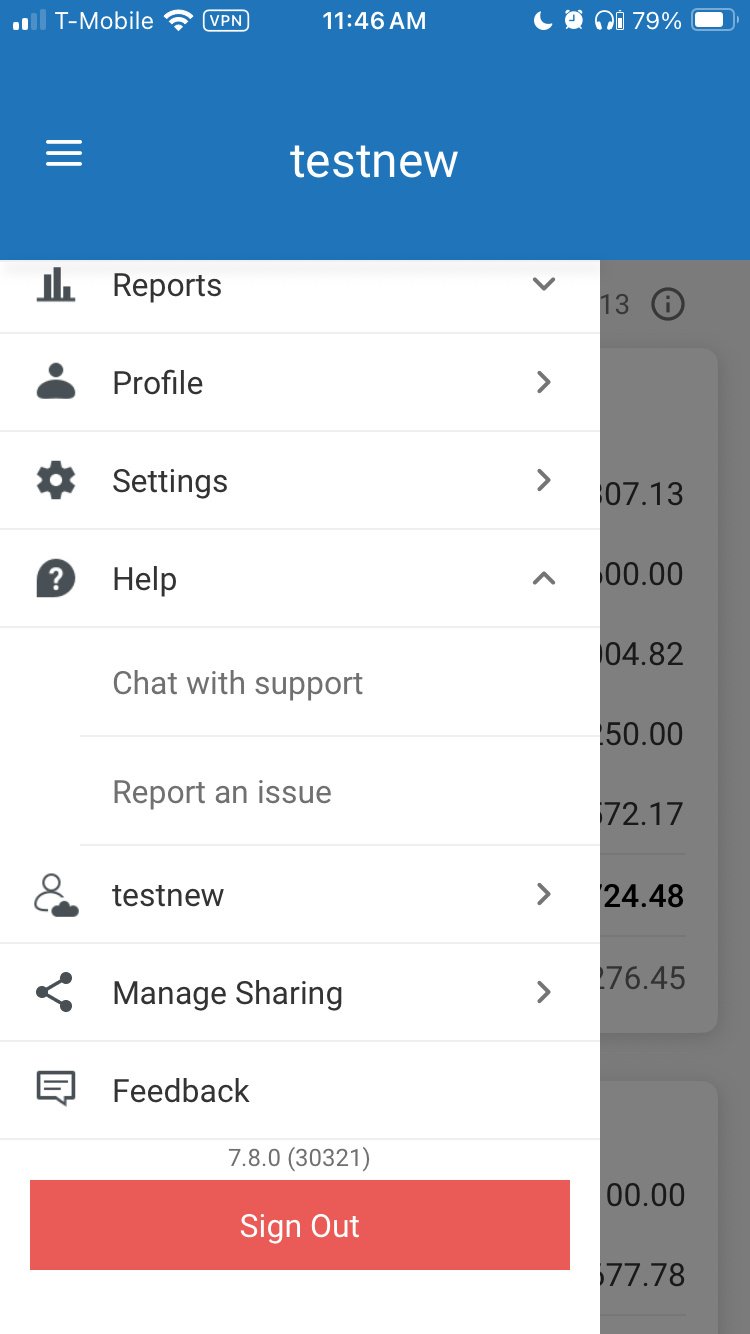
    If you would like to contribute to the investigation, in your mobile app, please tap the hamburger menu (3 horizontal lines near the upper left), then tap Help>Report an issue and fill out the requested information.

    report a problem Mobile app.PNG

    While you will not receive a response through this submission, these reports will help our teams in further investigating the issue. The more problem reports we receive, the better.

    We apologize for any inconvenience!

    Thank you.    

    (CTP-15629)

    Quicken Kristina

    Make sure to sign up for the email digest to see a round up of your top posts.