Quicken stops working when an update is available

rtatar0766
rtatar0766 Quicken Windows Subscription Member

I am running Quicken Classic for Windows, v R65.17. I find that when an update is available Quicken just stops working. I have to close and restart, at which time the update process begins. Once complete I can then proceed. Can that update be scheduled or can something be done where the user is notified there is an update? It's a little annoying that I am in the middle of doing something and the program just stops, forcing the update to be done then. Does anyone else have this problem? Is there something I can do to avoid this? Thanks


Tagged:

Comments

  • Quicken Anja
    Quicken Anja Moderator mod

    Hello @rtatar0766,

    Thanks for sharing your experience! Currently, Quicken does not have a built-in option to schedule updates or only notify you when an update is available.

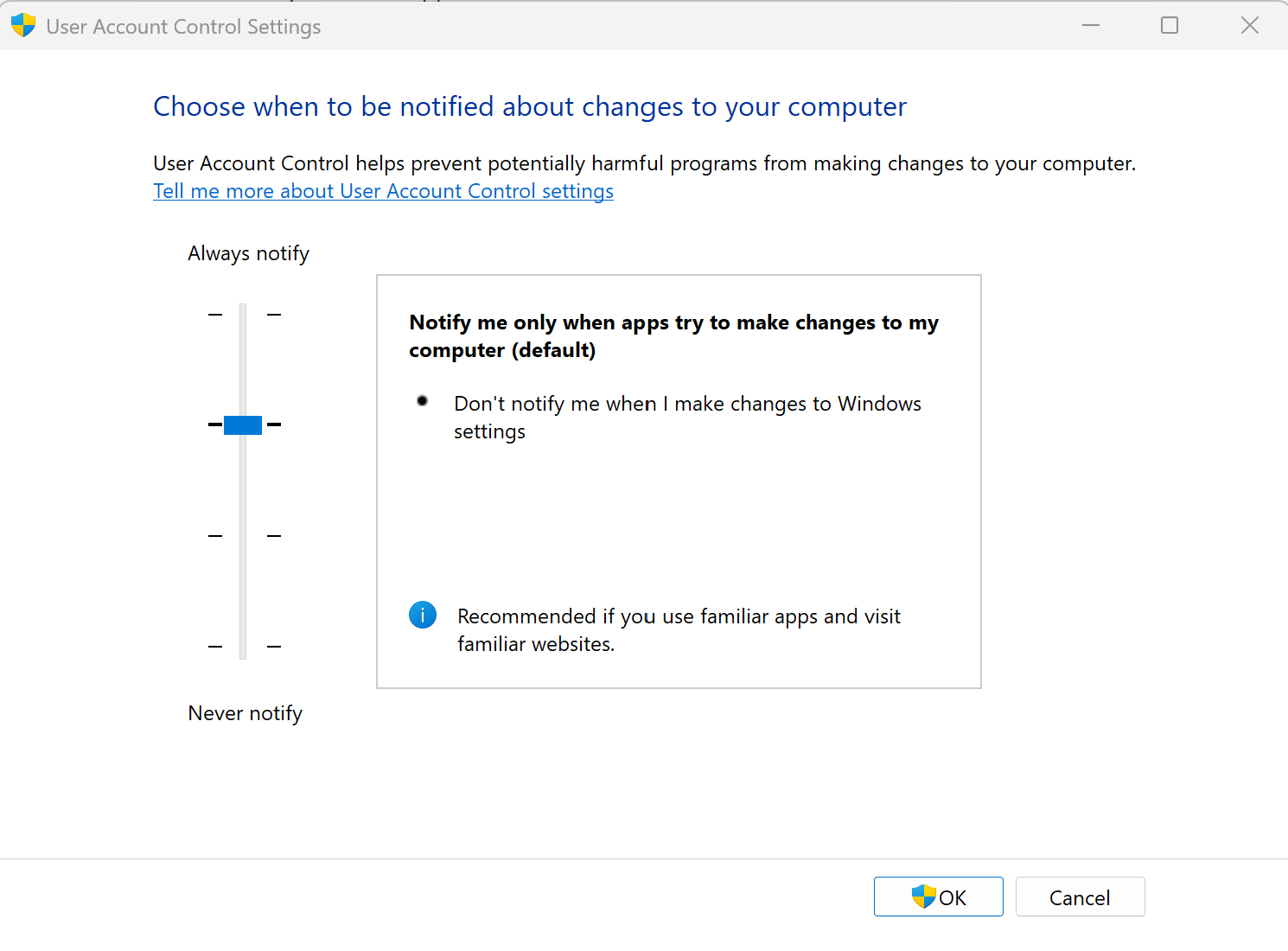
    One workaround some users use is enabling Windows User Account Control (UAC). When UAC is on, Windows will require an administrator password or confirmation before any update installs. This can help prevent Quicken from automatically starting the update while you’re in the middle of using it. You can check or adjust your UAC settings by searching for “Change User Account Control settings” in the Start menu and setting it to default or a higher level so Windows prompts you before installing software updates.

    image.png

    Additionally, Quicken does have this active Idea post related to this feature, allowing users to vote for an option to apply updates on close rather than interrupting active use.

    While this isn’t a complete solution yet, enabling UAC can give you more control over when updates install, and voting for the Idea helps the team gauge interest for future implementation.

    Hope this helps!

    -Quicken Anja
    Make sure to sign up for the email digest to see a round up of your top posts.

  • rtatar0766
    rtatar0766 Quicken Windows Subscription Member

    Thank you! Will try it.