Financial Institution Missing from Account Details

FactoryOfSadness
FactoryOfSadness Quicken Windows Subscription Member ✭✭

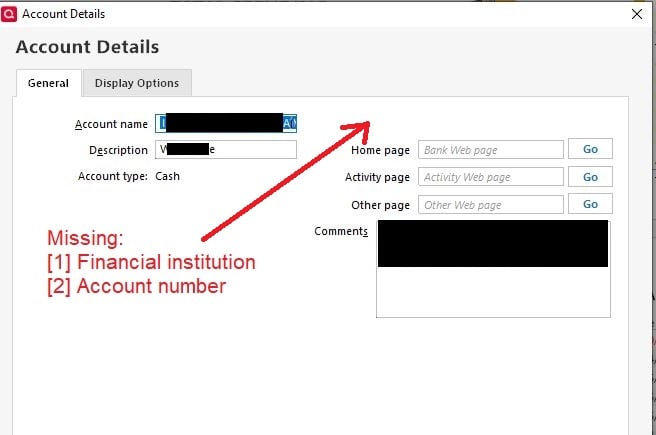
I’m seeing an issue where the financial institution, account number, and other details are missing from the Account Details screen for offline assets I track. These fields were previously populated, and I now need to update them.

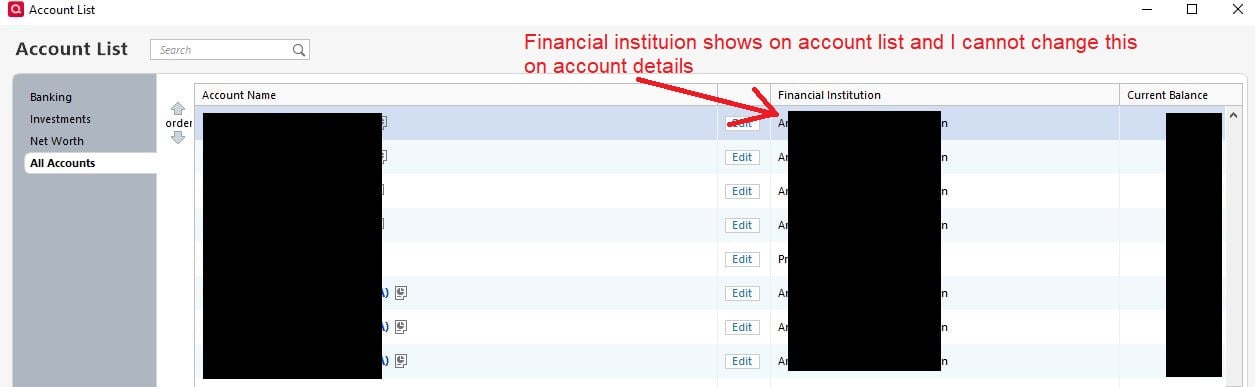
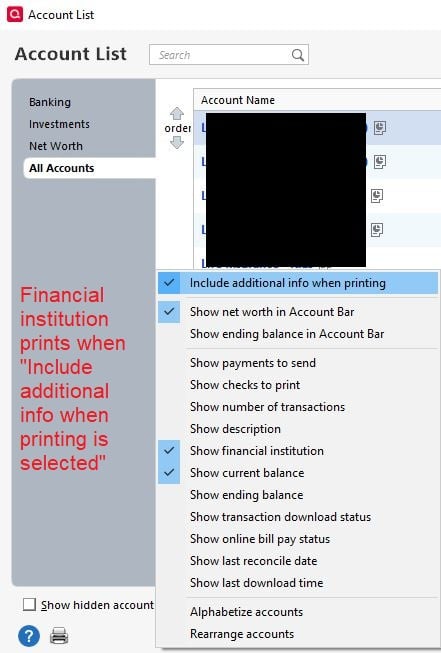
The information still appears to be retained by Quicken: the financial institution shows on the Account List page, and the fields print correctly when I select “Include additional info when printing.”

I’m using Quicken Classic Premier, version R65.17 (build 27.1.65.147).

Has anyone encountered this issue or found a way to restore or edit these fields?
account_details.JPG account_list.JPG additional_info_print.JPG
Tagged:

Answers

  • NotACPA
    NotACPA Quicken Windows Subscription SuperUser ✭✭✭✭✭

    @FactoryOfSadness In your 1st graphic, you're showing the Account Type as "Cash", which doesn't have a Financial Institution or account number … which is why you're not seeing such.

    My offline accounts, whether they were either previously or never connected, still show those fields … although they're blank.

    Q user since February, 1990. DOS Version 4
    Now running Quicken Windows Subscription, Business & Personal
    Retired "Certified Information Systems Auditor" & Bank Audit VP

  • FactoryOfSadness
    FactoryOfSadness Quicken Windows Subscription Member ✭✭

    Thanks @NotACPA! At one time these accounts now classified as "cash" did have those fields available though. I can see what I entered for my "cash" accounts on the Account List Page (and on print preview). Do you know how I can reclassify these accounts to type "asset"?

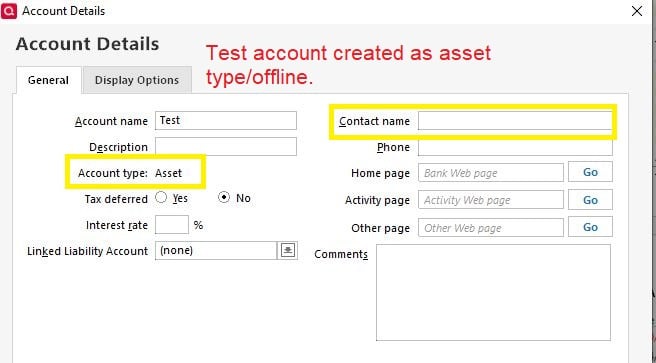
    I'm trying to avoid having to re-create all the cash accounts. If I need to re-create them then I would enter the financial institution in the Contact name field:

    Capture.JPG
  • Jim_Harman
    Jim_Harman Quicken Windows Subscription SuperUser ✭✭✭✭✭

    An offline Asset account can't be used online and thus does not display the fields you are looking for.

    One way to see them would be to create the account as an offline banking account and then go to the Account Details and click on the Display Options tab. There you can set the Account Intent to Asset and it will move the account in the Accounts Bar and most reports to the Asset group.

    QWin Premier subscription
  • NotACPA
    NotACPA Quicken Windows Subscription SuperUser ✭✭✭✭✭

    I'm not aware of any way to change from Cash to Asset.

    You'd need to create a new account and then move all of the transactions from the Cash account to the new Asset account.

    Q user since February, 1990. DOS Version 4
    Now running Quicken Windows Subscription, Business & Personal
    Retired "Certified Information Systems Auditor" & Bank Audit VP