Payee names and categories in downloaded transactions are incorrect
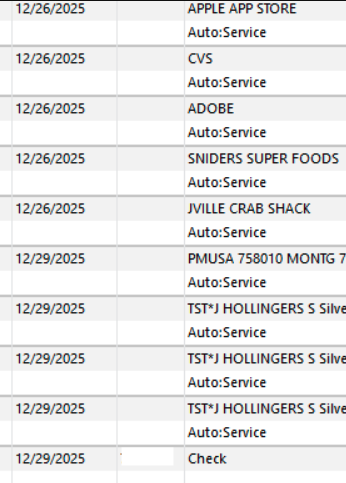
For a few weeks now, my downloaded transactions in Quicken have contained incorrect names for my payees and assigned them to wrong categories. I have laboriously corrected the many, many errors by comparing them line-by-line to the transactions on my bank's app. (I could do this because the transaction dollar amounts were correct). I had not touched any settings or created or deleted any rules, so I have to guess one of the many updates triggered this. I tried following the instructions for fixing this provided by Quicken's AI bot and when that made things worse spoke with a tech support agent who took over my screen to inspect and then try to fix things which, unfortunately, only made it worse. I'm hoping someone here has encountered this problem (well, I wouldn't wish it on anybody) and can guide me in how to fix it.
Comments
-
Hello @Bdrake100,
Thank you for sharing your experience. To help troubleshoot, I reviewed your interaction with Support to see what troubleshooting has already been done. They saw that your file was synced with OneDrive and suspected the issue might be file issues caused by that. Making sure your file is not synced with cloud services, such as OneDrive, can reduce the odds of problems in the future, but it won't fix problems which have already happened.
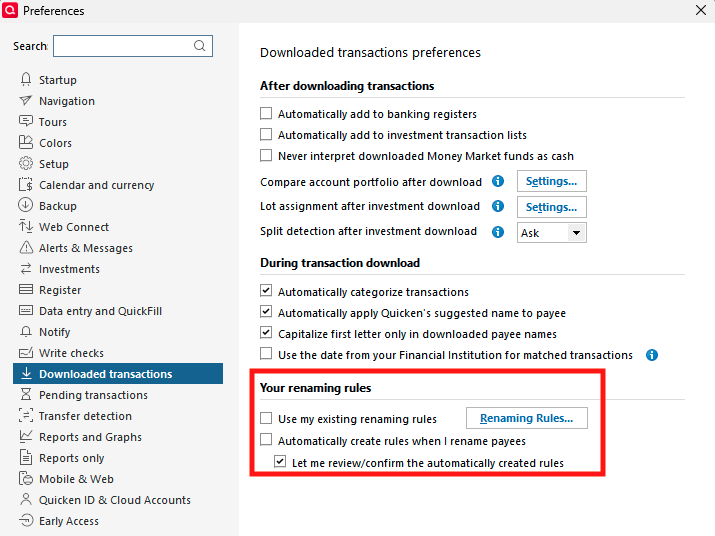
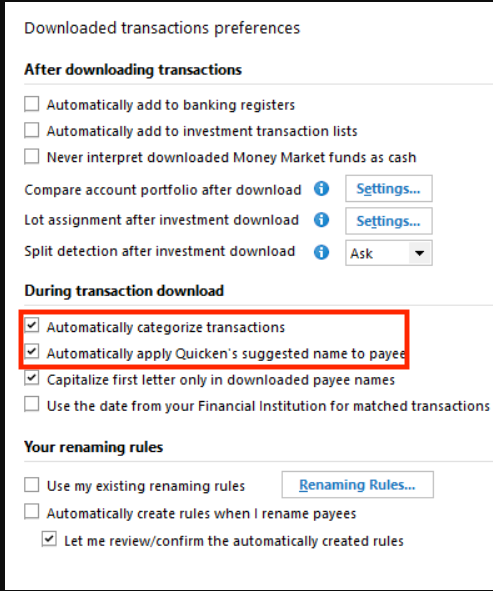
You mentioned that you haven't added or deleted any rules. Have you checked your preferences to verify if Quicken is set to add new rules automatically? You can do that by navigating to Edit>Preferences>Downloaded Transactions. Look in the Your renaming rules section to verify that "Automatically create rules when I rename payees" is not checked.
Once you have checked there, please click the Renaming Rules… button and verify that there are no overly general rules which may be causing the problems with incorrect payees.
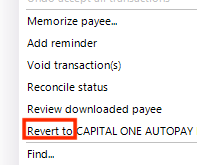
For the transactions which have already downloaded into your register, if you haven't already manually corrected them, try right clicking on the transaction and looking for a "revert to" option.
That may be a faster way to correct the Payee, provided that it downloaded into Quicken with the correct information.
I look forward to your reply!
Quicken Kristina
Make sure to sign up for the email digest to see a round up of your top posts.
0
Categories
- All Categories
- 63 Product Ideas
- 35 Announcements
- 225 Alerts, Online Banking & Known Product Issues
- 21 Product Alerts
- 704 Welcome to the Community!
- 673 Before you Buy
- 1.2K Product Ideas
- 54K Quicken Classic for Windows
- 16.4K Quicken Classic for Mac
- 1K Quicken Mobile
- 812 Quicken on the Web
- 115 Quicken LifeHub