About the Categories DivIncTaxFree and IntIncTaxFree?
I hold various amounts of Canadian stocks some that are held in Tax Free accounts and others in Taxable accounts. Quicken has two Categories DivIncTaxFree and IntIncTaxFree. I cannot seem to access those Tax Free categories in the Investment accounts when adding a dividend.
Answers
-
In QUS, and I suspect the same in QCA, those 2 "taxfree" categories are used for securities that themselves taxfree and are held in an otherwise taxable account. They aren't needed/used if the entire account is taxfree.
Q user since February, 1990. DOS Version 4
Now running Quicken Windows Subscription, Business & Personal
Retired "Certified Information Systems Auditor" & Bank Audit VP0 -
@Johnny132 HOW was my response "off-topic". OR, was it not you that marked it as such?
Q user since February, 1990. DOS Version 4
Now running Quicken Windows Subscription, Business & Personal
Retired "Certified Information Systems Auditor" & Bank Audit VP0 -
Further to my original post:
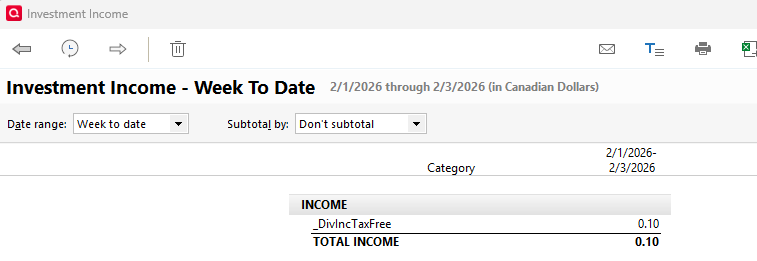
When Div is selected in the Action column in a Investment account it automatically shows as a _DivInc in the Description column. I would like to be able to choose or have it show up as DivIncTaxFree category.
0 -
Then Edit the Security to mark it as Tax Free
Q user since February, 1990. DOS Version 4
Now running Quicken Windows Subscription, Business & Personal
Retired "Certified Information Systems Auditor" & Bank Audit VP0
Categories
- All Categories
- 43 Product Ideas
- 36 Announcements
- 228 Alerts, Online Banking & Known Product Issues
- 21 Product Alerts
- 497 Welcome to the Community!
- 677 Before you Buy
- 1.3K Product Ideas
- 54.4K Quicken Classic for Windows
- 16.5K Quicken Classic for Mac
- 1K Quicken Mobile
- 814 Quicken on the Web
- 116 Quicken LifeHub