Most of Accounts received CC-800 errors after One Step Update (Quicken Classic Premier for Windows)
I did a one step update, and all of sudden, almost all of the accounts received CC-800 errors. The institution includes: American Express, Bank of America, Charles Schwab, Chase, Citibank, Elan Financial Services, Fidelity Investments, Target National Bank.
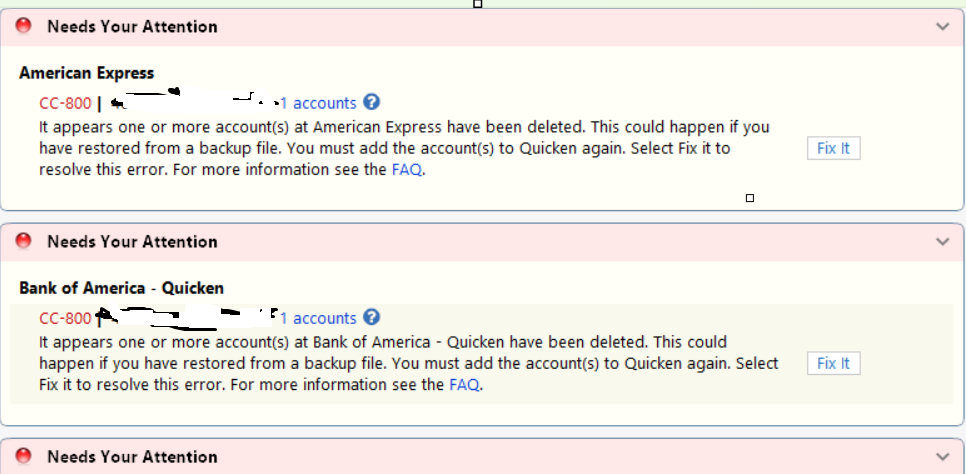
I didn't restore from backup at all.
The issue started last night at round 11:30pm PST, and continued to happen this morning.
Please help.
Comments
-
Hello @Lampatrick,
Thank you for providing details about the CC-800 errors. To help us narrow down the cause, could you please clarify a few things first:
- Where is your Quicken data file stored? Is it on your local hard drive (C: Drive) or a cloud-based/external drive (e.g., OneDrive, DropBox, USB, etc.)?
- Have you attempted any troubleshooting steps so far? If so, what were they?
- Are you using a VPN while updating your accounts? If so, does disabling it make any difference?
- Do you have any antivirus or malware protection software running that could be interfering with Quicken? If so, have you tried temporarily disabling it to see if the issue persists?
- Were there any significant changes to your system or software before the issue began (updates, new installations, etc.)?
Additionally, we recommend reviewing this support article regarding CC-800 errors.
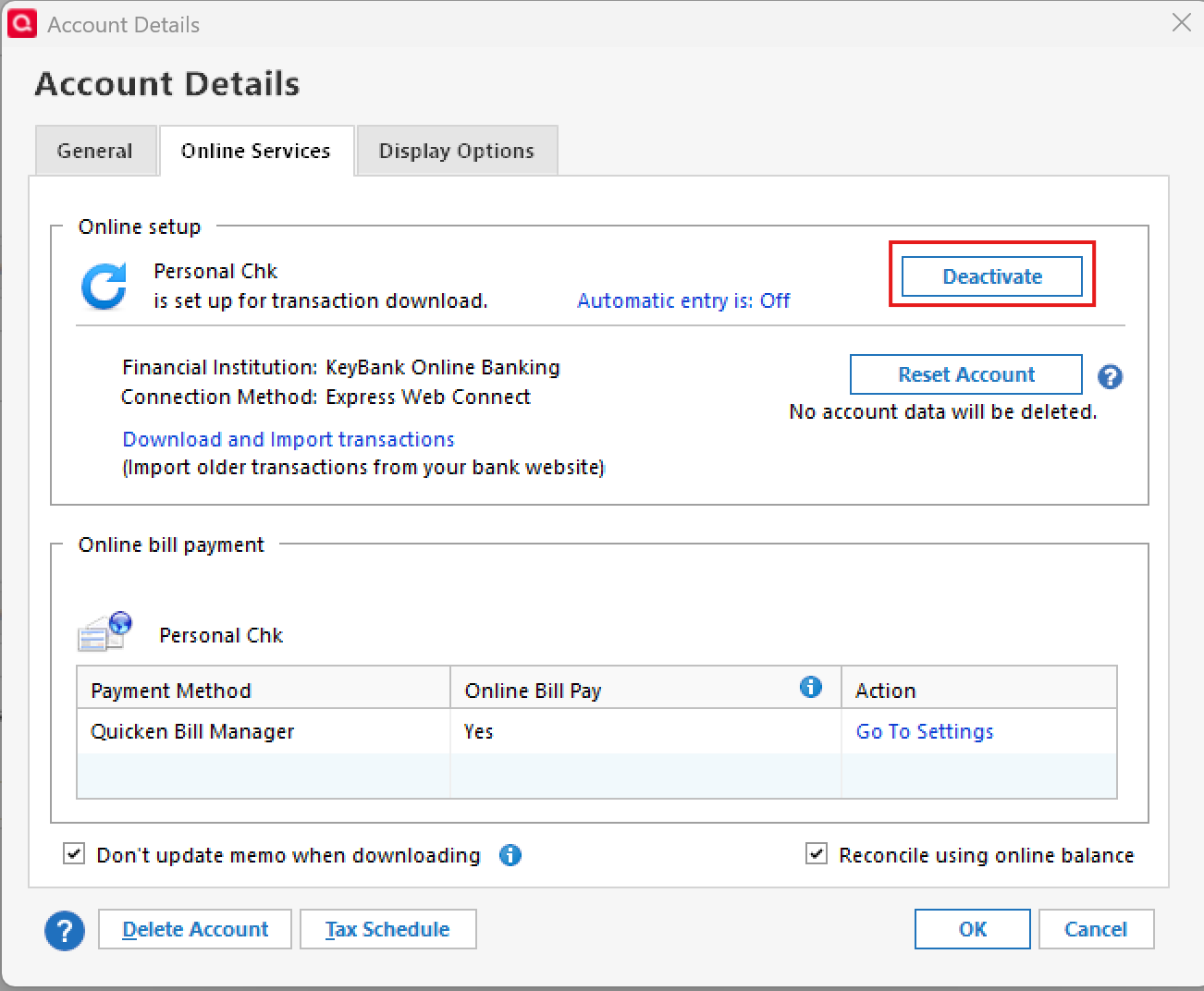
This article outlines the process for deactivating and reactivating affected accounts. Before proceeding, could you let us know if you’ve already followed these steps? In brief, the guidance includes:
- Deactivating the affected accounts via Tools > Account List, then editing each account on the Online Services tab.
- Reactivating the accounts by adding them back in Quicken, using your bank login credentials and re-linking them to the existing accounts.
- Following the prompts carefully to ensure accounts are properly linked, and any new accounts are added correctly.
If these steps have already been completed and the issue persists, please let us know!
Thank you!
-Quicken Anja
Make sure to sign up for the email digest to see a round up of your top posts.0 -
@Quicken Anja, I stored all the Quicken file on my local laptop.
Here is what happened. I have been using Quicken for windows starting from 1998. Recently, I got a macbook air and I was exploring transition to Quicken for Mac (just exploring, but not commited to it yet). I converted the Windows file to Mac file but got into errors. I opened up this:
I followed the last instruction to create a different backup "Create a copy or template". I transfered the new template file with Cp ending to the mac, but still had the same issue.However, when I went back to the original data file (not the new copy template one) on Windows, I started to get the C-800 errors when I did the one step update. I looks like the new backup "create a copy or template" wiped out all my connections with the institutions of both the original data file and the new temple file.
I have been spending last 2+ hours to de-activate and re-activate the accounts. It is a pain in the neck and wasted a lot of my time.
0 -
Hello @Lampatrick,
Thank you for the detailed explanation—that context is very helpful, and I understand why this has been frustrating.
What you described does line up with expected behavior when using Create a copy or template. That process intentionally disconnects all online services in the file copy, as it creates a new and separate dataset ID and replaces internal lists and database tables.
Since you then returned to the original data file after creating the copy and connecting accounts in the copied file, this likely led to the CC-800 errors and the need to reconnect the accounts. Unfortunately, with a long-standing data file like yours, that process can be especially time-consuming.
To make sure we’re clear on the current status before moving forward:
- After deactivating and reactivating the accounts, are you now able to complete One Step Update without receiving CC-800 errors?
- Or are you still seeing CC-800 errors on some or all accounts?
If the errors are no longer occurring, then the issue would be considered resolved, even though the reactivation process was understandably tedious.
If the errors are still occurring, please let us know! Thank you.
-Quicken Anja
Make sure to sign up for the email digest to see a round up of your top posts.0 -
@Quicken Anja After spending hours to reconnect to the financial instititions for all the accounts, I don't see the CC-800 anymore. It was a pain in the neck and time consuming process. Especially, on Windows version, it converted all my investment accounts (around 15 of them) to SIMPLE POSITION (by default) after reactivating them, and it took at least 5 to 10 mins (extremely slow) to change the SIMPLE POSITION back to COMPLETE - POSITIONs and TRANSACTIONS. I hope Quicken will give an option during reactivation to keep the COMPLETE position. Thank you.
0 -
@Lampatrick Thanks for the detailed follow-up, and I completely understand how frustrating and time-consuming that process was—especially with so many investment accounts.
Glad to hear that the CC-800 errors are no longer showing after the reactivation.
Thank you!
-Quicken Anja
Make sure to sign up for the email digest to see a round up of your top posts.0
Categories
- All Categories
- 41 Product Ideas
- 36 Announcements
- 225 Alerts, Online Banking & Known Product Issues
- 21 Product Alerts
- 497 Welcome to the Community!
- 676 Before you Buy
- 1.3K Product Ideas
- 54.3K Quicken Classic for Windows
- 16.5K Quicken Classic for Mac
- 1K Quicken Mobile
- 814 Quicken on the Web
- 115 Quicken LifeHub