SIMPLE IRA Payroll Pre-Tax Contributions not reflected in the Tax Planner
SIMPLE IRA Payroll Pre-Tax Contributions not reflected in the Tax Planner, or anywhere in the tax planner, ( This may be for both Self or Spouse, but in my case it only relates to Spouse ) This results in an overstatement of taxable income and estimated tax by whatever marginal tax rate applies. Any insight into this issue?
SIMPLE IRA pre-tax contributions in payroll are treated like 401k contributions for tax purposes and on the employee W2. In the Tax Planner 401k employee contributions have always appeared as negative payroll amounts in the tax planner. This has been the case for as long as I can remember, which is a very long time.
I have the SIMPLE IRA account setup as 'Tax Deferred' and the 'Account Type' drop down has 'SIMPLE IRA" selected. The Tax Schedule item for 'Transfer to This Account' is set to "Form 1040: SIMPLE contribution spouse"
In the Payroll Reminder and all posted Payroll Transactions, the SIMPLE IRA for my spouse's contributions are in the "Pre-Tax" section.
NOTE: earlier this year there was an issue with Spouse Wages not correctly showing scheduled transactions, which was fixed via update about 5-6 months ago.
Best Answer
-
Hello @zot100,
Thank you for letting us know you're seeing this issue. When I tested in my Quicken, I see the same thing. Employee contributions should appear as negative income (based on how it displays when looking at my own wages), but that is not happening when it's looking at a spouses' wages.
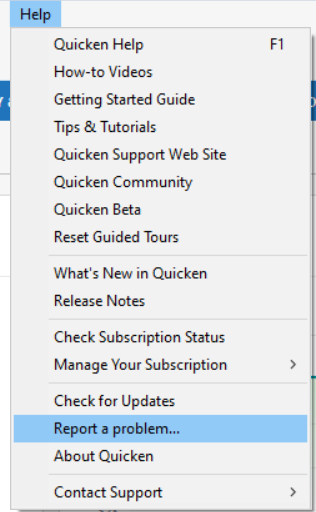
I forwarded this issue to the proper channels to be further investigated. In the meantime, if you haven't already done so, please navigate to Help > Report a problem and submit a problem report with log files attached and (if you are willing) a sanitized copy of your data file in order to contribute to the investigation.
While you will not receive a response through this submission, these reports will help our teams in further investigating the issue. The more problem reports we receive, the better.
We apologize for any inconvenience!
Thank you.
(CTP-15879)
Quicken Kristina
Make sure to sign up for the email digest to see a round up of your top posts.
0
Answers
-
Hello @zot100,
Thank you for letting us know you're seeing this issue. When I tested in my Quicken, I see the same thing. Employee contributions should appear as negative income (based on how it displays when looking at my own wages), but that is not happening when it's looking at a spouses' wages.
I forwarded this issue to the proper channels to be further investigated. In the meantime, if you haven't already done so, please navigate to Help > Report a problem and submit a problem report with log files attached and (if you are willing) a sanitized copy of your data file in order to contribute to the investigation.
While you will not receive a response through this submission, these reports will help our teams in further investigating the issue. The more problem reports we receive, the better.
We apologize for any inconvenience!
Thank you.
(CTP-15879)
Quicken Kristina
Make sure to sign up for the email digest to see a round up of your top posts.
0
Categories
- All Categories
- 42 Product Ideas
- 36 Announcements
- 225 Alerts, Online Banking & Known Product Issues
- 21 Product Alerts
- 497 Welcome to the Community!
- 676 Before you Buy
- 1.3K Product Ideas
- 54.4K Quicken Classic for Windows
- 16.5K Quicken Classic for Mac
- 1K Quicken Mobile
- 814 Quicken on the Web
- 115 Quicken LifeHub