How do I set predefined business invoice payment terms, so the due date defaults accordingly?
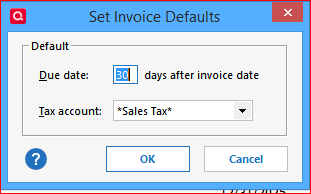
There's a setting, Invoice Defaults, where you can change this:
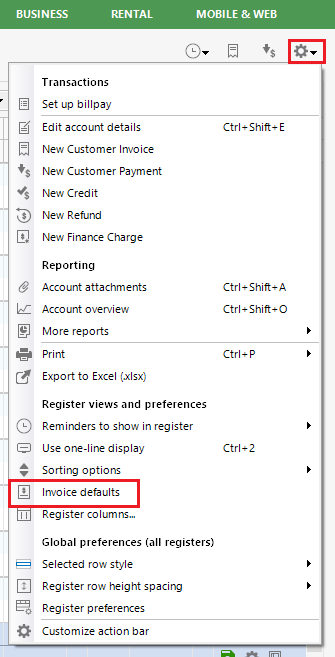
You can find this setting when clicking the gear icon in the Customer Invoices account register
To tell the customers about the new Payment Terms, you can post them in the New Customer Invoice dialog's "Message to Customer" field. Click the down arrow box at this field to see available, selectable text messages.
Hello @jbbehl,
We haven't heard back from you in a while. Do you still need assistance? Were you able to give @UKR's suggestion a try?
Check back and let us know! Thank you.
Hello again,
Checking in once more before this thread is closed. Let us know if you still need assistance.
Thank you!
Due to the lack of response, I went ahead and closed this post.
If you still require assistance, please feel free to start a new post.