Quicken Classic Premier
Windows 11 Home 25H2 - ARM64
Windows 10 (whatever the latest version is) x86 architecture
Quicken Version R65.29 Build 27.1.65.29
This problem has been going on for years. I always download the latest version.
When I look at my stock portfolio (Investments→Portfolio) the SHARES column for some securities is (more often than not) blank. After I toggle the sort order (of any column) the correct number of shares will eventually appear. But they are just as likely to disappear as I toggle the column headers.
As you can imagine, this is quite maddening when I am deciding which security I should sell.
I have reported this to Quicken many times and an agent was able to remote into my machine and see the problem. My file is 241,376 KB and growing. I am a long time user of Quicken (DOS ?). I have investment transactions going back to circa 1975. But don't jump to the conclusion that my file is corrupted or too big.
A few days ago, I discovered, if I select the OPTION → Show Closed Lots, all of the SHARES are displayed correctly. I am wondering if anybody else has encountered this problem? When I enable that option I see securities which I no longer need to track on a daily basis which is distracting.
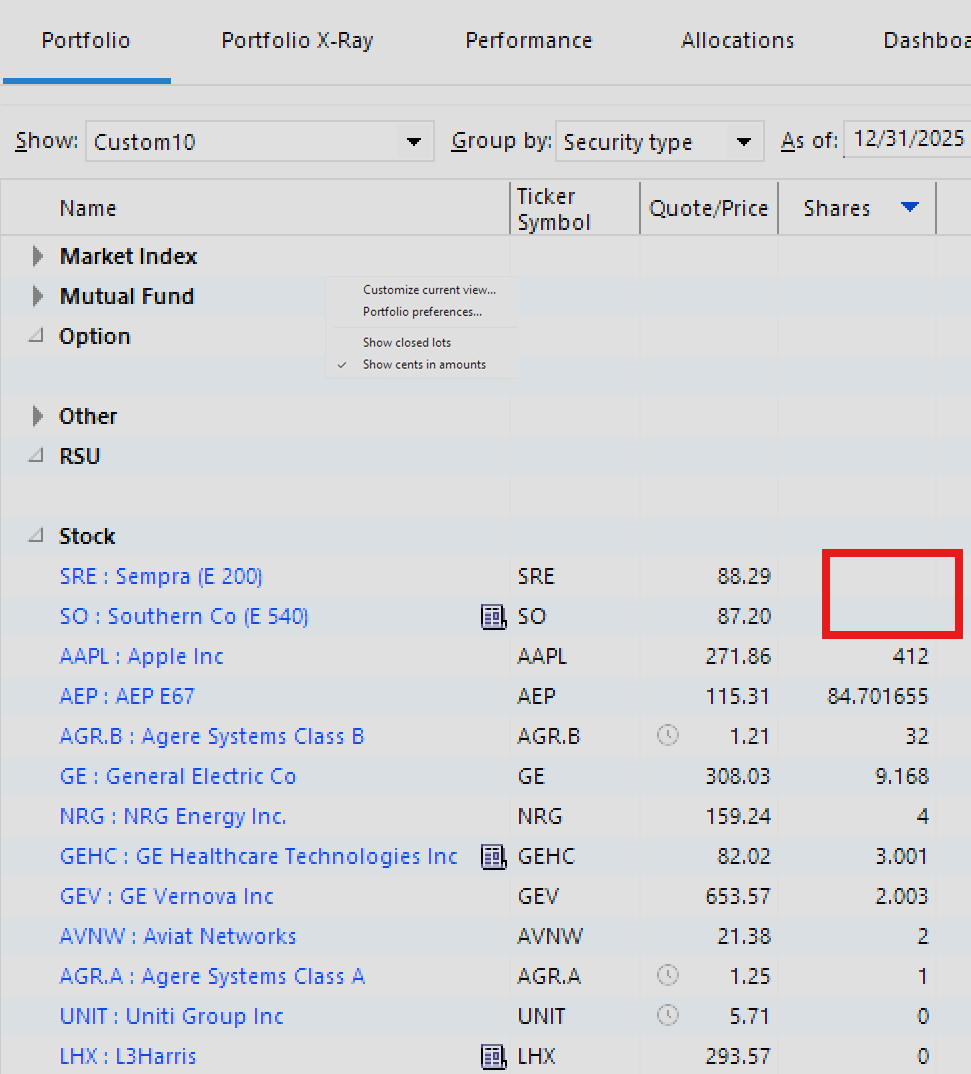
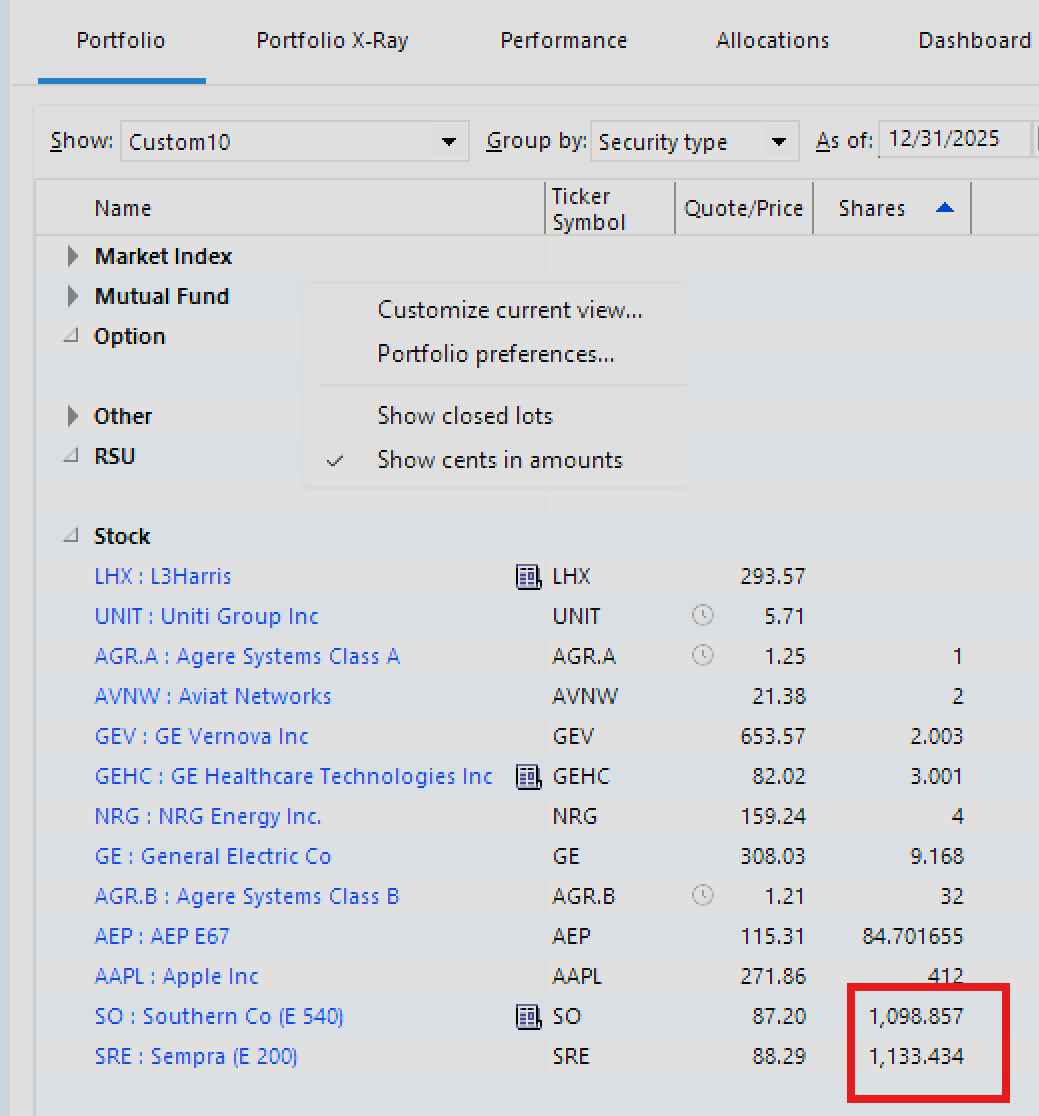
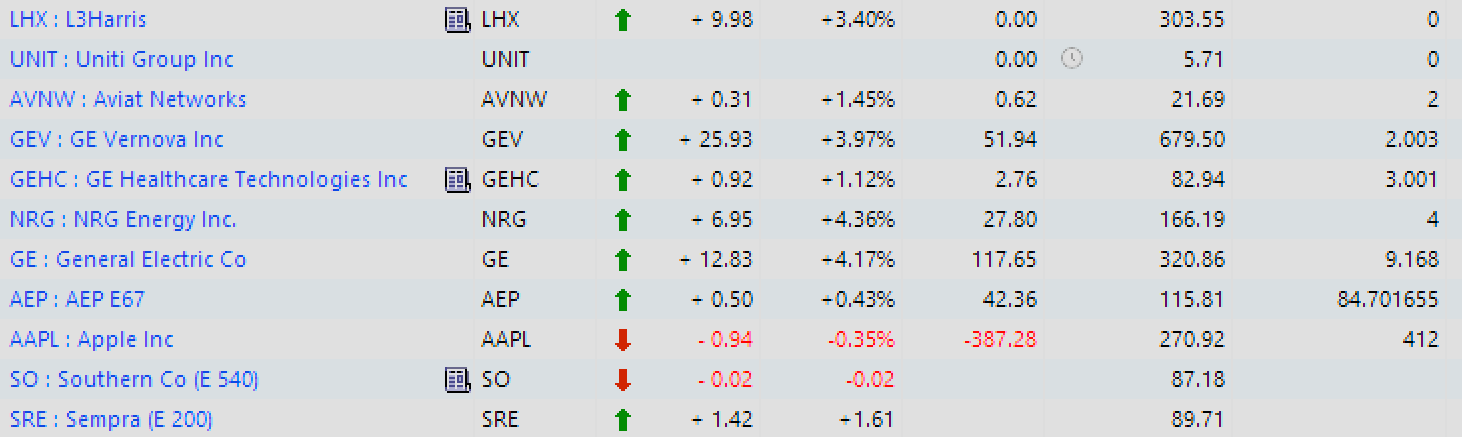
In the following screenshot, Show Closed Lots is disabled. The rightmost column is SHARES
LHX is correct. That security is on the Watch List.
I closed my position in UNIT in April 2024.
However, I have a position in the last two stocks; SO and SRE. The SHARES are blank.
The other positions are correct.
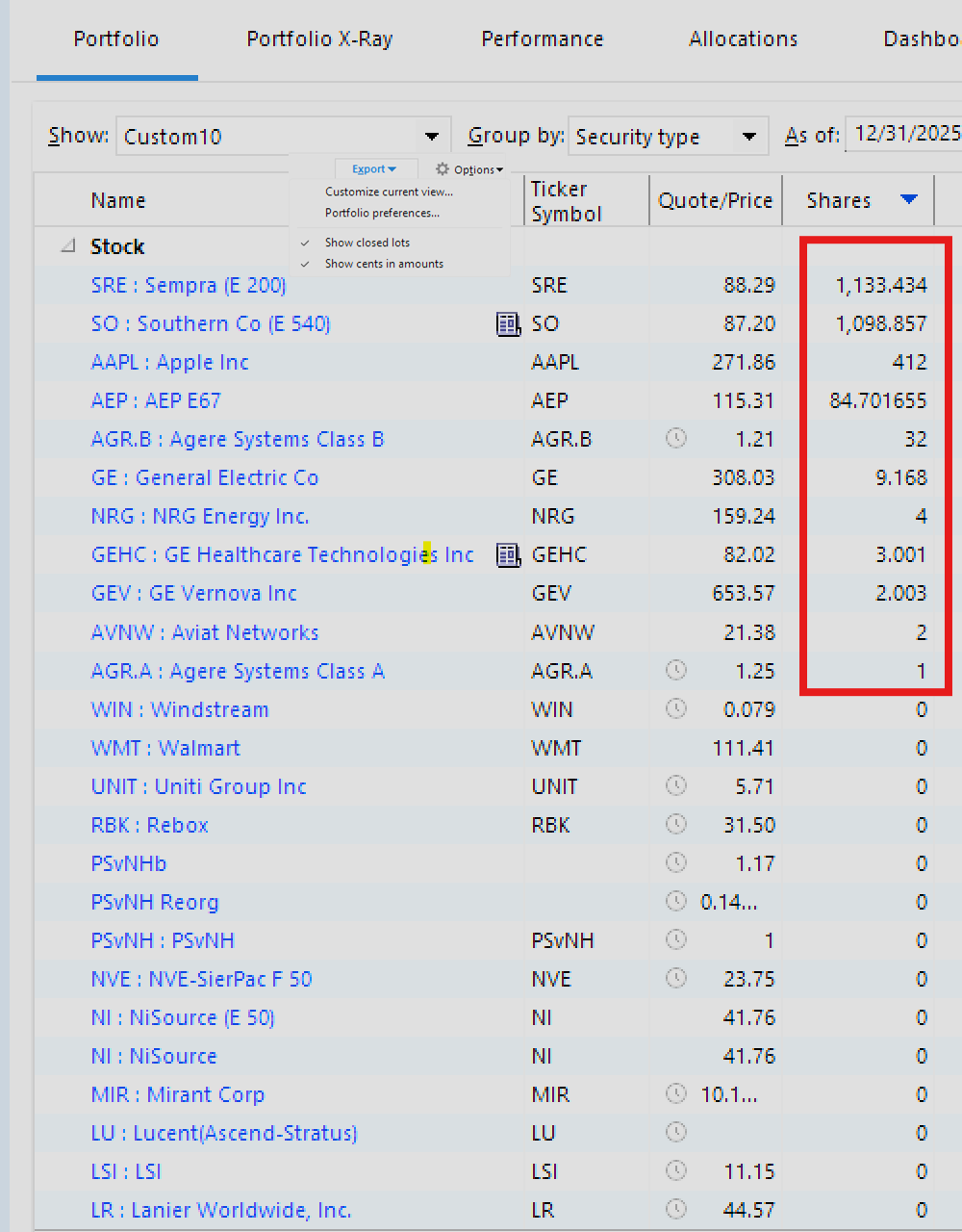
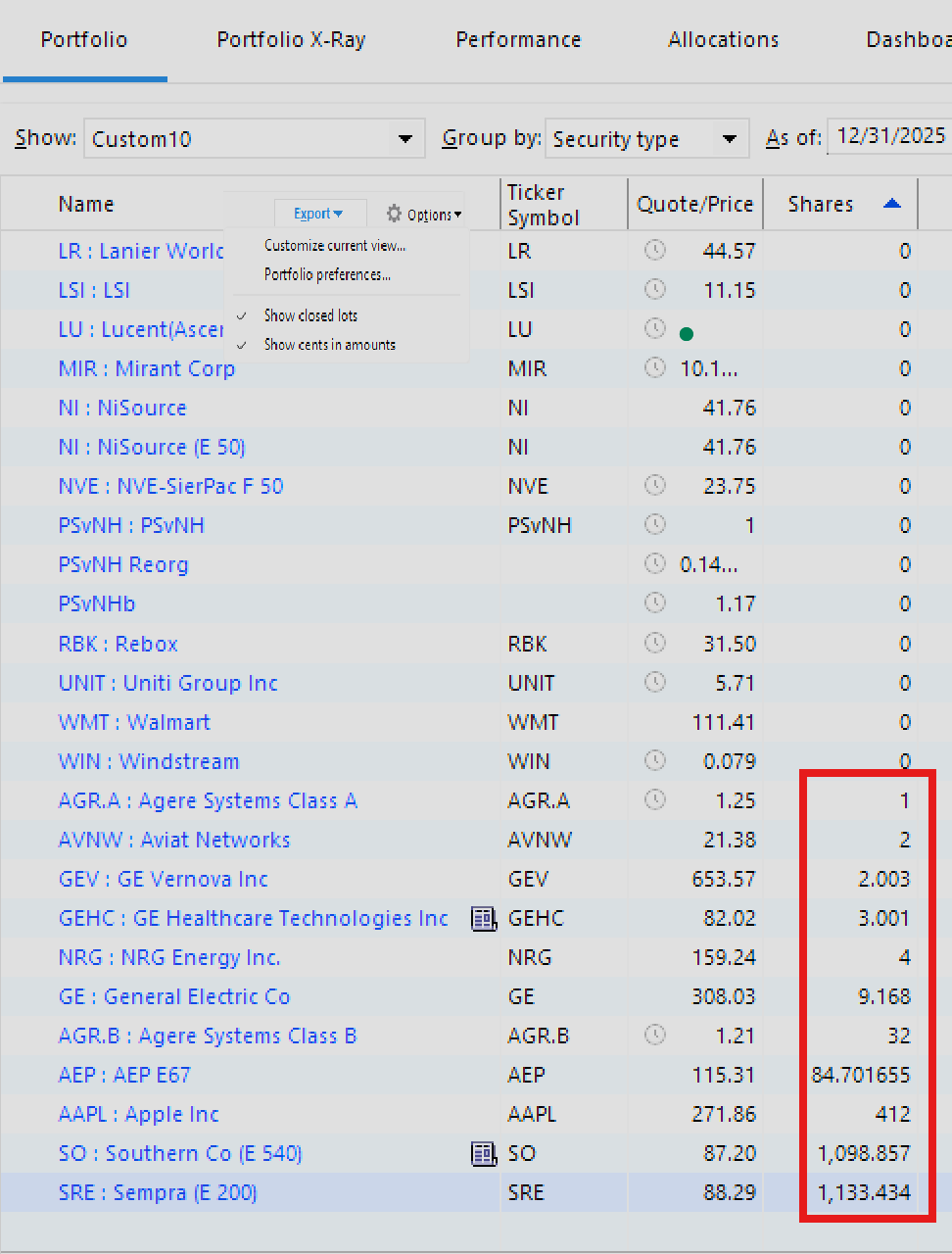
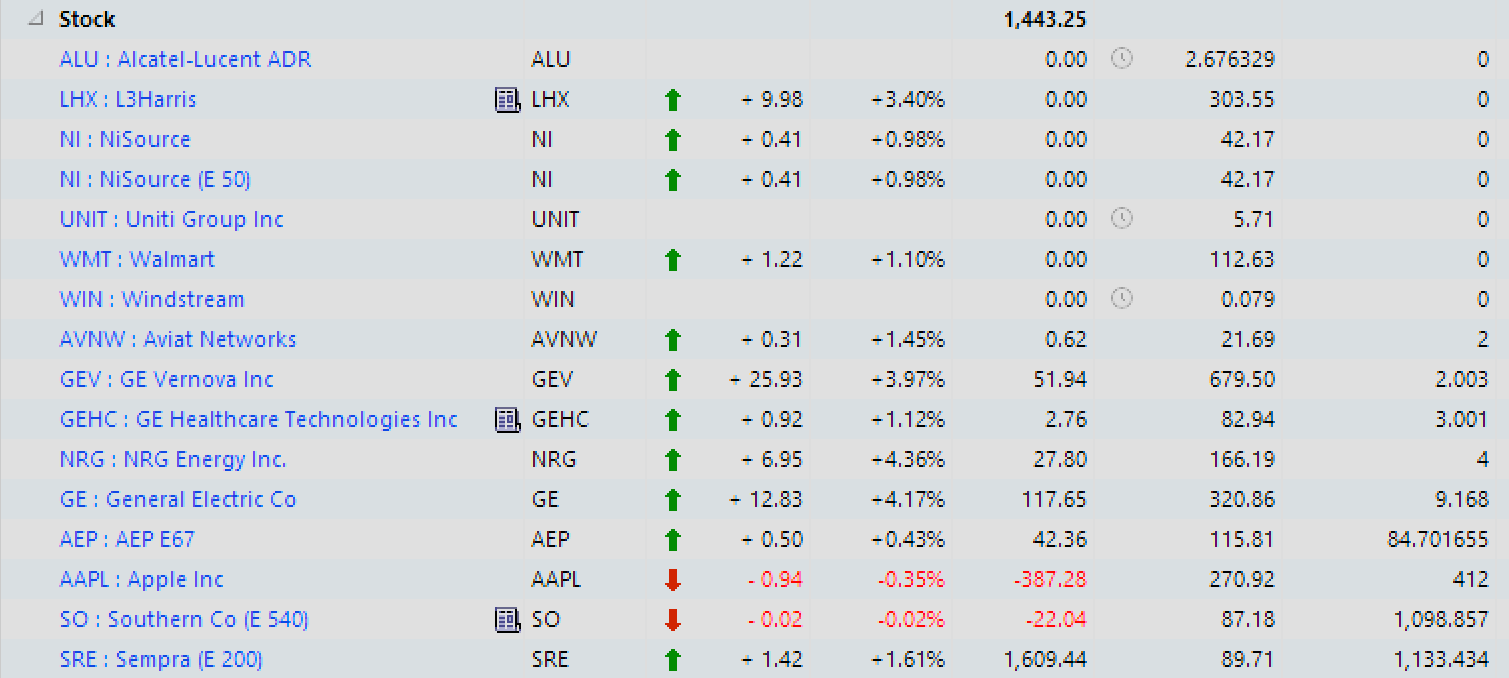
In the following screenshot I have enabled Show Closed Lots. All the SHARES are correct and I can change the sort order of any column.
I no longer hold a position in the stocks showing 0 shares and LHX is on the Watch List.
Note that SO and SRE now show the correct position.
The problem is reproducible and dependent on the Show All Lots OPTION. I doubt this is due to file corruption. It is more likely a programming issue or an issue with the grid attributes.
Thank you for your time. Happy New Year.
Fred J.