Need help changing to one-step update for Merrill Lynch bank accounts
For many years I successfully downloaded ML bank transactions and imported the file into Quicken. ML no longer supports this so I need to change to one-step update, but have not been successful.
I only need checking account transactions - I don't use Q to track investments.
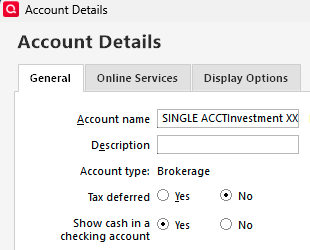
When I set up my ML accounts originally. I had to set up an investment account linked to several checking accounts.
- With one-step update, do I still need the investment account, or just the checking accounts? Can I delete the investment account?
- How do I deactivate/delink the checking accounts without loosing 15 years data?
- Can I use my existing ML checking accounts for one-step update, or do I set up new accounts. If new accounts, how do I get the data from the existing accounts into the new accounts?
I am sure someone out there is familiar with ML and an expert on Quicken. ML has been absolutely no help.
Thanks
Bill
Comments
-
Hello @Bill Gulledge,
Thank you for reaching out! To answer your questions:
- Yes, you will likely need to have it set up like you did before, with the investment account and linked checking account.
- Backup your Quicken file. Then, deactivate the accounts by following the instructions in this article:
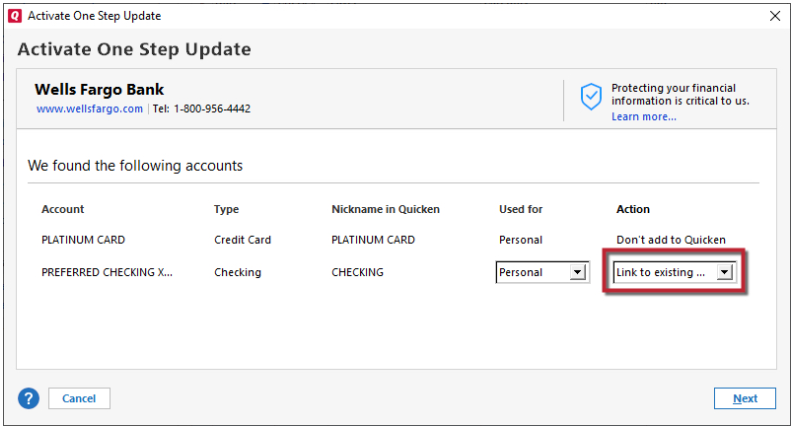
- You should be able to use the existing accounts. When you connect the accounts, navigate to Tools>Add Account and follow the prompts. After authorizing on the financial institution website, go back into your Quicken. The add/link screen should come up. On that screen, make sure to carefully link your accounts to the correct Nickname in Quicken.
I hope this helps!
Quicken Kristina
Make sure to sign up for the email digest to see a round up of your top posts.
0 -
Thanks Kristina
Several questions so I get this correct: Actually I have 8 investment accounts and could ( but I don't) write checks from each of them. I really only write checks against one investment account, and for now only need to download checking account transactions for that one investment account.
- Do I deactivate both the ML investment account and its associated ML checking account?
Do I deactivate them one at a time or both at once? - Same question for re-activating - do I reactivate the investment account and its associated checking account?
- Do I need to somehow "link" the checking account to its associated investment account, once re-activated?
- With one-step update, can I specify the time period for downloaded
transactions— e.g. "prior month" or will one-step update just download everything? - If I need to repeat a download, — e.g. for "prior month," will it allow me to download the same transactions a second time?
Thanks for your patience and help.
0 - Do I deactivate both the ML investment account and its associated ML checking account?
Categories
- All Categories
- 41 Product Ideas
- 36 Announcements
- 224 Alerts, Online Banking & Known Product Issues
- 21 Product Alerts
- 497 Welcome to the Community!
- 676 Before you Buy
- 1.3K Product Ideas
- 54.3K Quicken Classic for Windows
- 16.5K Quicken Classic for Mac
- 1K Quicken Mobile
- 814 Quicken on the Web
- 115 Quicken LifeHub